




Mask bounding box: Option to keep the opposite side fixed when resizing (like resizing graphic shapes)
Problem: It’s very difficult to resize and position masks given the existing options.
Request: There desperately needs to be a way in the mask bounding box mode to resize the mask the same way it works with shapes in a graphics layer. Where basically the opposite side or corner stays fixed, instead of resizing around the anchor point.
----------------
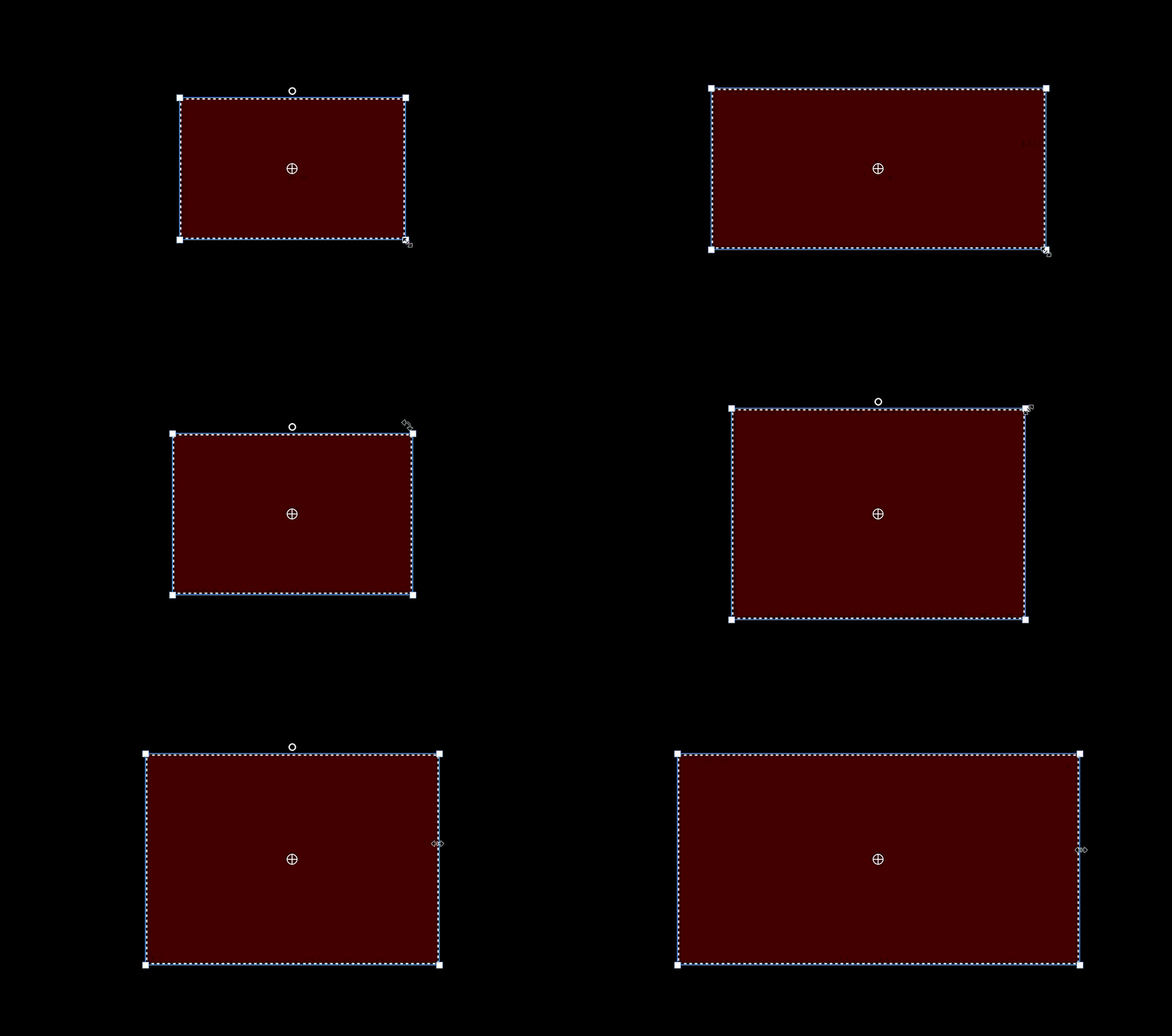
Right now it resizes around the anchor point:
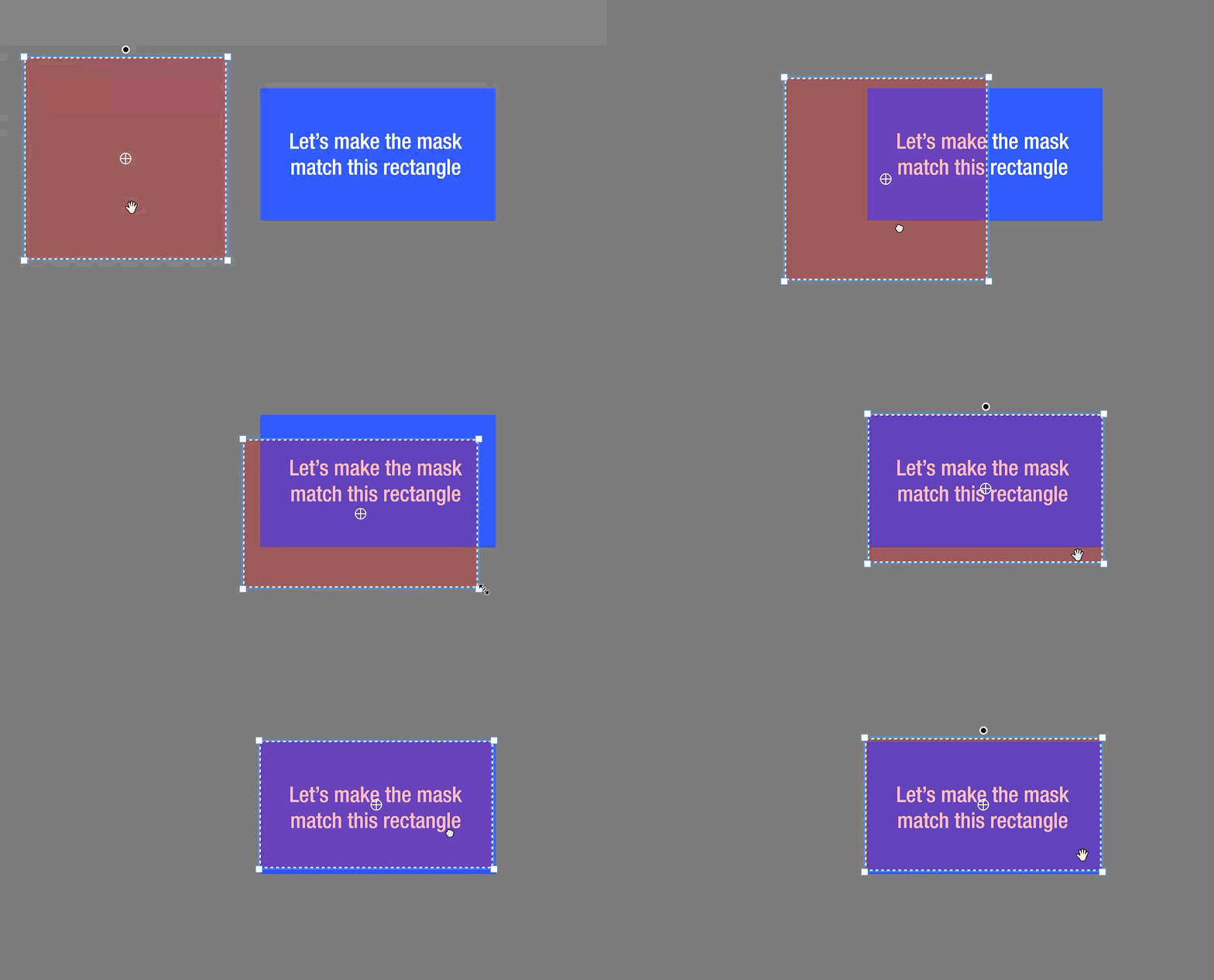
Annoyance: Here’s what it looks like when you try to resize and position the mask where you want in a frame. You need to make a million adjustments because it resizes both directions.
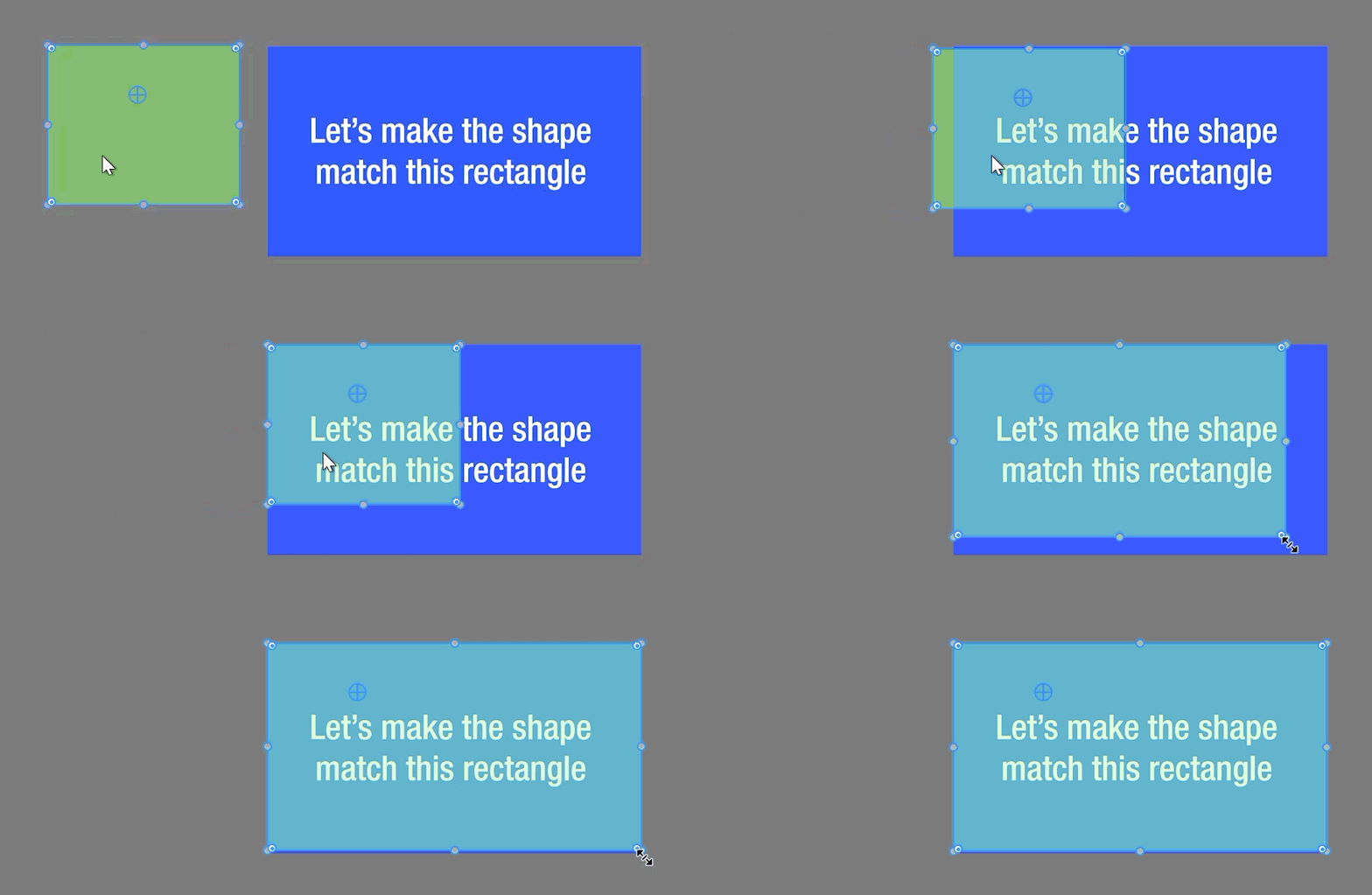
What you should be able to do: Just line up one of the corners, and drag the opposite to resize, like you would a shape. Perhaps just via a modifier key. Look how easy it is to resize a shape:
Using a corner anchor point is still janky: You might think you can just move the anchor point to the corner (ignoring that there doesn’t seem to be a way to snap it to the corner). That can work, unless you want to resize from that same corner, or a side adjacent to it:
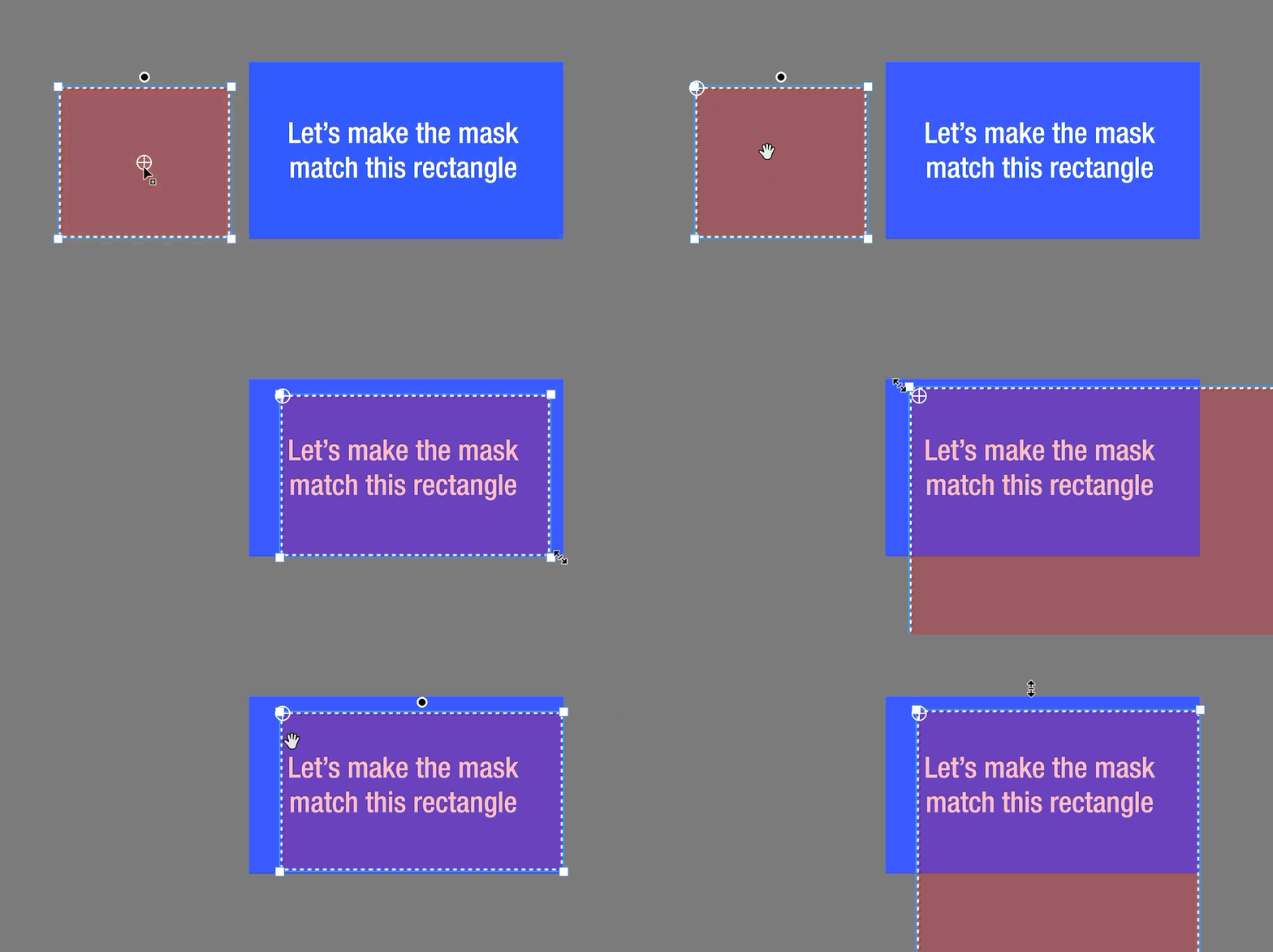
Meaning you need to move the anchor point manually often just to resize in different directions.
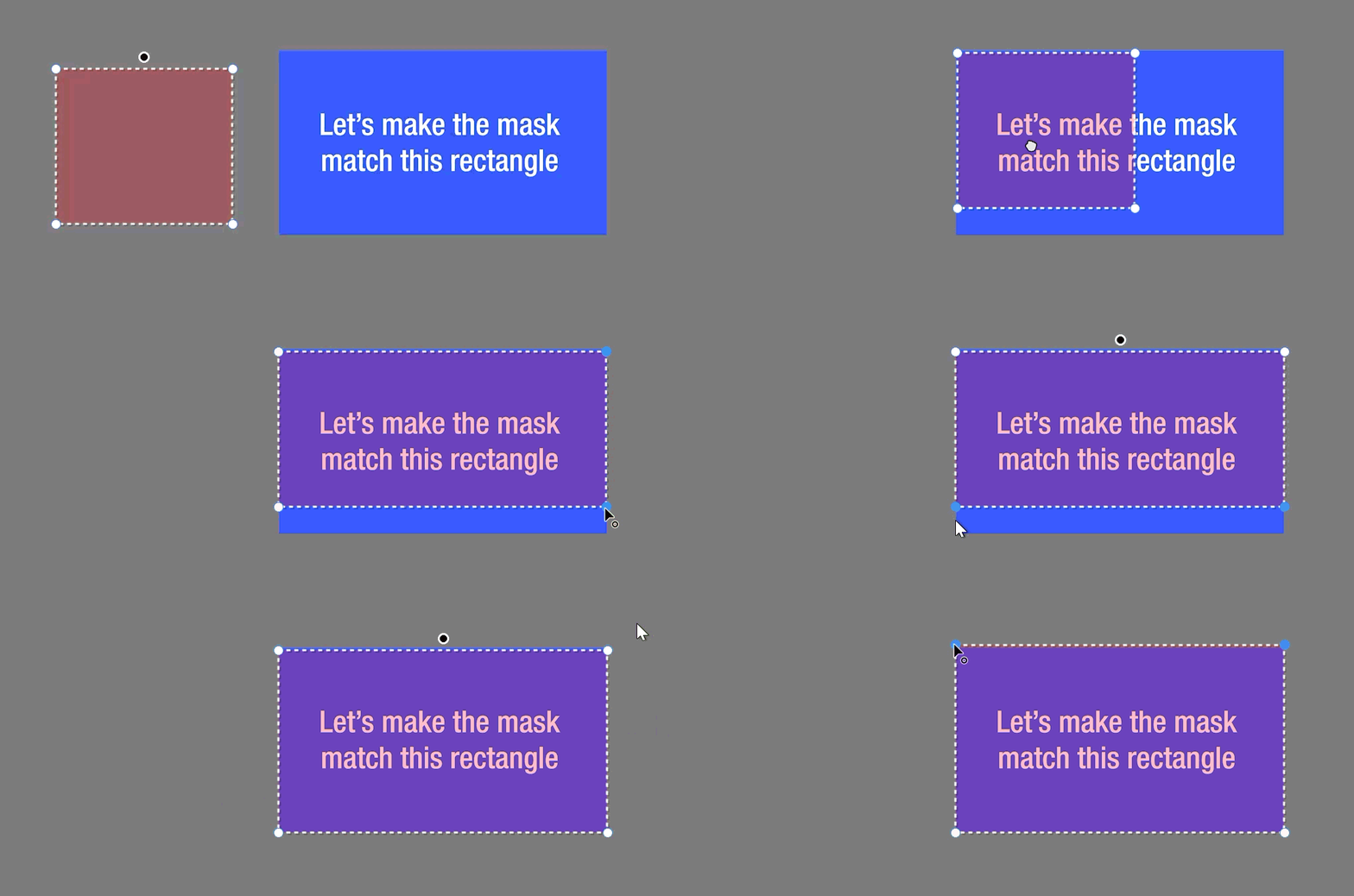
Using control points mode is also difficult: Even though it can ironically be faster to just use the normal mode with the control points, that is still a pain because you need to manually select the points together before resizing. And then you have to hold shift to keep them snapping perpendicular. Rinse and repeat in each direction:
 AdChoices