


Mask patch proposal
Hello,
I'm writing here because I have a bug that's making me lose a lot of time.
I've recreated the bug because I can't show concrete examples (confidentiality is a must).
The bug concerns the relationship between effect layers, masks and sequences.
In the example, I have a 1920 x 1080 video, to which I've added an effect layer of the same size.
I lightened the river with a color lumetri, then applied a mask to display it only on the river. Then I tracked.
So far, so good.
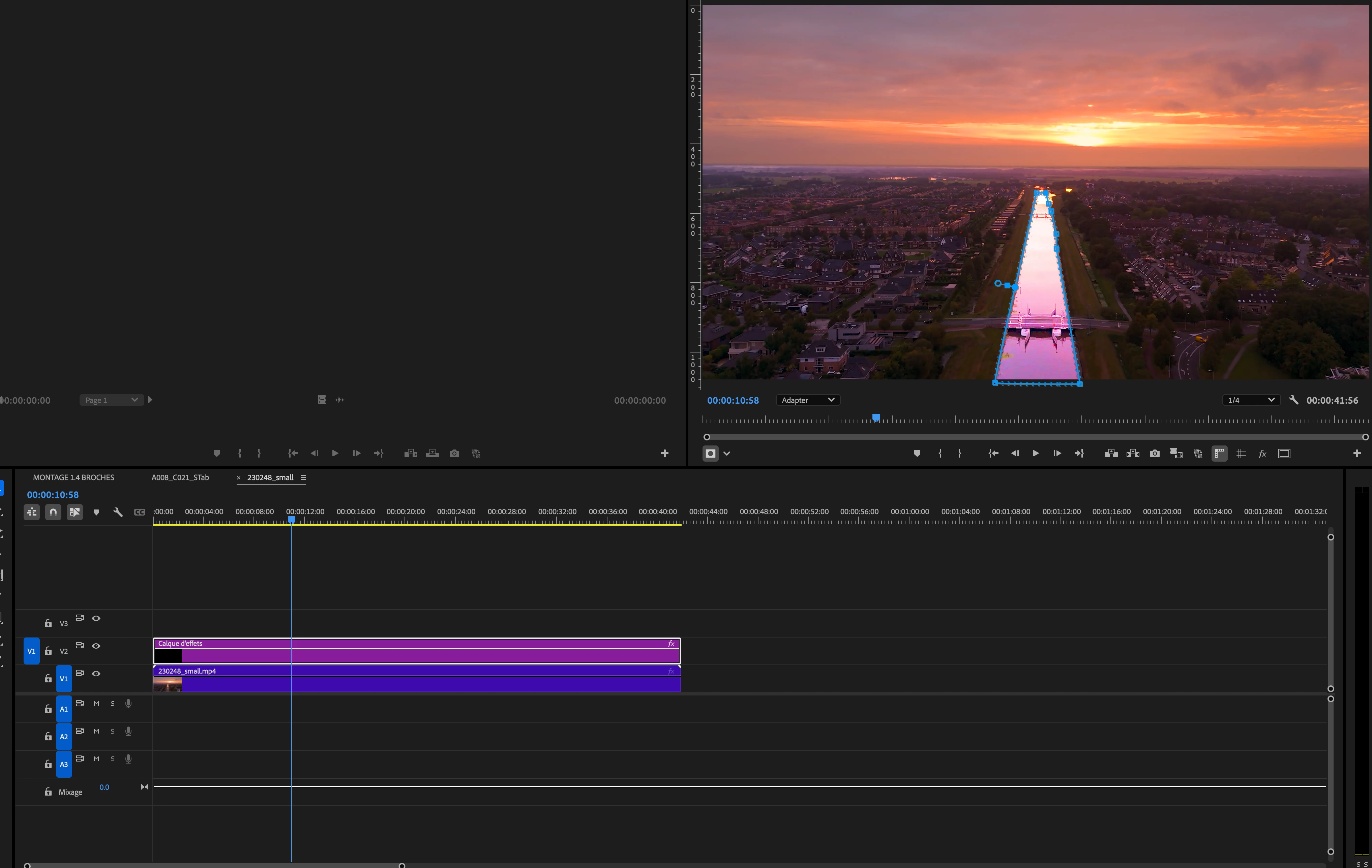
Now my client wants me to deliver the same rush in 1080 x 1920.
So I duplicate my sequence and... the mask goes completely west.
You can clearly see that the mask contour is right, but that the area in which it acts is completely squeezed.
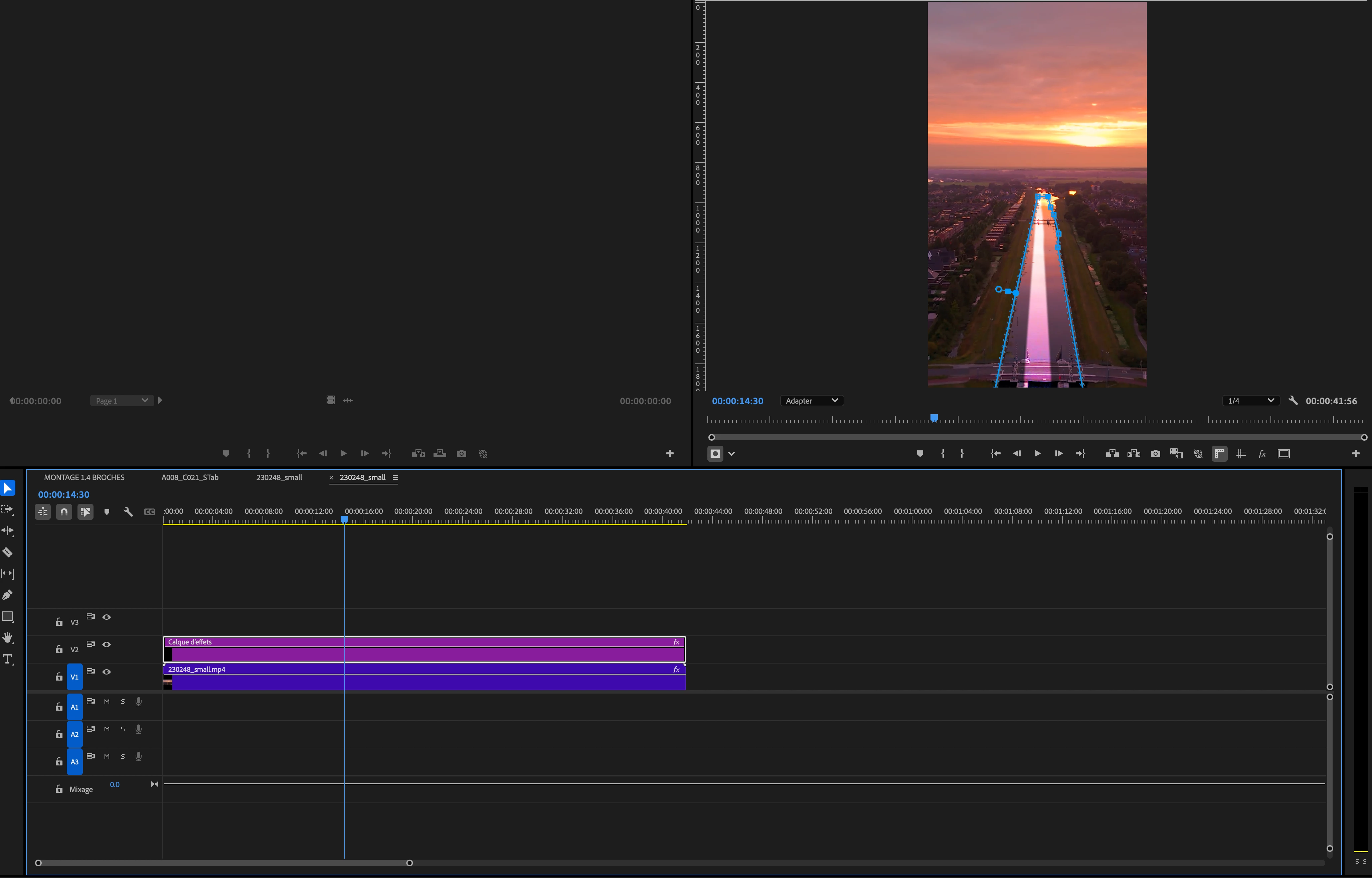
The first time this happened, I had to redo the masks on all my shots, for all my formats! (4/5 , 1/1,...)
Losted so much time
Then for a subsequent project, I tried to make a 1920x1920 effect layer to cover my 4 formats, but there....same problem.
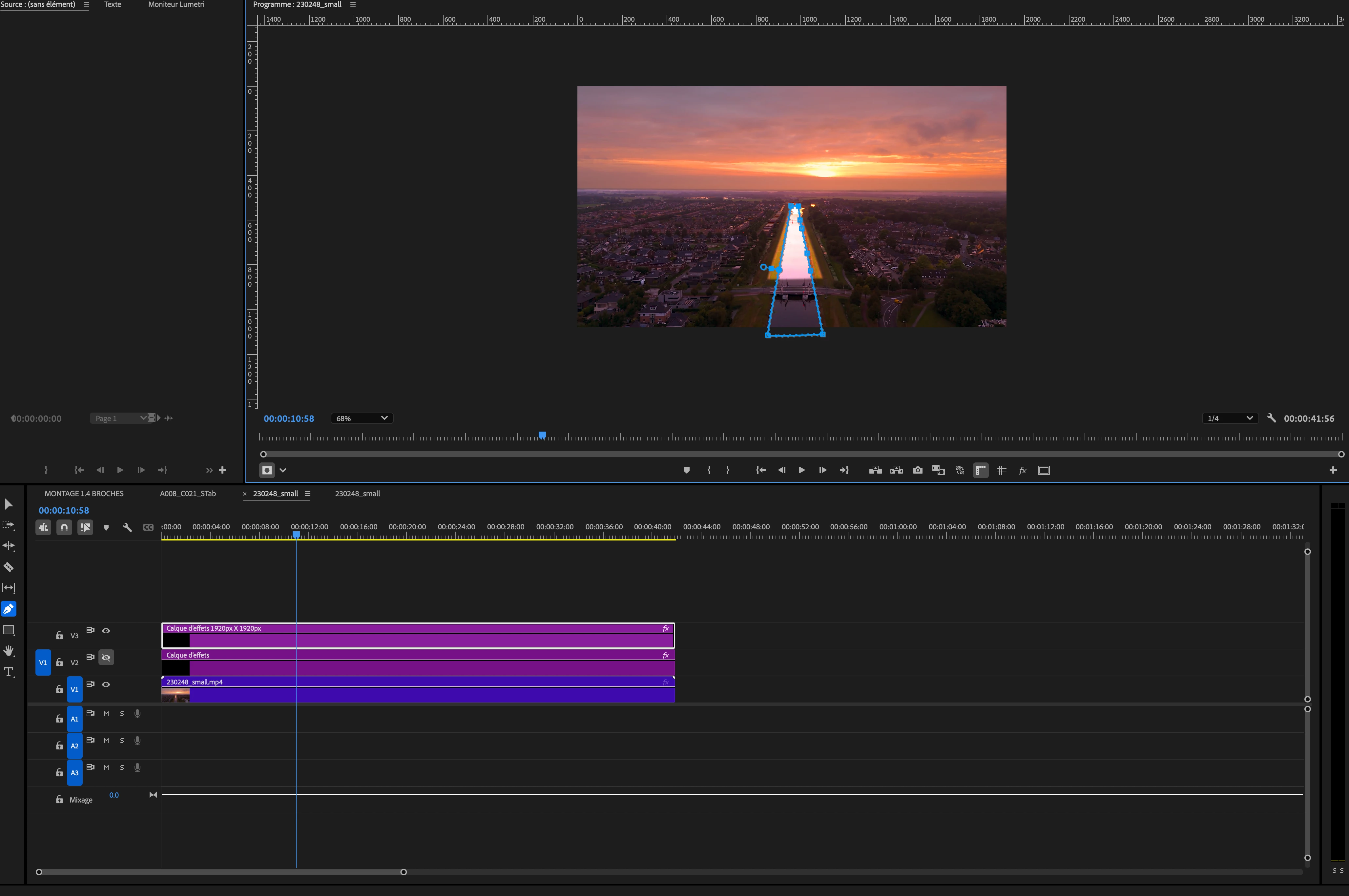
Now I use after effect to make my masks, but it's not always practical.
However, when I make masks directly on rushes, regardless of the format of the sequence
format, it works like a charm.
So can you, Adobe, please try to patch this problem? By making the effect layers act like rushes for example. Thank you very much
And while I'm at it, allow pathfinder in premiere regarding masks?
Thanks
 AdChoices