

Menu options for what snapping will snap to
The snapping in Premiere works so great and that might just be muscle memory but compared to how unintuitive it is to snap in Avid, whatever Premiere is doing is just nailing it. However, a common tactic for editors is to add a small 2 frame crossfade between edit points to avoid popping and smooth over edits.
That means that the snapping will connect to the frames before and after the edit, along with the frame of the edit itself.
Here we see the snapping missing the edit point by one frame:
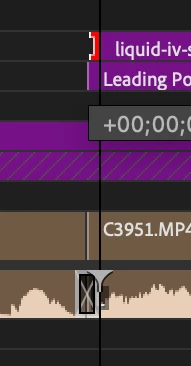
Here we see the snapping where I would like it to go, and it of course does, but I have to massage it to get it to snap there:
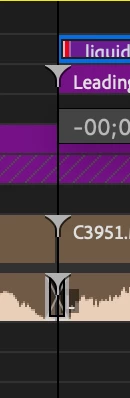
If you are not paying close enough attention you can end up with clips that are misaligned, like so:
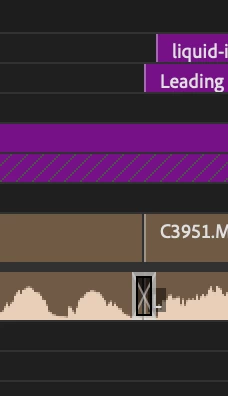
In a perfect world there would be a menu option for what snapping will snap to, or just a toggle to say Snapping Enabled but Disable Snapping to Transition heads and tails, something like that. Could be something that is placed in the wrench menu in the timeline.
This would probably save many editors a ton of time throughout the day and it would make it so that our sanity is preserved when a client catched a dumb one frame mistake. Personally I would enable that toggle and never turn it off, I rarely, if ever, have a need to snap to the ends of a transition.


 AdChoices