


Participating Frequently
August 16, 2024
Open for Voting

MOGRT Text: Can individual words / parts have separate text styling?

  • August 16, 2024
  • 18 replies
  • 2606 views

Hi, 


I am tired of having to put a layer of After Effects composition on my Premiere Pro timeline (via dynamic link) for adding basic text animations to my edit.


I have made a mogart that allows you to have simple text animation right inside Premiere Pro. 


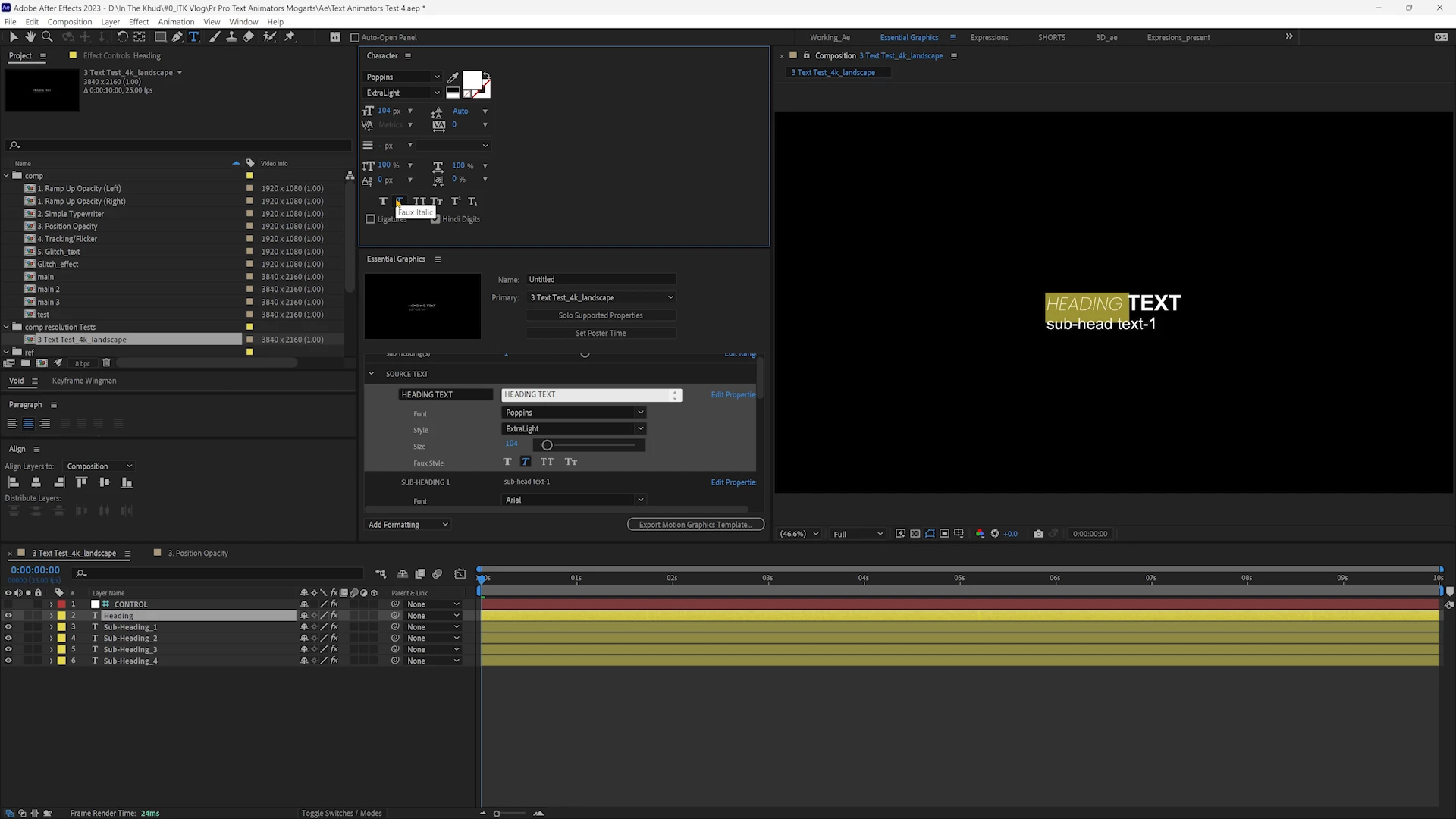
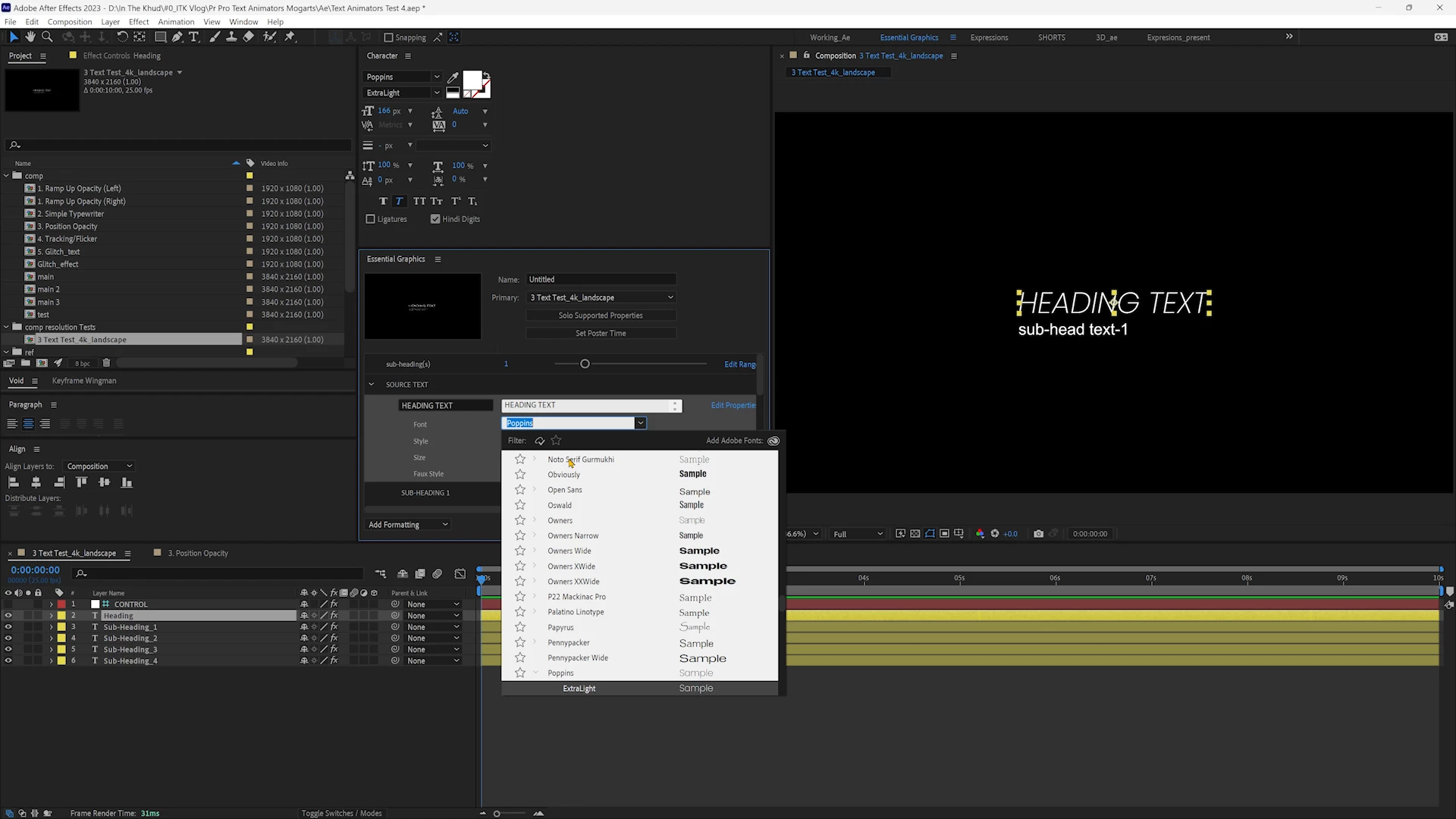
But the thing that is breaking it for me is that the whole line of text can have only a single text style applied to it.  In contrast, when working with text inside After Effects, we have the ability to select certain segements of the text and give them a different styling (attached video link for reference).


Video:

Ae vs Mogrt Text Styling 


This feature is extremely important since design and hierarchy with different styles is very essential to communicate your message.  Is this a feature being worked on by the MOGRT team?  Or is there a workaround that can be used when exporting from Ae Essential Graphics? 


The only workaround I can think of is having your line of text broken down into no. of words.  But that breaks the mogrt's original purpose of text animation completely.


Any help is appreciated.


Thanks.

18 replies

Legend
August 16, 2024

To talk directly to the team and add feature requests or bug reports: Help > Provide Feedback

Participating Frequently
August 16, 2024

Noted.  How can I add a feature request?  Thanks

Legend
August 16, 2024

I'm not an expert when it comes to text styling, but yes, there are lots of limitations at the moment. It's been just a few months since we got the possibiloity to use expressions to control styling on individual characters. Let's hope we get simpler access to styling words in future updates. Make sure you add a feature request, or add your vote to an existing one.

Participating Frequently
August 16, 2024

Hi Jarle,


Thank you for your reply.  Agreed on your point of using expressions to link text styles.  But there are 2 limitations I see:

First, when you would add the style linking expression to the source text of a parent layer, the child layer takes effect only when the whole text font is changed.  Or if I change the style of one part of the parent layer, the whole of the child layer changes (Attaching video for reference: https://youtu.be/bBWwtKkhuec )


Second, since this expression needs to go on the source text of a layer, it makes it impossible to do anything else on the source text.  Since from how much I have understood Ae JavaScript engine does not support AND operation on the source text.  You only have the very last function working on it.


Sorry, if I made this sound over-complicated.  Just looking for some expert guidance on the topic.  Thanks.

Participating Frequently
August 16, 2024

Hi Stan,


Thank you for your reply.


Personally I find the updating captions to graphics a very clumsy way to work with text to make animations.  Firstly, it is a destructive process.  So I lose the ability to edit my text at a later stage.  Secondly, the things you can do right inside Premiere Pro for animation are extremely limited.  Yes, you could animate the opacity and have a box on top to have a sort of reveal effect.  But these are pretty out-dated text animations at this point.  The current day brands expect much more in terms of animation than that.


Which is why I have been working on this mogrt that takes all the basic (5 to be precise) text animations in After Effects right inside Premiere Pro.  It would be really helpful for my workflow if only I could fix this styling issue 😞

Legend
August 16, 2024

You can use Expressions to style individual characters, but it gets messy when you want to style individual words.
https://helpx.adobe.com/after-effects/using/expressions-text-properties.html 

Legend
August 16, 2024

Hi Stan, I have never found a way to apply any animations or individual styles etc. to a MOGRT that's an updated Subtitle. This, for me, makes this feature just about worthless. I don't see how it can speed up my workflow in any way.

Stan Jones
Community Expert
Community Expert
August 16, 2024

@rajmeetsingharora,


As much as I have focused on text and captions, I have neglected Mogrts. Many users have wanted a way to animate captions (from the captioning/speech-to-text workflow after "updating captions to graphics"). I cannot see how to automatically change text in the mogrt. Is that possible? That's been my variation on your question.


You can apply different properties, and in fact linked styles, to part of a single text layer in the Essential Graphics Panel. But as soon as it is exported as a Mogrt, it just shows the property as mixed. It doesn't appear to have any way of addressing each part of the layer. I don't see how it could: that is the point of different layers.


@Jarle Leirpoll Can you comment? One day I'll have to read your book!


Stan