

rachelcenter
Legend
August 24, 2024
Open for Voting

Music levels change - feature request

  • August 24, 2024
  • 7 replies
  • 516 views

I wish there was a feature in premiere where I could highlight all the music in the bin and type in -20 and have it change every single highlighted song to -20 db.  Because right now it's a real pain to double click every single song, go into the audio clip mixer tab and change it from 0 to -20.  Back in my Avid days, they had a feature that allowed you to change the volume levels upon import.


yes i know premiere has some feature to do this in-timeline but i dont want to do it in timeline, i want to do it in bin to affect the original raw song.


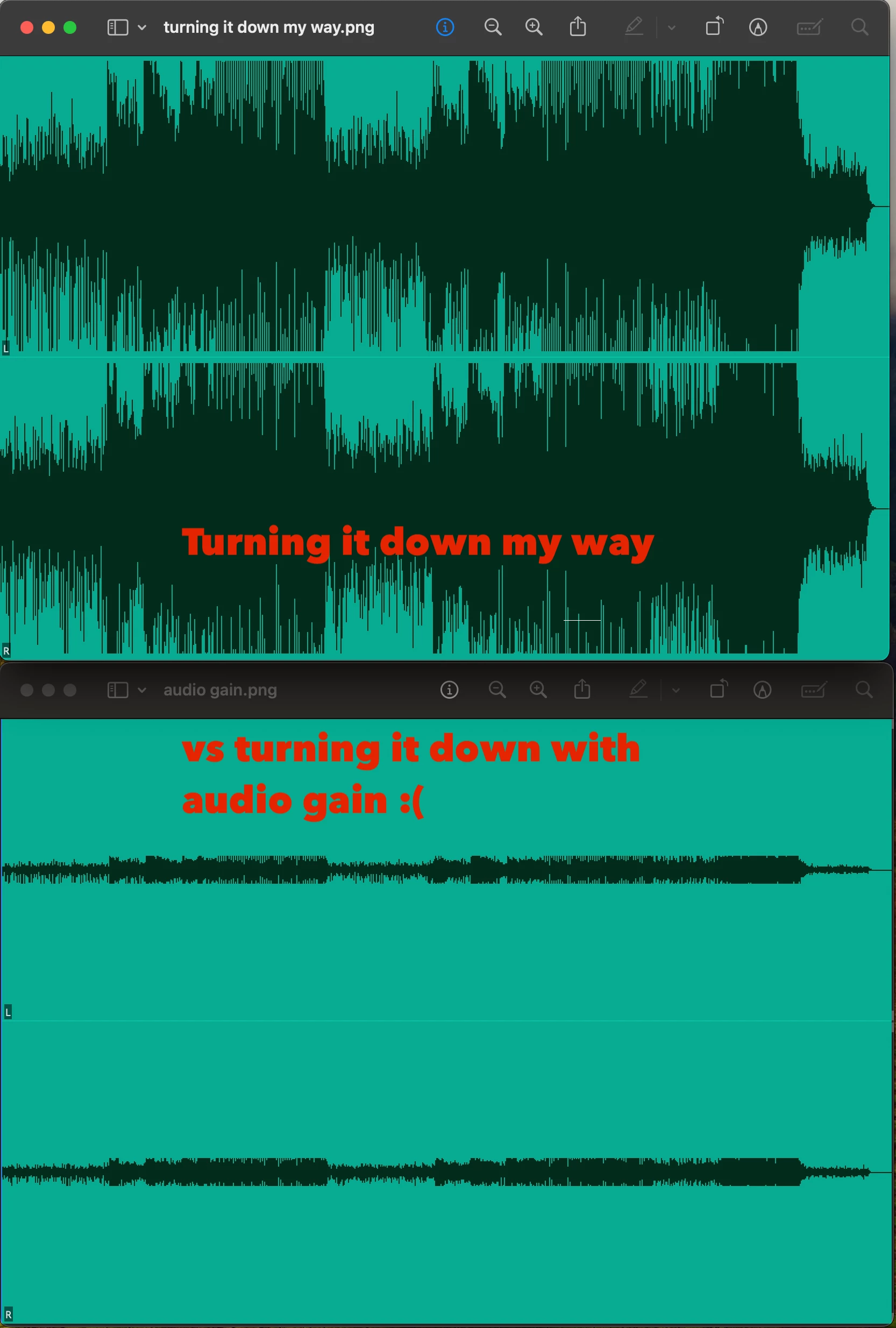
No i dont want to do it with Audio gain. I hate how it reduces the size of the waveforms. I want a way to change all the audio clips from 0 to -20 without affecting the waveform size. When I do it my way by double clicking the clip in the bin and turning down the audio in the audio clip mixer tab, i can now have the same wavelength patterns that arent reduced in size while having quieter volume levels.
7 replies

rachelcenter
Legend
August 24, 2024

Now can I further request premiere to add this feature that Avid has?

rachelcenter
Legend
August 24, 2024

I did and the waveforms arent robust and big, they're still tiny. The 'wishlist' feature that I'm asking for doesn't exist.

Ann Bens
Community Expert
Community Expert
August 24, 2024

Expand the track in the timeline.

rachelcenter
Legend
August 24, 2024

But increasing those waveforms like that doesnt travel when you put it on the timeline, where i need those waveform patterns to be big and robust.

Ann Bens
Community Expert
Community Expert
August 24, 2024


rachelcenter
Legend
August 24, 2024

ok i turned down the gain to -20, now my waveforms are super tiny. i'm in the source monitor with all clips highlighted and im not seeing any vertical slides that expand my waveforms for all the music clips in the bin at once. can you provide a video or gif demonstration?

Ann Bens
Community Expert
Community Expert
August 24, 2024

Gain is for input and volume for output.

You can select all audio clips in project window and turn down the gain in one go.

Source monitor has vertical sliders to expand the waveform.