Grumshow
Participant
July 18, 2017
Open for Voting

"New sequence from clip" for multiple clips

  • July 18, 2017
  • 1 reply
  • 7930 views

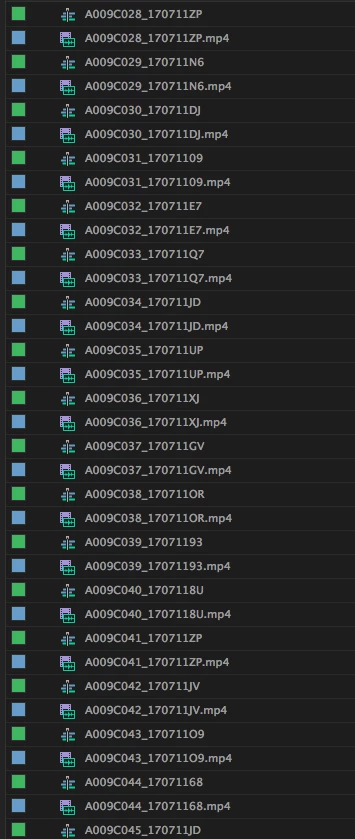
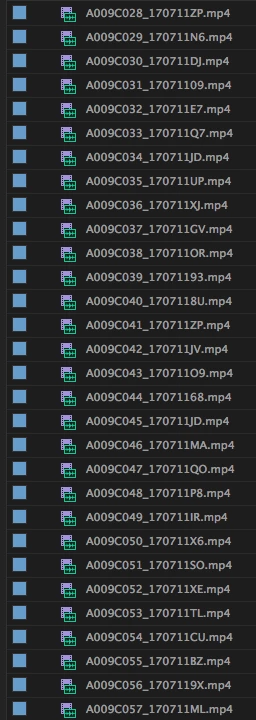
I've been looking for a quicker way to nest a collection of files individually into their own separate sequences, as the images show below.

The quickest way I could find was to individually select each one, and press CMD+Shift+N. For larger collections of footage this is still quite time consuming.

Selecting them all and clicking "New sequence from clip" just makes one sequence with all the clips in order.

Is there a function in Premiere to do this with one click/shortcut?
1 reply

Ann Bens
Community Expert
Community Expert
July 18, 2017

No there is no auto option, but why do you want each clip in its own sequence.

Grumshow
GrumshowAuthor
Participant
July 18, 2017

A number of reasons. In this instance I want to add colour correction and tweaks to each separately. If I added it to just a video clip I would have to add the colour correction on each instance of the clip, and if I made changes I would need to change each individually.

Another instance would be to add an audio track recorded separately to the video for each. Changing the audio track for each instance of a clip would again be a large manual task.

I suppose I could look into making a premiere script to do it.

Ann Bens
Community Expert
Community Expert
July 18, 2017

That is what Master clip is al about.

CC the master clip and all instances on the timeline will be correcte also.

Apply effects to all instances of a clip |