

playhead return to start position on stop
Feature Request: “Return Playhead to Start Position on Stop”
I’d like to request an option that makes the playhead return to the position where playback originally started whenever playback is stopped.
For example: I place the playhead at 10:00 and press Spacebar. Playback starts normally and the playhead moves forward. When I press Spacebar again to stop, the playhead should immediately return to 10:00, instead of remaining at the position where playback was stopped.
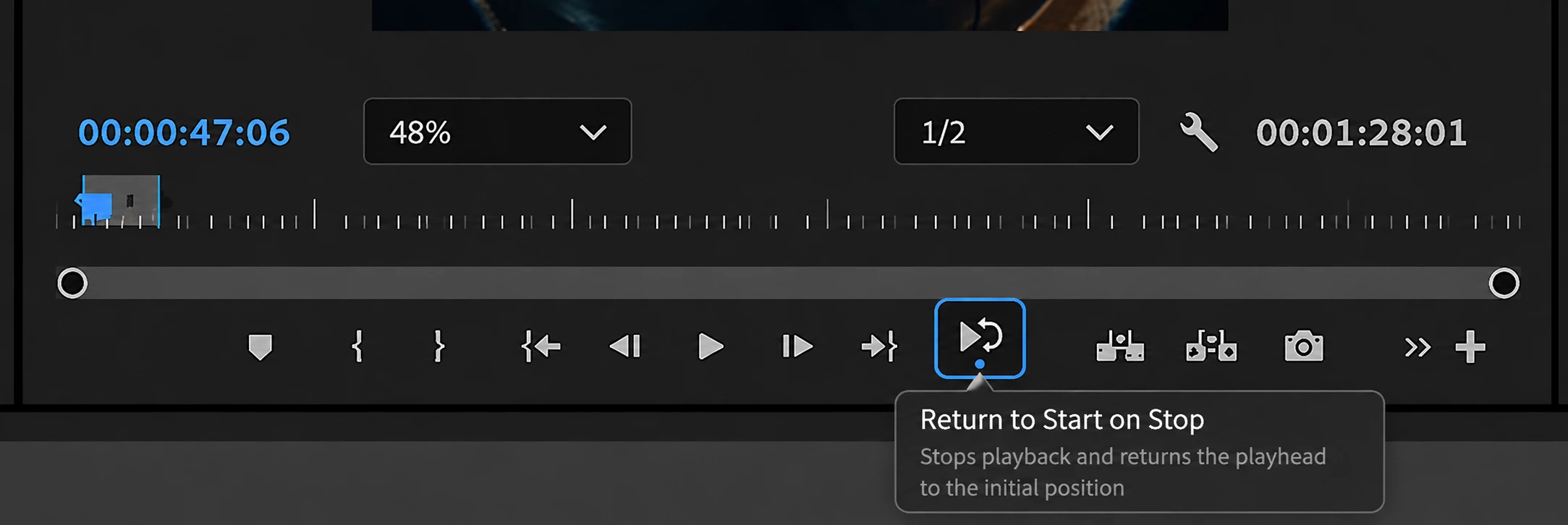
Ideally, this could simply be a toggle/button in the Program Monitor, such as:
“Return Playhead to Start on Stop”
When enabled:
Position A → Spacebar → Playback → Spacebar → Stop + Return to Position A
When disabled, Premiere would keep its current behavior:
Position A → Spacebar → Playback → Spacebar → Stop at Position B
This should work with the normal Play/Stop command, without requiring In/Out points or using Play Around, since Play Around does not provide the same normal Play/Stop workflow.
This type of functionality has existed in DAWs such as Pro Tools for many years and is extremely useful when repeatedly reviewing the same edit, transition, audio cue, cut, effect, etc.
A simple toggle would allow editors to choose whichever playback behavior fits their workflow.
 AdChoices