

Shebbe
Community Expert
Community Expert
December 5, 2024
Open for Voting

Please add Fast Box Blur to Premiere Pro

  • December 5, 2024
  • 4 replies
  • 372 views

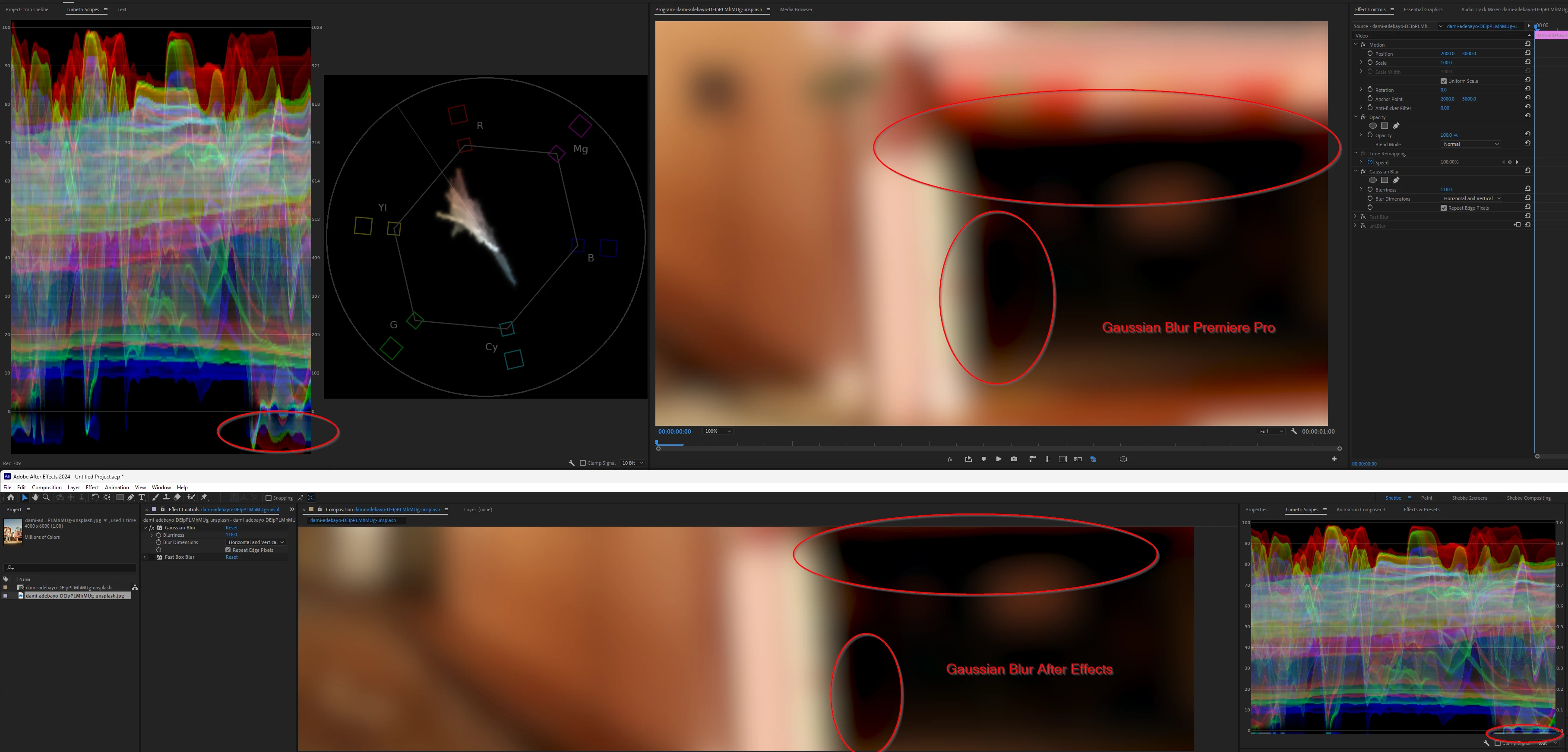
The blur effect Fast Blur has been depricated. Sure, Gaussian Blur theoretically superceeded it. But one of the main issues with Gaussian Blur in both Premiere Pro and After Effects is that the contrast enhancement creates hard transitions to black and negative values.


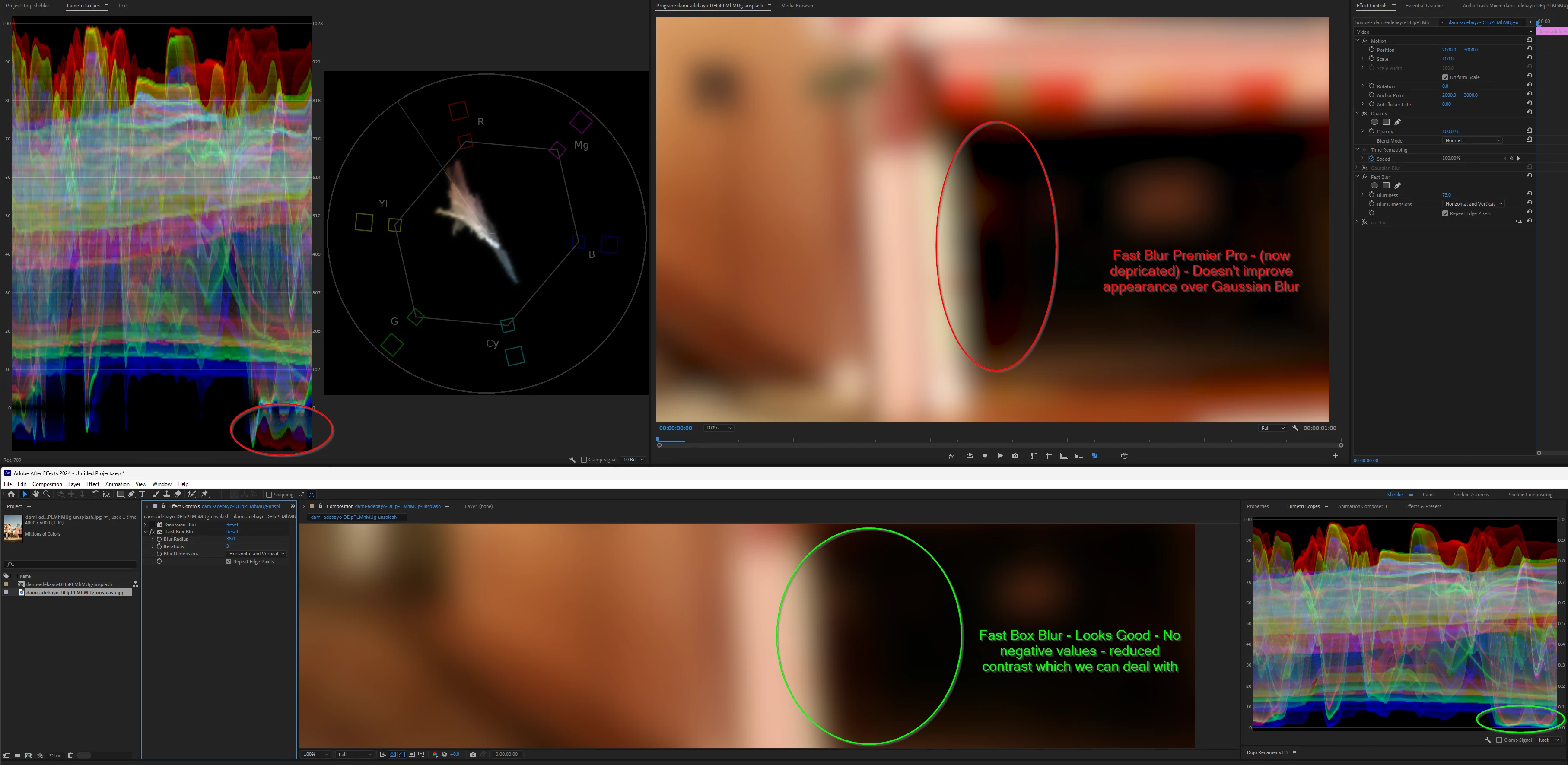
AE's Fast Box Blur has an algorithm with much less contrast but maintains all positive values which for higher blur values of full video/images is often more preferred.


Can we please have Fast Box Blur in Premiere Pro as well? We are not able to create blurs without negative values at the moment without third party plugins.

I wouldn't mind if multiple blur algortihms would get merged into a single Blur plugin with a dropdown menu to choose the algorithm. The more options the better.


State of Gaussian Blur:
 

State between Fast Blur (depricated) and Fast Box Blur from AE:
 

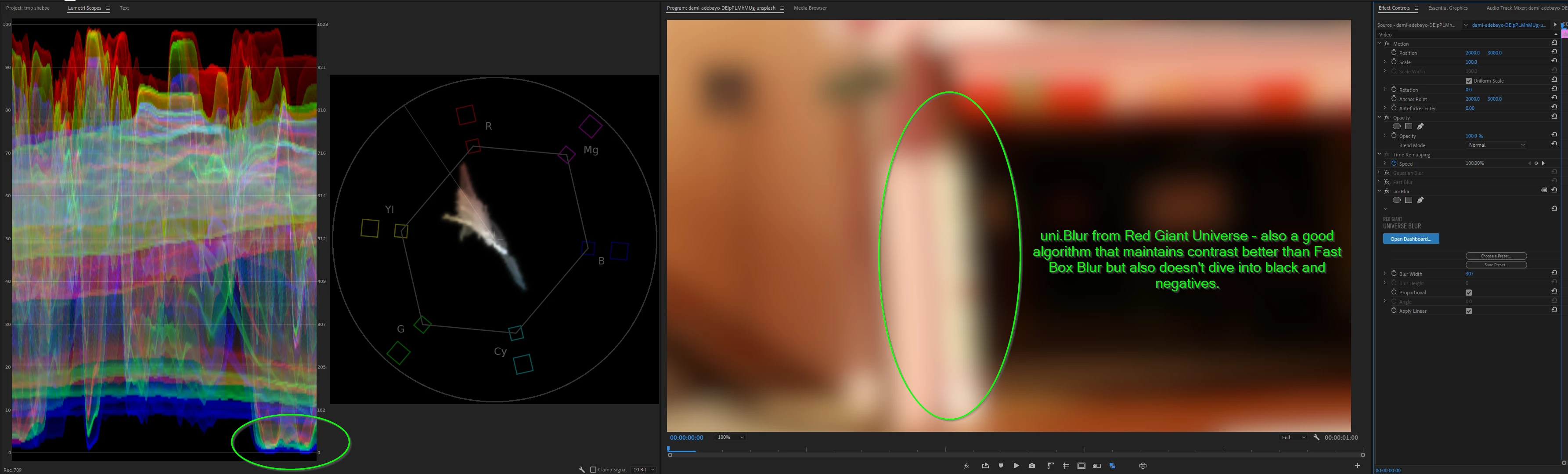
uni.Blur for comparison, alternative algorithm/appearance/quality:
 

4 replies

R Neil Haugen
Legend
December 5, 2024

Totally agreed, Shebbe. As normally, it seems ... 😉

Everyone's mileage always varies ...
MarekMularczyk
Community Expert
Community Expert
December 5, 2024

I know what you mean and I understand your frustration.

Let's see if someone from Adobe could add their input here.


Adobe Community ExpertAdobe Certified Professional
Shebbe
Community Expert
ShebbeCommunity ExpertAuthor
Community Expert
December 5, 2024

We would use After Effects if talking about a single shot that needs to have a certain appearance and can be prepped for final quality. But such a workaround is not feasible for assets that needs it constantly like blurring a 9x16 video behind itself for 16x9 output, or blurring the end shot to overlay a logo/endcard, which is really common for our work. You want to be able to keep editing fast and stay native within Premiere Pro. For such cases adding AE in the mix is a massive workflow hog for a task that is supposed to be really simple.

MarekMularczyk
Community Expert
Community Expert
December 5, 2024

Interesting point raised. I guess for now, you'd have to use After Effects for Fast Box Blur.


Adobe Community ExpertAdobe Certified Professional