
Participant
December 2, 2024
Open for Voting

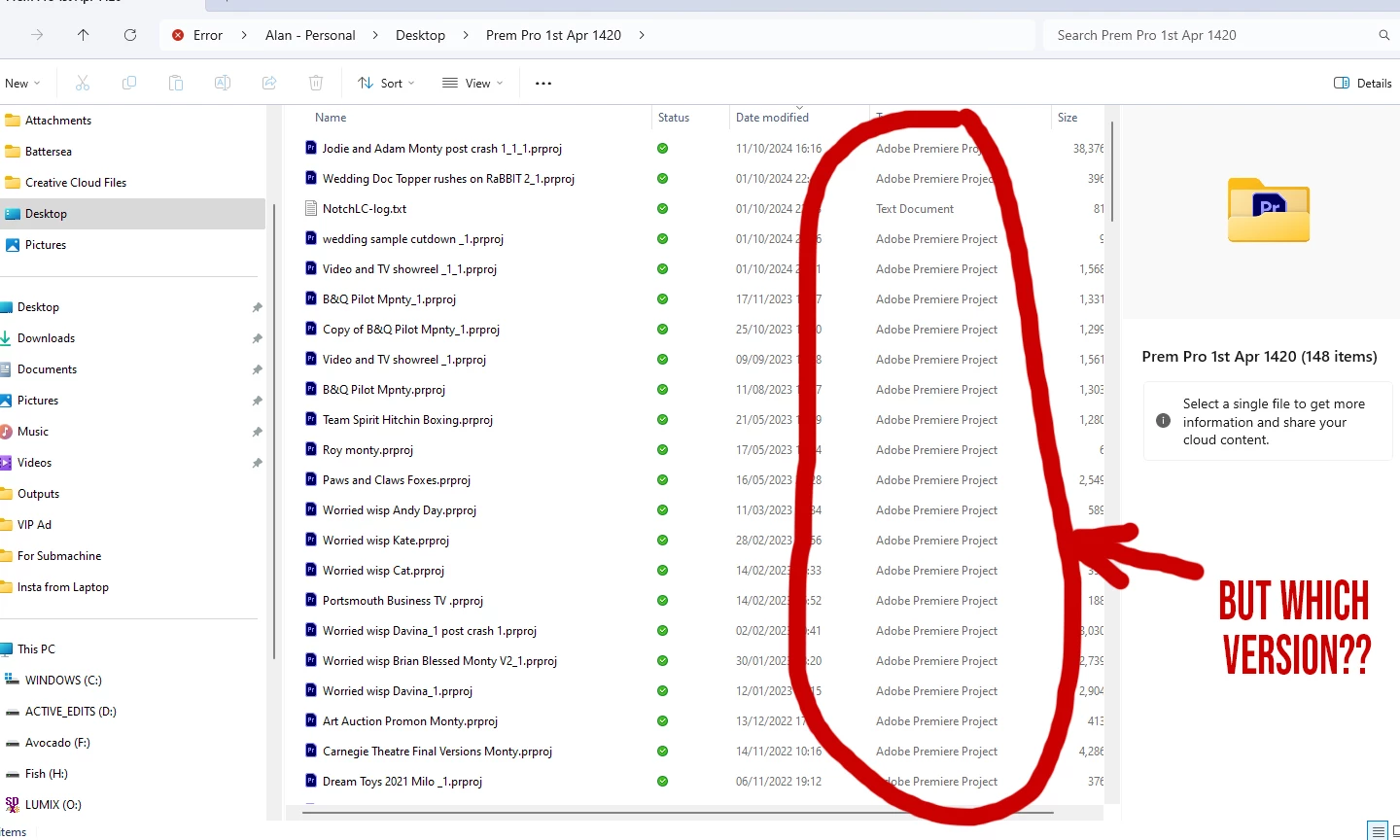
please display PP version number in explorer "type" column at the root level

  • December 2, 2024
  • 2 replies
  • 355 views

I keep several versions of PP on my system and regularly have to refer back to old projects. 9 times out of 10 when I try to open a project I'll either see "This project was saved in a newer version of PP, and cannot be opened in this version" or "This project was saved from a previous version of PP and must be converted" - I don't usually want to do that.. If the version of PP was displayed at the root level I'd know immediately which version of PP to open it up in and avoid duplicate versions of a project on my system , plus stopping wasting time and a lot of frustration, please see the attached image
2 replies

Stan Jones
Community Expert
Community Expert
December 2, 2024

I agree with Ann. A workaround of sorts to avoid the error and trial and error is to determine which file version the prproj is. See this thread:

https://community.adobe.com/t5/premiere-pro-discussions/open-premiere-project-in-older-version-downgrade-project-version/td-p/10648544


You are not going to convert or save anything; just look at the version number. In step 3, it says, "On the fourth line change the Version = “??” ...." The version number tells you which version of PR to use.


This is what I have:


2025 = 43
2024 = 42
2023 = 41
2022 = 40
2021 = 39
2020 = 38
2019 = 37
2018 = 35


Stan


Ann Bens
Community Expert
Community Expert
December 2, 2024

Don't think this is possible. It's a windows' thing.

I save projects in assigned folders.

E.g a 2024 project is saved in a 2024 folder.

Or add a _24 to the project name.