


Participant
April 9, 2025
Open for Voting

Please give us an option to reverse audio track colors

  • April 9, 2025
  • 7 replies
  • 313 views

I'd like to see an option to reverse colors on audio tracks. I am used to having my labels bright colors because I can see it more clearly. Before UI update it looked like this
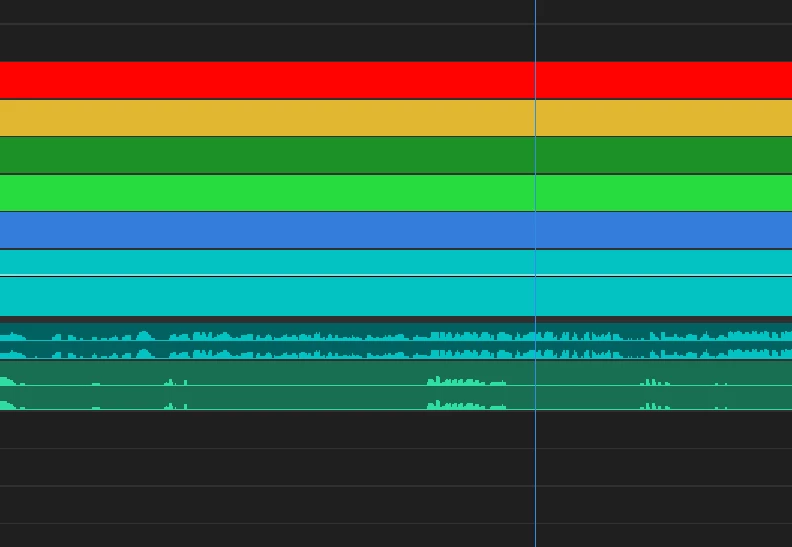
And after UI update it looks like this
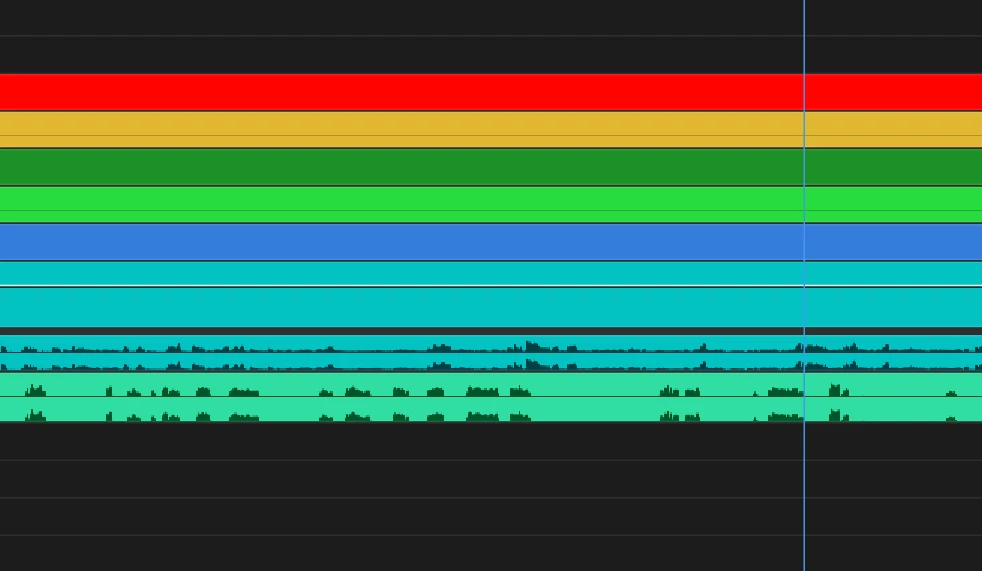
As you can see after UI update colors on audio track are reversed (what used to be background color is now audio color and vice versa). It makes it quite hard for me to see the audio.

I am aware that one way to make the background color darker on audio tracks is to use darker Label color but then everything is dark and hard to see for me.

I'd appreciate if there was just some tickbox that would allow me to reverse the colors.

7 replies

MyerPj
Community Expert
Community Expert
April 9, 2025

If it was me, I would just work on the audio color, and keep nudging it till it switches to your preferred light waveforms, and leave the rest as they are.

Participant
April 9, 2025

That's true. Default set of colors behaves like that also in normal version. Unfortunately it's quite hard for me to distingush between those colors that's why I'm using bright and saturated colors like in the screenshots from the post.

MyerPj
Community Expert
Community Expert
April 9, 2025

Same thing in 25.2.1, you can temporarily select the default colors and copy the green color, and then reset to your colors and change the green to the default one. Here's what mine is using: 2A5507


MyerPj
Community Expert
Community Expert
April 9, 2025

I was just using the Beta, and selecting the 'Default' set of presets shows the waveform in the light color.

Participant
April 9, 2025

Well that doesn't completely solve the problem. Because for that I would have to use another label color which would be the same color but darker and that would effectively cut the number of label colors I can use to only a half.

R Neil Haugen
Legend
April 9, 2025

Like MyerPj notes, change the brightness of your audio labels, and you can force this to appear the same.

Everyone's mileage always varies ...
MyerPj
Community Expert
Community Expert
April 9, 2025

Good idea!

For now though, you can select a different color for Audio, as the colors get darker, they will switch to a light colored waveform.