



Please make hiding Audio tracks possible. Especially submixes
Working in broadcast often means exporting 16 audio channels. Often simmilar to this convention:
Channel 1 - Stereo TVIS left
Channel 2 - Stereo TVIS right
Channel 3 - Stereo English mix left (conforming to EBU-R128)
Channel 4 - Stereo English mix right (conforming to EBU-R128)
Channel 5 - Stereo dipped M&E left
Channel 6 - Stereo dipped M&E right
Channel 7 - Mono sync track
Channel 8 - Mono English voices (narration, guide VO, comms)
Channel 9 - Stereo dipped sync effects left
Channel 10 - Stereo dipped sync effects right
Channel 11 - Stereo dipped natural effects left
Channel 12 - Stereo dipped natural effects right
Channel 13 - Stereo dipped spot FX left
Channel 14 - Stereo dipped spot FX right
Channel 15 - Stereo dipped music left
Channel 16 - Stereo dipped music right
To be able to deliver like this we create a Audio Track Layout with multiple submixes to accommedate this: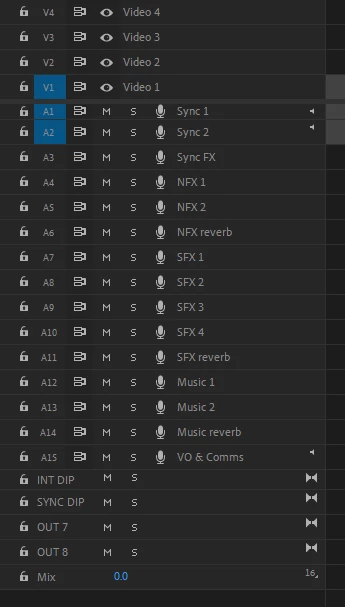
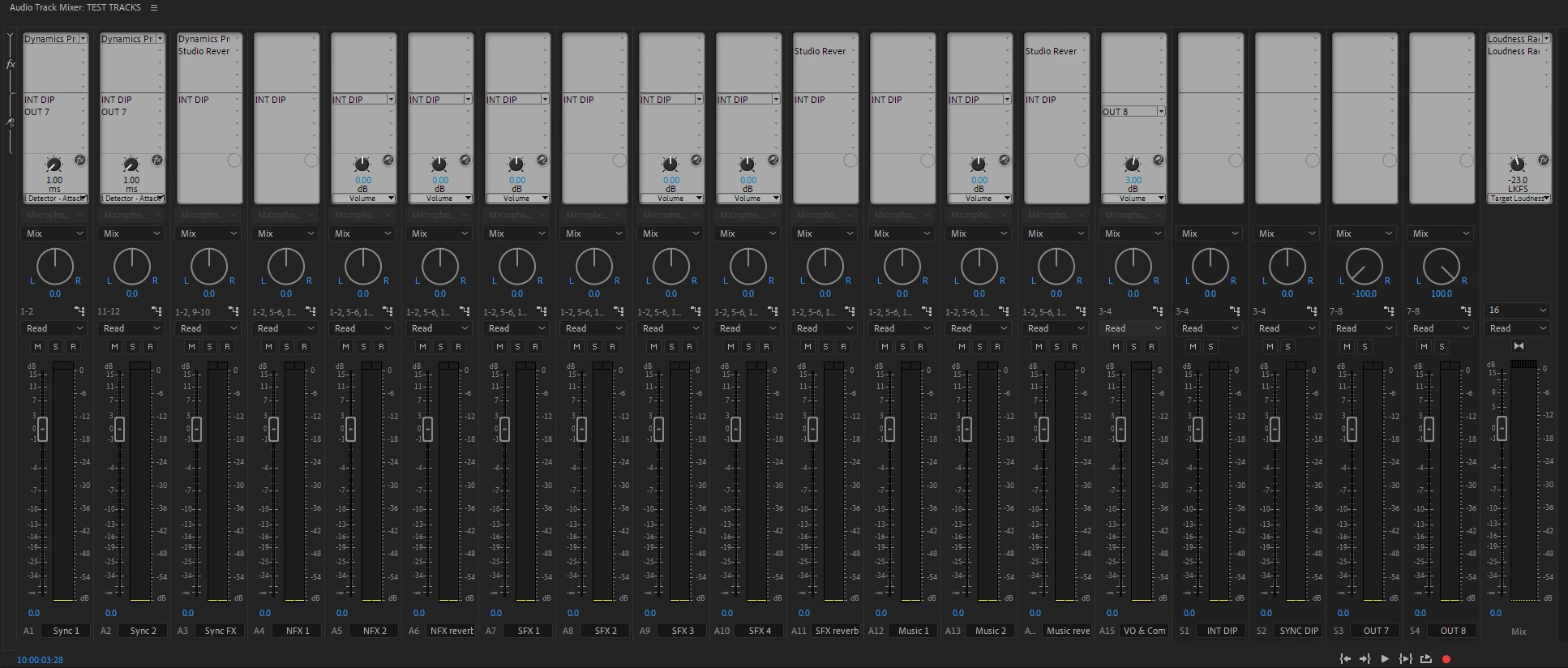
In other applications you can hide(or make shy) tracks, making life simpler for the editor. Some busses, are just to create a mono output. No one needs to see or touch these.
Thank you for considering.


 AdChoices