


Inspiring
February 23, 2025
Open for Voting

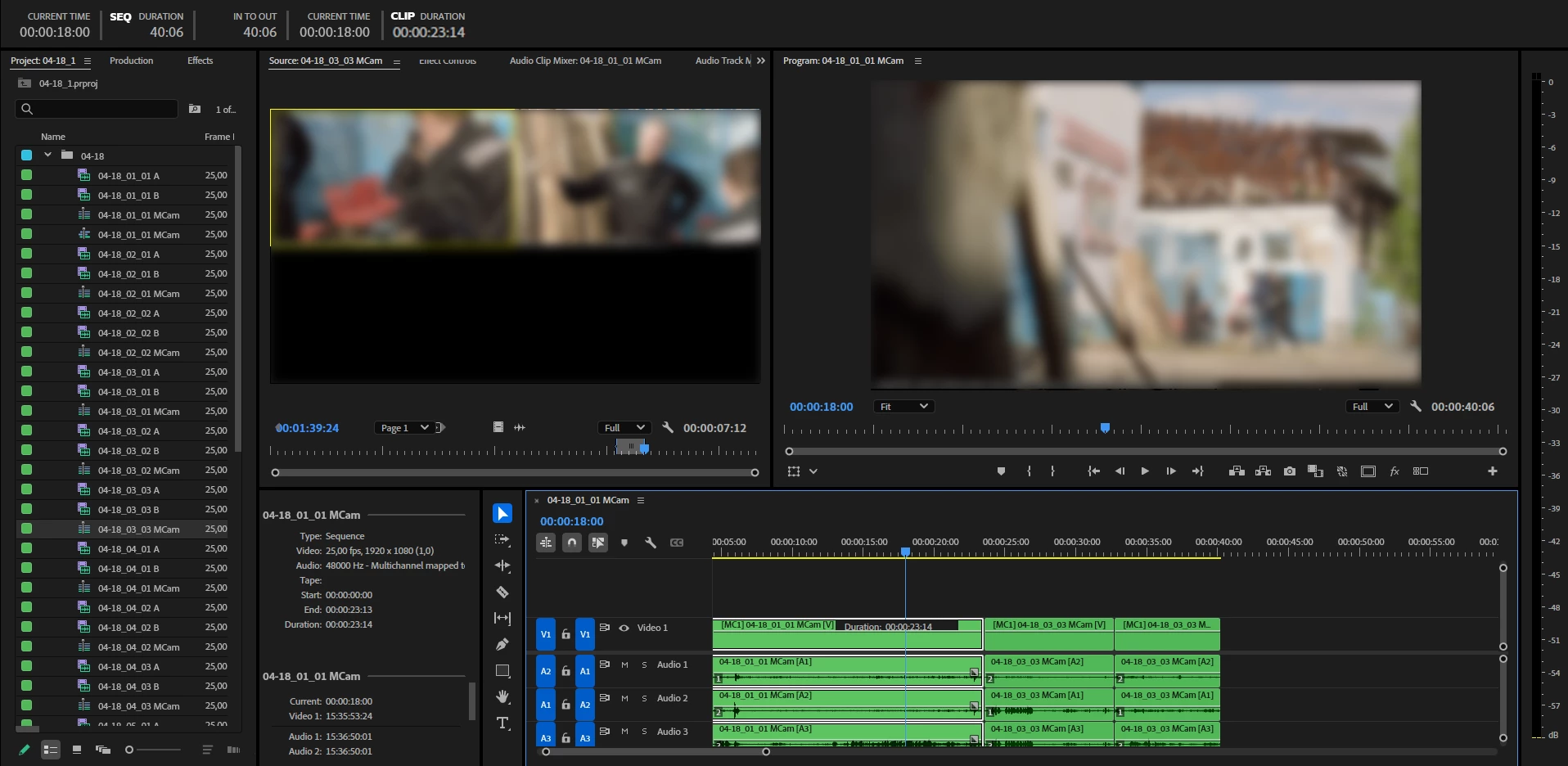
Please, new "Clip Duration" info Timecode panel
  • February 23, 2025
  • 3 replies
  • 339 views

Sometimes I need to see the duration of a clip that is on my timeline, and everytime select In/Out and looking in Timecode panel a little bit annoying. Okey, we got a "info panel", wich is work great, but looking averytime a small duration info - not a good idea.

I think, will be great to put a clip Duration information from "info panel" into "Timecode panel" or as an Avid, put this info in clip wich on the timeline.

3 replies

Inspiring
March 12, 2025

Any newses about this idea? 
This a small idea, but with big potential and almost every editor will say "Thank U, Adobe" about this feature))

Inspiring
February 23, 2025

Yep, I know about that too, but placing this info into Timecode panel should be better, because it is about a timecode and I want to concentrate my eyes on timecode panel, because I've got a lot of timecode information in timecode panel, but for duration I should press X to select in/out (annoying) or looking in info panel(or, as you showing, hover my mouse).

It's about comfortable editing (many times I saw(in Adobe Interview) how Editors use info panel just for Duration), this a little information will save a lot of time and will bring a new performance and confortable for us, editors)=)

I don't want wasting my time for press X for looking a small info window or hovering a mouse and this gave us a little box of information or hurting my eyes(when I use a laptop with a small 14' or 16' screen)


As a ex-programmer, I think, It is not to hard just replace strings of code from INFO to TIMECODE panels)


Ann Bens
Community Expert
Community Expert
February 23, 2025

You can hover with your mouse over the clip and it will give you the duration and in/outpoint.