
Project Manager Progress Window Feature Request
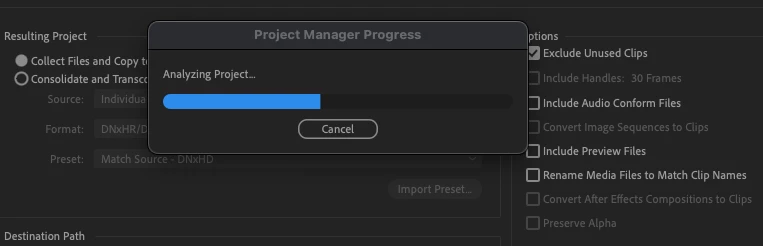
I would love an overhall of the project manager - but the specific one feature I need is for more information on what the project manager progress window is doing when it has the analyizing project window come up - I can see in the background that it is usually copying footage already, but I need a live window into this - I want to see specific file names its copying, a percecentage copied for each file, the speed of copying progress on a per file basis, the elapsed time, etc etc. There is no way to know if the project manager has hung or frozen currrently as there is just a blue percetage bar that never seems to animate even though at the finder app level I can see progress is being made. Please fix this!
Another option that I personally would love but don't know how feasible it is, is for there to be an option to avoid copying files on specific tracks (i.e. v1) I work in a collaborative editing paradigm as a freelancer, and frequently am asked to send project files back and forth, and to upload assets that have changed since the last round. Most of the time - the editors on either side have a copy of the footage which we generally have on v1 and then are making editing choices (b-roll, sfx, music) on the other tracks. I would love a way to just copy over changed media which would be on other tracks and not copy the v1 files again - but maybe there is a better easier solve then this?


 AdChoices