


Refresh Button for text editor panel
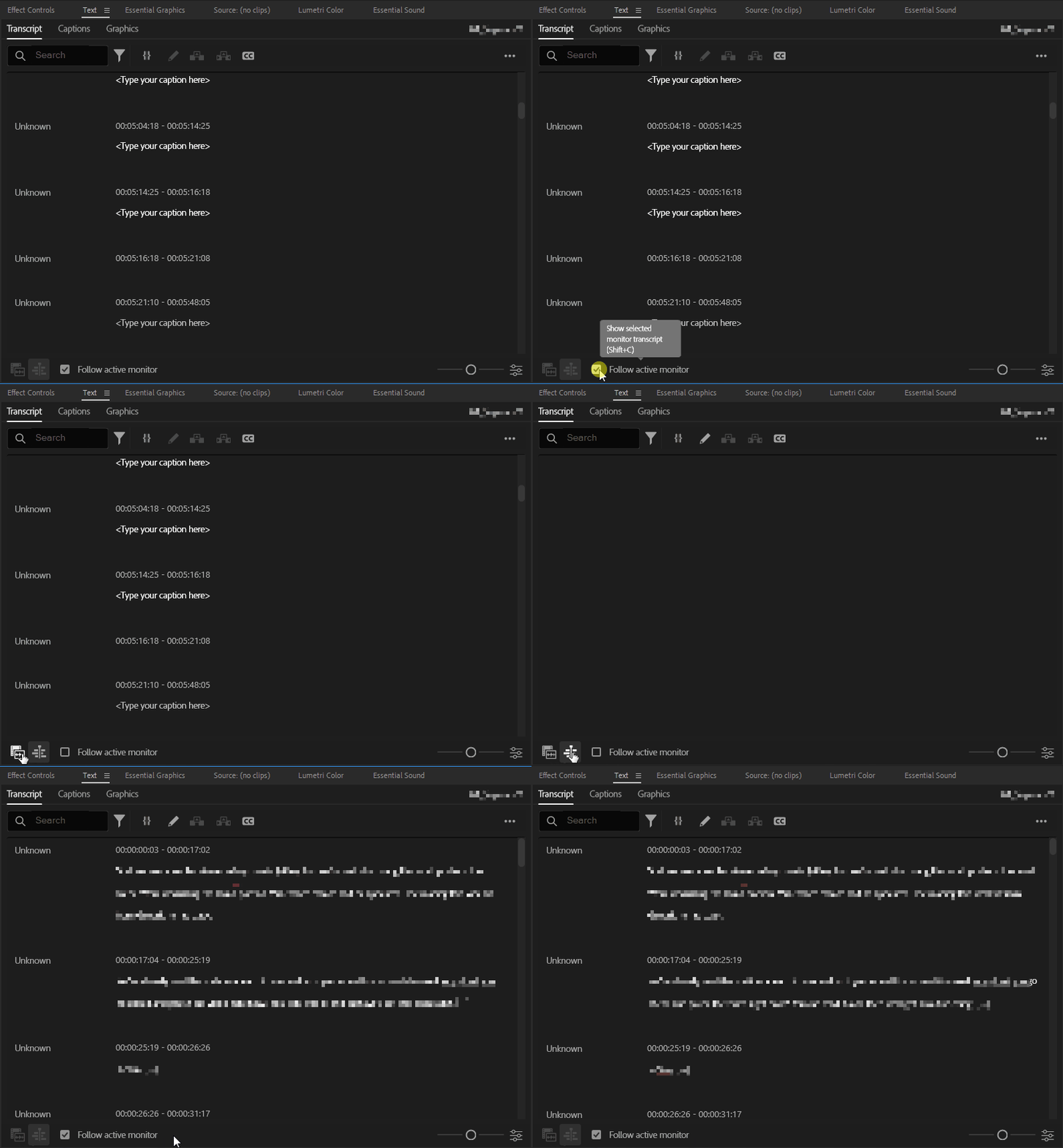
I am currently using Premiere Pro 24.6.0. When I'm editing my videos, I heavily use the text panel. It really speeds up my workflow, being able to read the transcript what's being said instead of having to watch through the content. My main problem, however, is that as I'm adding cuts and regularly saving my work, the text panel will suddenly go blank, just saying "<Type your caption here>" over and over. At this point, I have to manually refresh the panel like so:
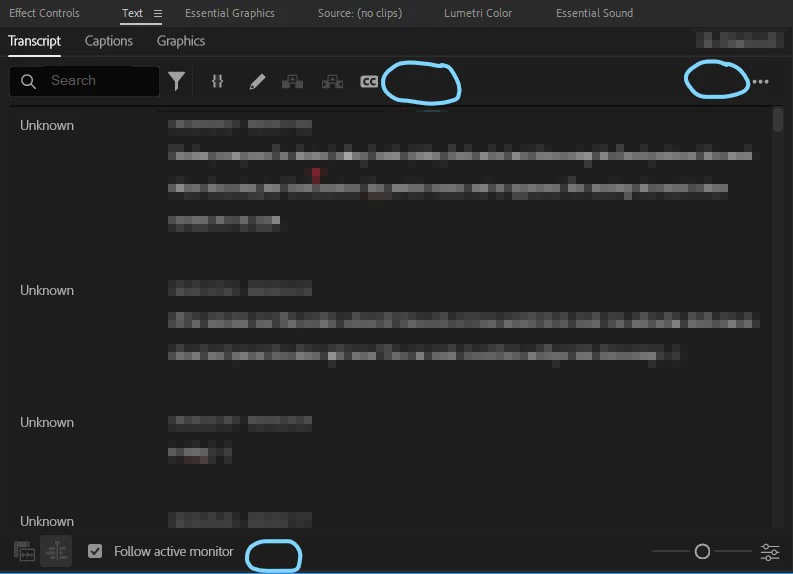
It would be really nice if there was a button somewhere in the Transcript tab of the Text panel that was simply a refresh button. Just one simple click, and it will get your transcript back. Any of the three locations below would be good placements for such a button:
Does anyone else encounter this issue, and does this seem like a good fix? Devs, would this be doable?
I hope this is helpful. Thanks for your time!
 AdChoices