Participant
July 23, 2025
Open for Voting

Renommer automatiquement

  • July 23, 2025
  • 9 replies
  • 227 views

Bonjour,
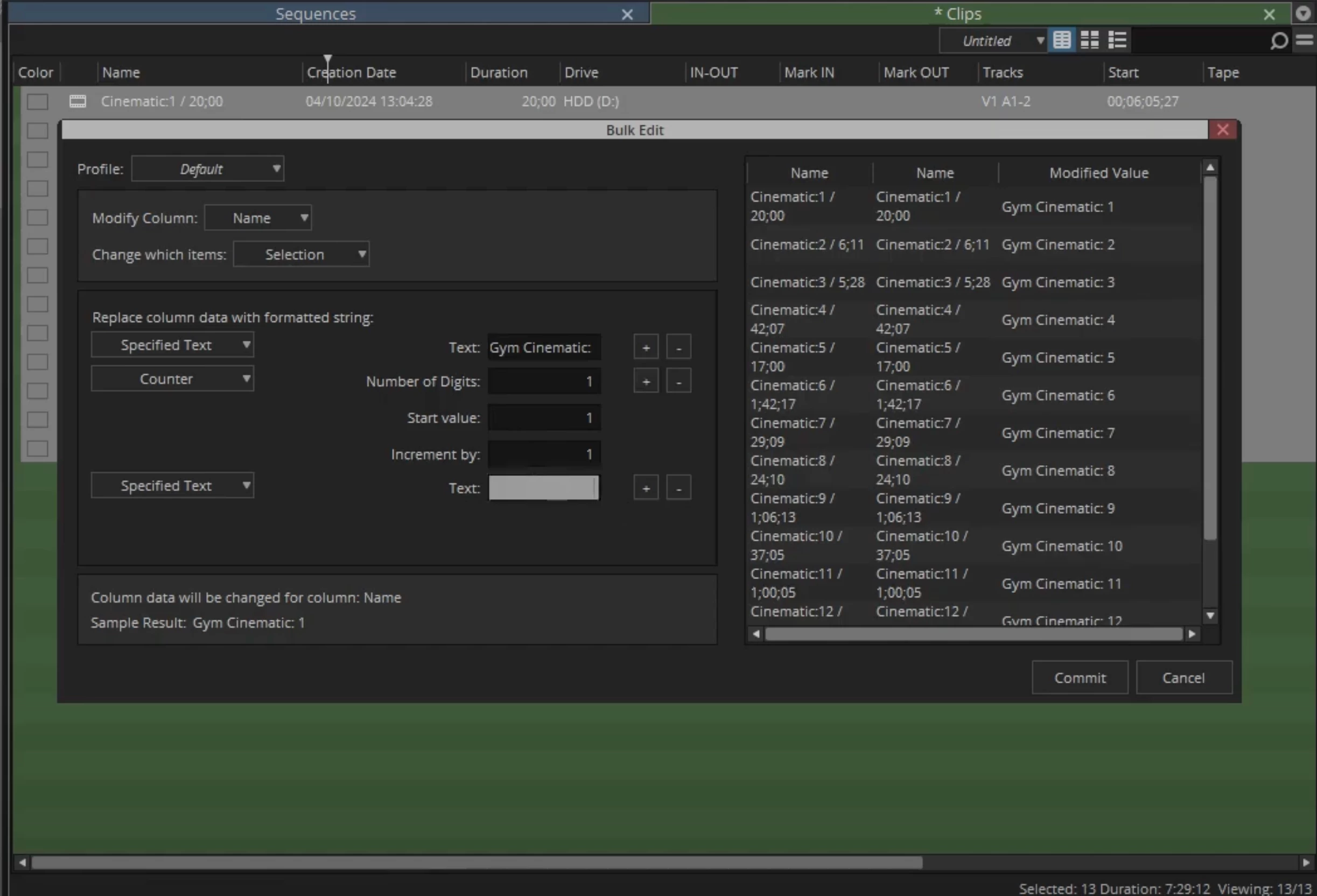
sur Premiere, il manque une feature dispo sur tous les autres logiciels de montage pro linéaire.

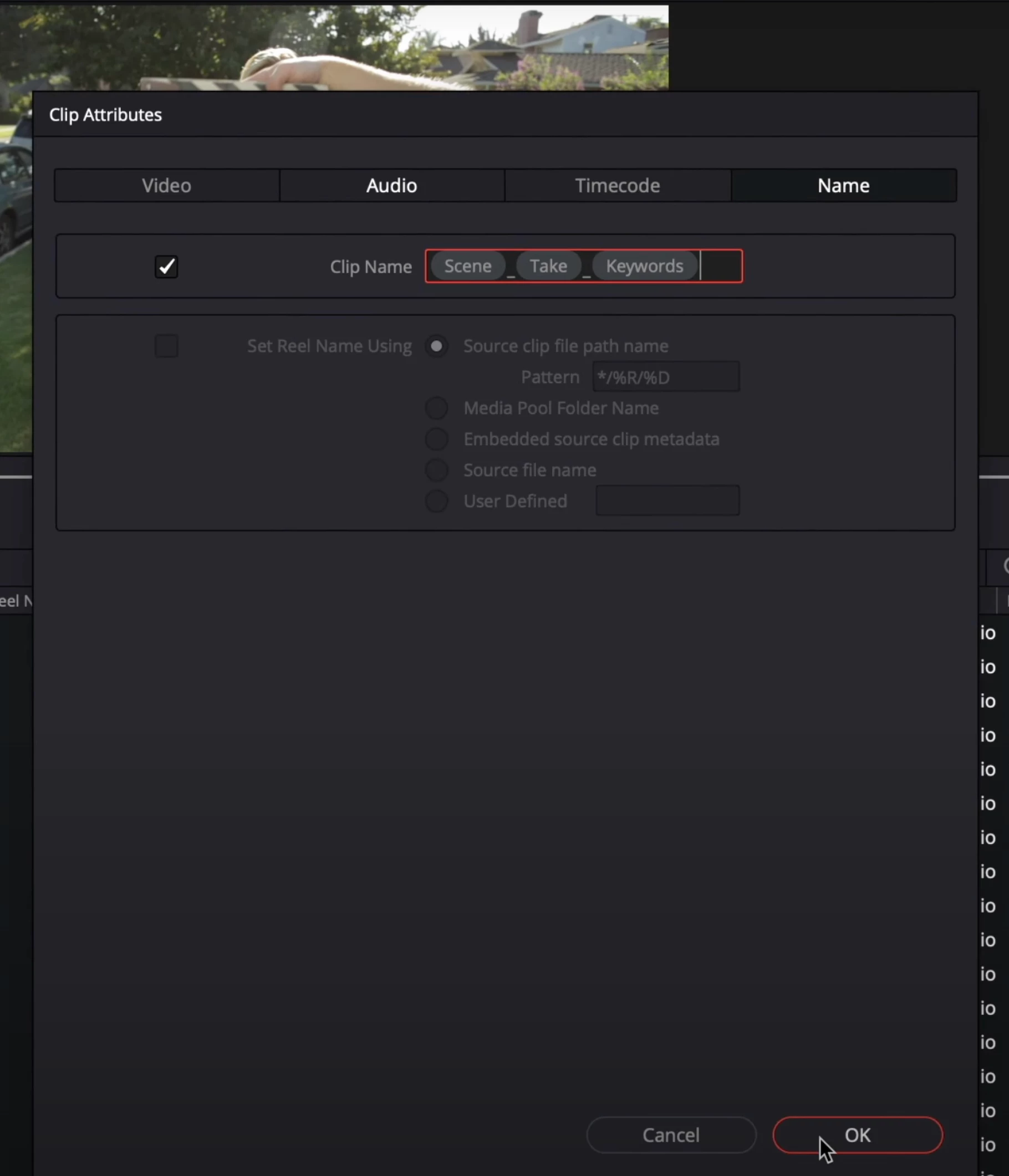
"Batch rename clips" sur Davinci ou encore le "Bulk Edit" sur Avid qui consiste simplement à pouvoir renommer, uniquement sur Premiere, les fichiers à partir de métadonnées que nous avons remplis.
Ex : N° de scene et prises


De plus lorsque nous faisons un multicam, ces infos disparaissent.

C'est reellement chronophage pour une action que nous avons deja faite.

Merci !
 

9 replies

Participant
July 31, 2025

I totally agree. Thank you for leaning down on it 🙂


R Neil Haugen
Legend
July 30, 2025

Yes, thanks for the great clarification!


I think this may happen because of the odd way multicam's exist. Kinda sorta like a sequence, kinda sorta like a clip, but not totally either, is about the best explanation I can get. So some things work uniquely with multi's. 


It would be nice to get a staffer on about this!

Everyone's mileage always varies ...
Participant
July 30, 2025

Hi Neil, thanks for your concern and for trying to help.
Well I put down the scene and take on the files in the metadata panel in the projet window.

Then I create a multicam and now i don't get those information anymore (unless I go inside the multicam). 
Here's some quick screenshot to illustrate.


I hope this is clear, but in the case its not, lets just say that I would love a Batch Renaming process in PP just like in Avid and Davinci.


Many thanks 🙂

H

R Neil Haugen
Legend
July 24, 2025

I asked because it isn't clear where in the process you lose the metadata. Is it during the addition of reel/take data to the clip? Or creating the multicam? Or ... ?


And are you using the multicam process to create the multicam, or using the Sync process in the timeline panel? As if the latter, you do lose all the audio metadata ... though if using the multicam process to sync, you should not lose any audio metadata.

Everyone's mileage always varies ...
R Neil Haugen
Legend
July 24, 2025

Where do you lose the metadata?

Everyone's mileage always varies ...
Participant
July 24, 2025

Thank you for your answer.
That's the main problem. I use metadata for sync, then you loose the metadata.

R Neil Haugen
Legend
July 23, 2025

In Premiere's Metadata workspace, you can work with fields such as Reel and others, and bulk apply renaming there. Where as in R and Avid, it doesn't change the filename.


You can also do this in Bridge.

Everyone's mileage always varies ...
Participant
July 23, 2025

Thanks for your answer! 
Yeah but that change the file name right?
That's a no go for professionnal editing.

Ann Bens
Community Expert
Community Expert
July 23, 2025

You can rename in The Bridge.