
Open for Voting
Replace multiple graphics only in one sequence
Hi there
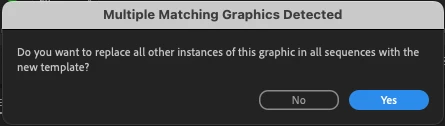
We really like the "ALT + Drag" function to replace mogrt graphics for different aspect ratios and different layouts without filling in the text one more time. Currently there are two options available if you want to replace graphics from the same instances. You can replace the one you choose or replace all instances of the template in the whole project.
It would be great if there would be an option to replace all instances in only one sequence. In this case you can keep the Master Sequence as it was and only replace graphics in a sequence and export it for example for social media.
Thanks in advance.
Jonathan


 AdChoices