


Return the CTI to Its Previous Position When Undoing (Top/Tail Actions)
Hi Adobe Team,
I’d like to suggest an improvement to the Undo behavior in Premiere.
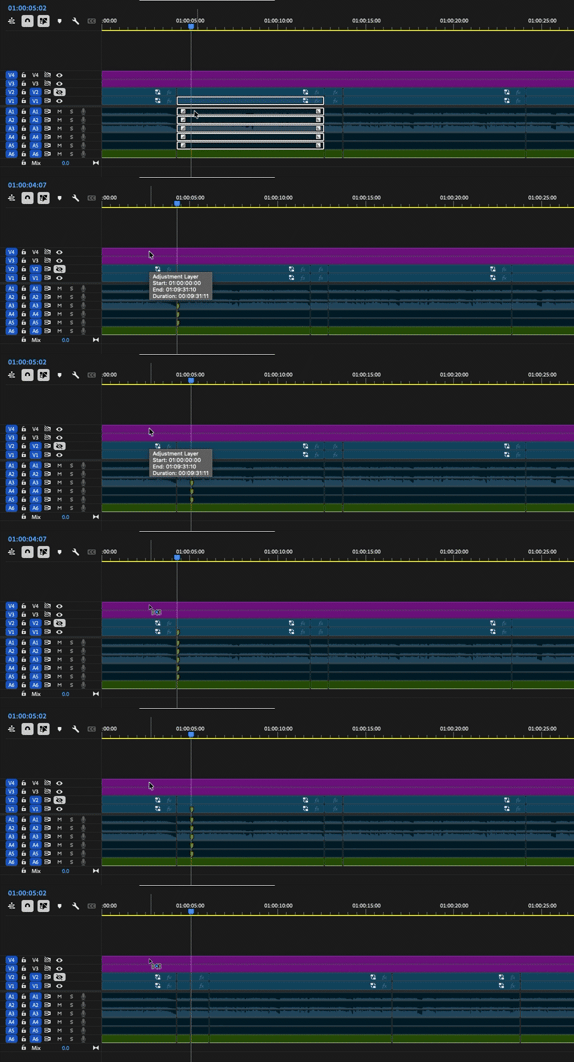
When performing Ripple Trim to Playhead Previous (the Top and Tail functions), the CTI moves to a new position after the action. When I then hit Undo, the edit itself is correctly undone however, the CTI does not return to its previous position. It remains at the position it moved to after the ripple trim downstream.
I understand that with Ripple Trim to Playhead Next (Tail), the nature of the ripple operation pushes the timeline downstream, so the CTI stays in place.
However, this logic doesn’t really apply in the same way to Ripple Trim to Playhead Previous (Top). When undoing that action, it would be much more intuitive for the CTI to return to its original position before the trim.
In practice, this is quite frustrating because I have to manually navigate back to the exact same spot each time before retrying the edit. When working quickly, this noticeably slows things down.
In other NLEs like Resolve and Avid, the relative CTI position is restored when undoing similar trimming operations, which makes iterative work much smoother.
It would be great if Undo could fully restore the previous state including the CTI position.
Thanks!
 AdChoices