



Open for Voting
Right-click context menu in Effect Controls and Clips in Timeline to Add Effects
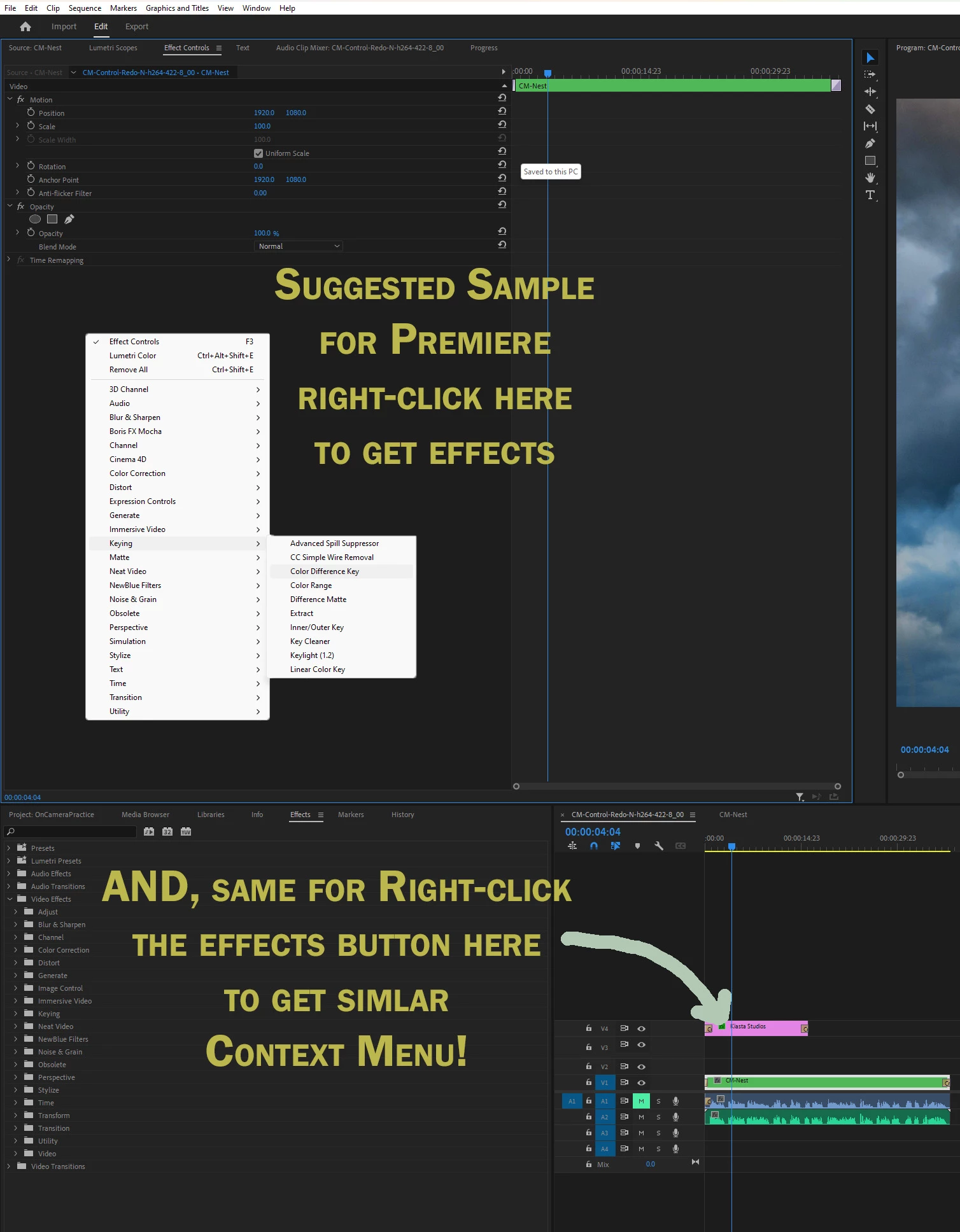
Suggested short-cut menu for Premiere: Right-click menu to add effects both in Effects Control window and on clip in timeline.
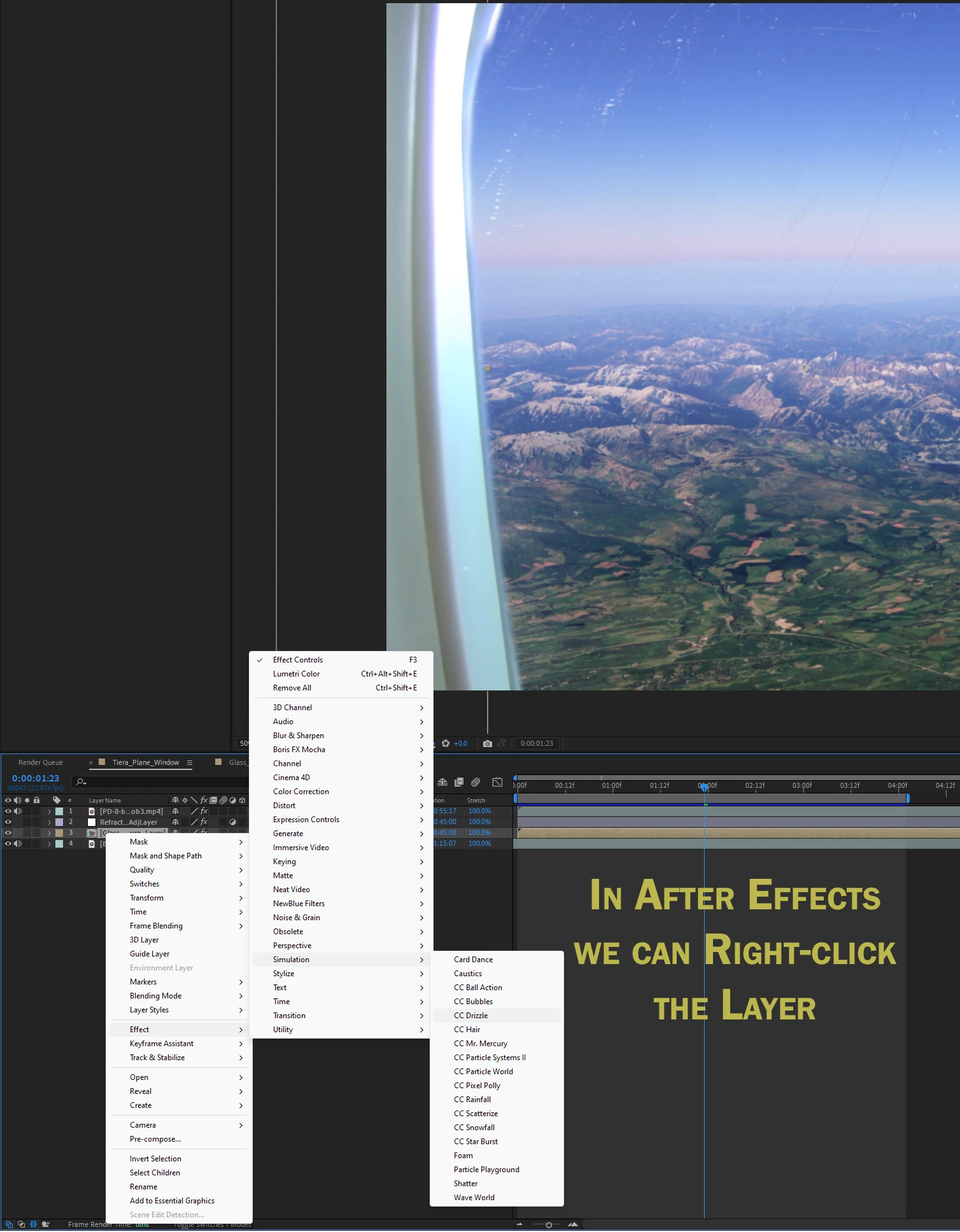
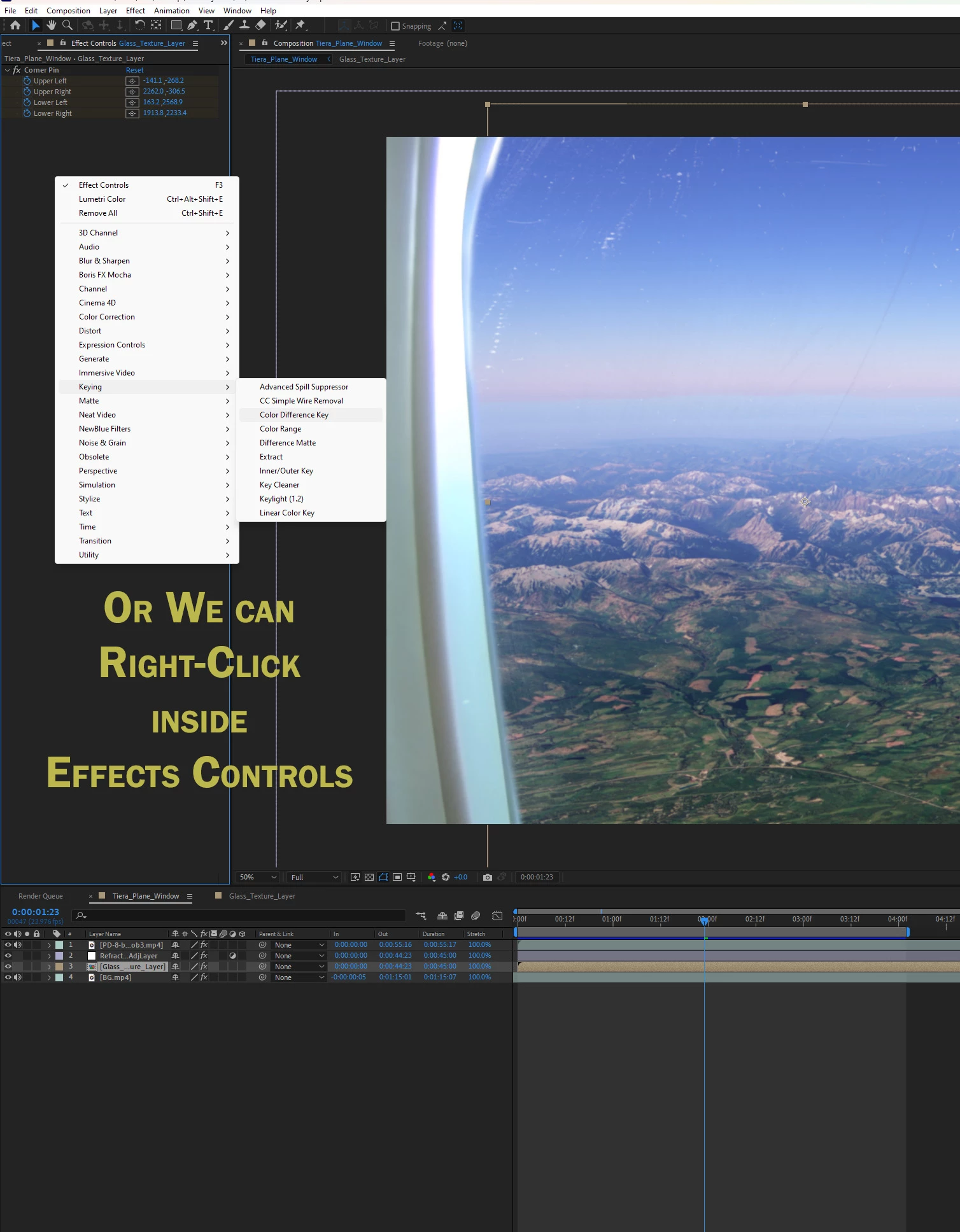
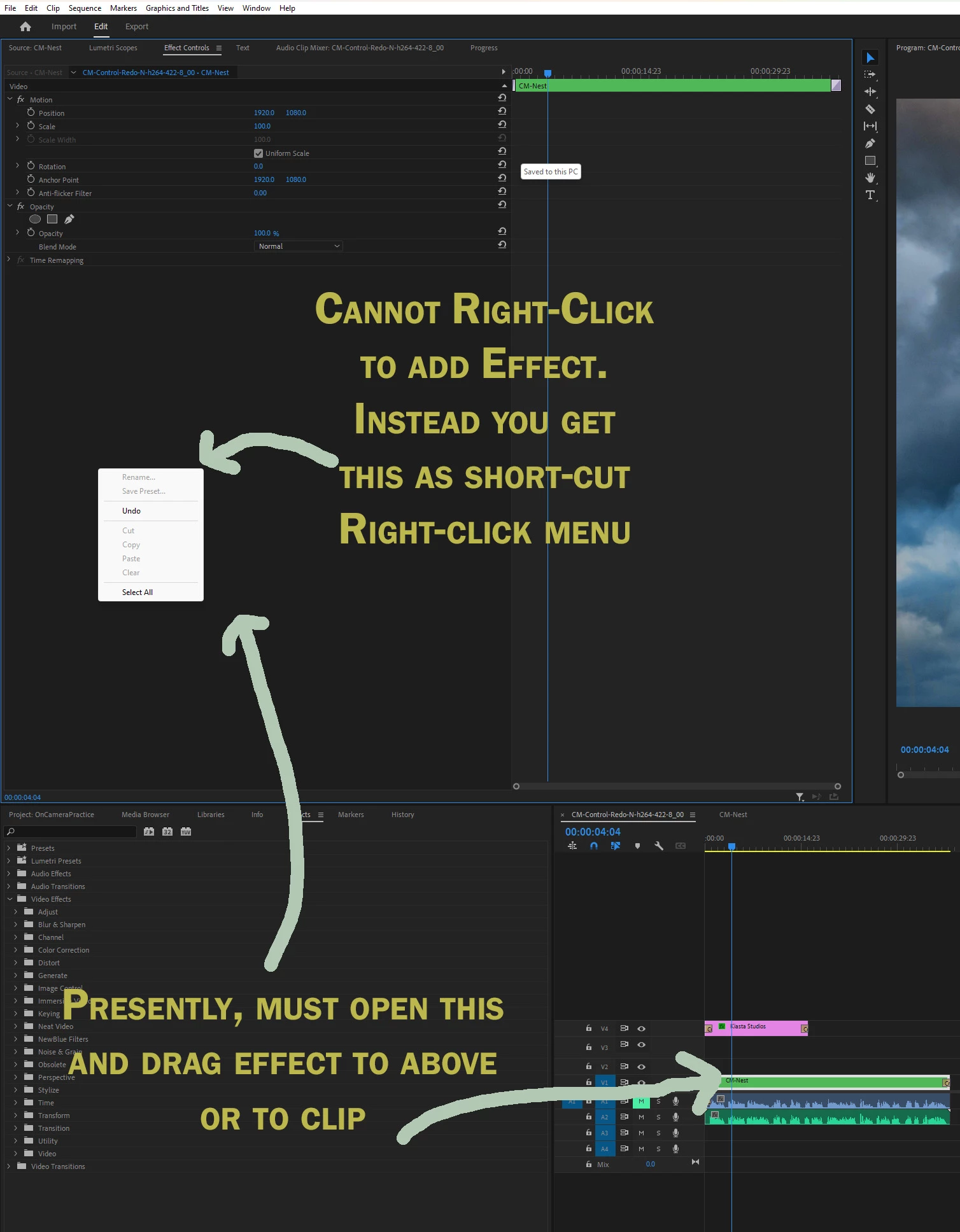
We can do this in After Effects. See sample images. We can right-click inside the Effects Controls of a Selected Layer or even right-click the Layer and Add an effect. However, it's never been possible in Premiere Pro.
This would be a great feature to speed up the workflow saving us from having to open the Effects Window and dragging onto a clip or into the selected item's Effect's control. I added jpgs below to clarify.
AFTER EFFECTS:
PREMIERE:
SOLUTION:
 AdChoices