
Participant
June 9, 2023
Open for Voting

Shortcut for Send To Media Encoder

  • June 9, 2023
  • 6 replies
  • 1915 views

Hi, 🙂


Premiere Pro in its current (2023) version does not have a keyboard shortcut that we can use to send it to Adobe Media Encoder.


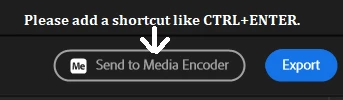
On the Export screen, we want to be able to export directly to Adobe Media Encoder with a shortcut key such as CTRL+ENTER.


10q


6 replies

Participant
November 14, 2023

CTRL + ALT + M

Participant
November 10, 2023

Honestly, saves me nothing. I wish i could determine specific settings like name and output path first for the sequence i'm exporting, and THEN send to encoder. not the other way

Kes Akalaonu
Inspiring
June 11, 2023

This the correct answer

Participating Frequently
June 9, 2023

Correct.  There is no shortcut to send it to Media Encoder from the Export panel. 

There is a shortcut to send it to Media Encoder from the Project Panel -- saving you even more steps.

Participant
June 9, 2023

I checked all the shortcuts. Only on the TimeLine panel, there is a CTRL+M shortcut to switch to the Export screen. There is no shortcut for "Send to Media Encoder" in the Export panel.


If there is a shortcut for this button, please write it. Thanks.


Ann Bens
Community Expert
Community Expert
June 9, 2023

There is a shortcut for this: look under File or in the KBSC panel.