


Shortcut for "Toggle individual source patching", Audio track names and Duration in Timecode Panel
Hello my lovely adobe community!
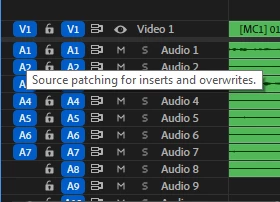
1) In Avid MC we can toggle individualy evey source audio tracks (select or diselect) with the shortcuts and it is very helpfull when we use a multiple audio tracks.
In Adobe we can only switch OFF or switch ON all tracks. For Individual selection we should use mouse. Can your engineers solve this problem?
2) And from our friends from audio department , they names every channel for us, in Avid MC and DaVinci Resolve we can see in Source Monitor(and probably in timeline they named channels), in Adobe we use only Metadata panel and they cant see names though Mcam(avid can and DaVinci Resolve).
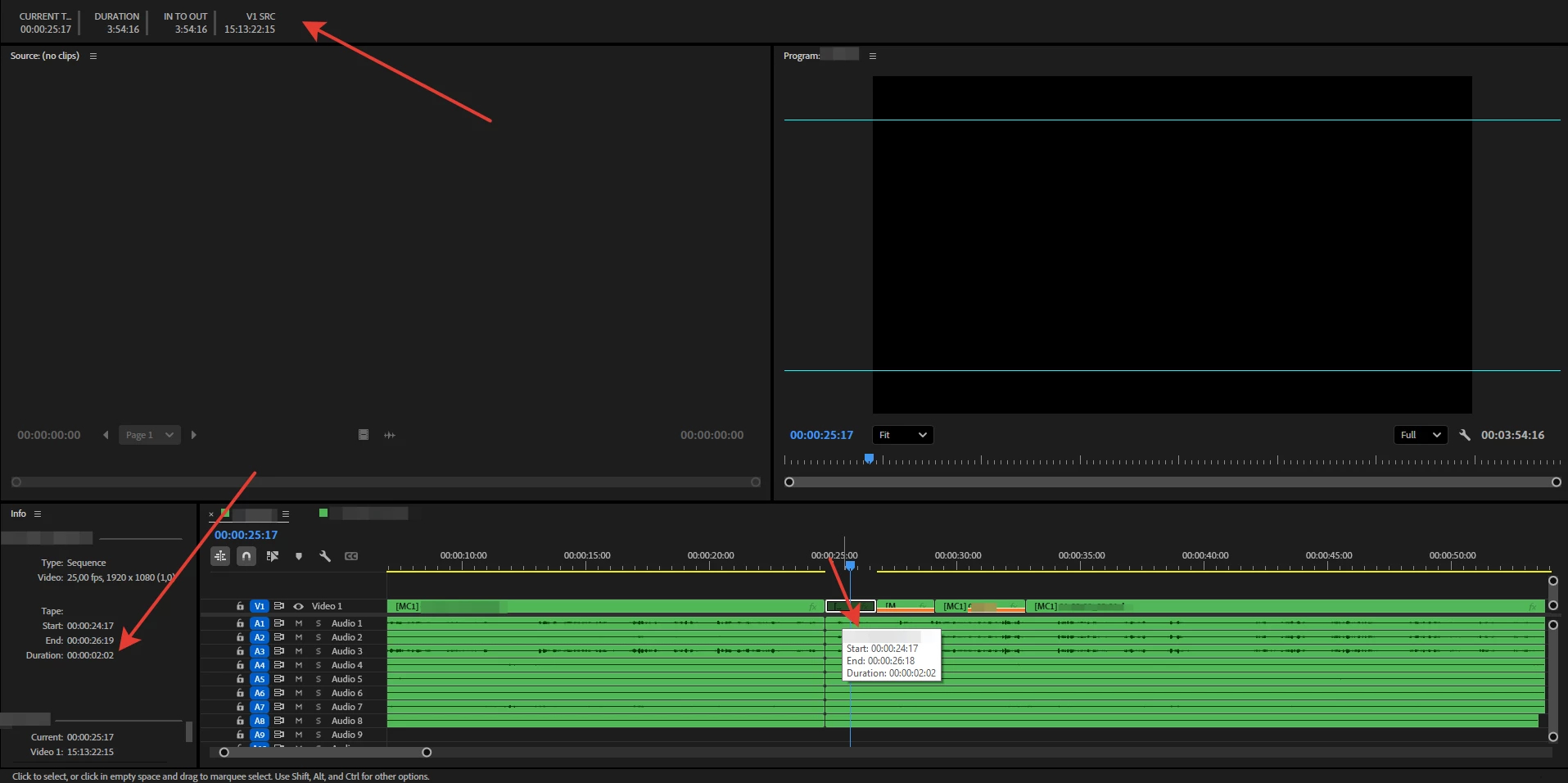
3) And my Final pain (file duration). We can see it in "Info panel"(not comfortable) or when we select file in TL with the mouse(not confortable), BUT not in the TIMECODE panel. I thing, TIMECODE panel should be for any TIMECODE, and for duration. Probably you will add Duration in TIMECODE panel?
 AdChoices