

AndrewTheGreat
Known Participant
October 16, 2024
Open for Voting

Source monitor in a FullHD sequence crops 4K videos

  • October 16, 2024
  • 4 replies
  • 357 views

Don't know if it's a bug, or something not thought through, it accompanies Premiere Pro for ages and no one seems to care about it... I think it's time to.

If you open a 4K footage in the Source monitor while in a 1920x1080 sequence, the source mon shows the video cropped.

Steps to recreate:

1) Create a FHD sequence:
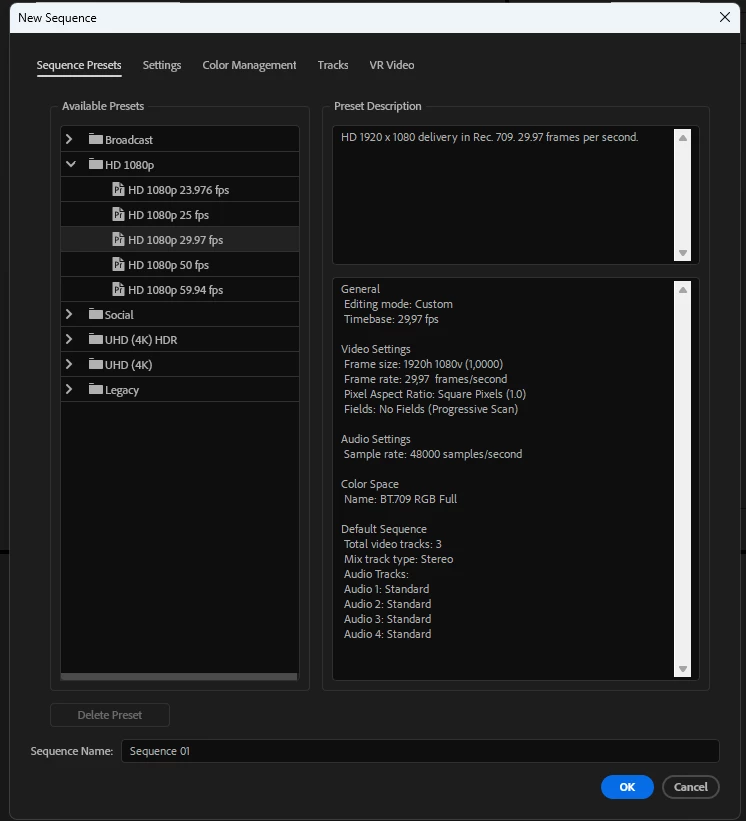
2) Import a 4k footage

3) Drag it onto the timeline keeping the existing settings

4) Doulbe-click on it on the timeline and see this:
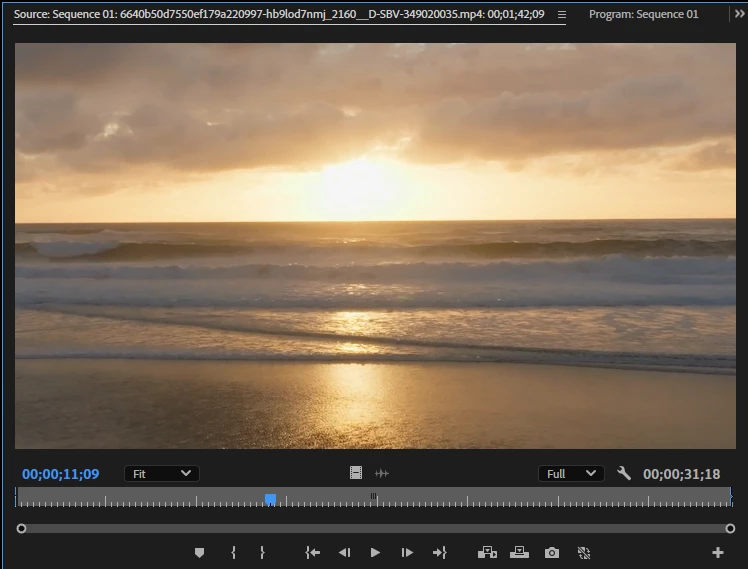
And here's what it should look like or does so when opened from the project bin:
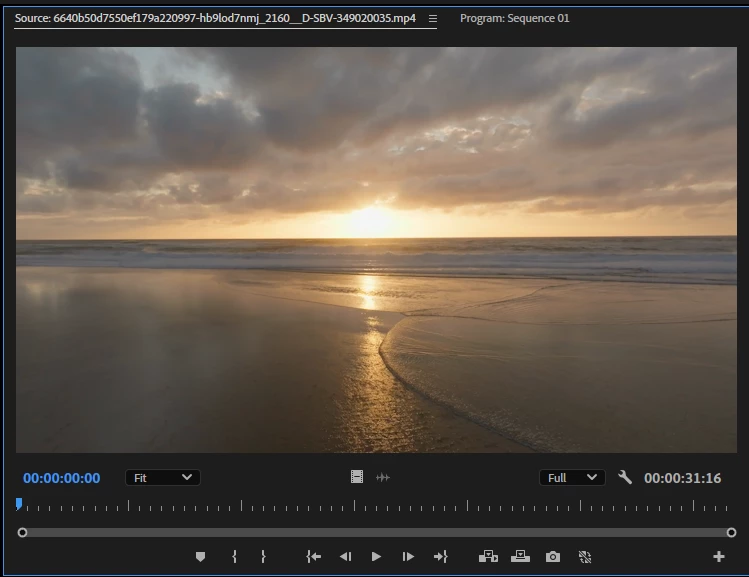
So the source monitor should show the videos the same way in all cases. I think this should be fixed.

Premiere Pro 25 (or any), footage properties below (or - again - any 4K), 14700K, 4080, latest Studio drvs, Win11

Don't know if it's important - Fit to screen is set as default scaling in the preferences.


Type: MPEG Movie 
File Size: 55,94 MB
Image Size: 3840 x 2160
Frame Rate: 25,00
Total Duration: 00:00:31:16
Pixel Aspect Ratio: 1,0
Alpha: None
Color Space: Rec. 709
Color Space Override: Off
Input LUT: None
Video Codec Type: MP4/MOV H.264 4:2:0 


4 replies

Inspiring
October 17, 2024

@AndrewTheGreat I use "F" (Match Frame) to do what you intend to do.

That being said, I would prefer the double-click idea to have the picture show in source monitor with the same Motion effects applied on that clip as in my sequence. So if we scaled that clip to 50% in our sequence, when I double click it to see on the source monitor, it is also scaled to 50%.

Actually yknow what? This will also solve a major pain point of not being to display non-standard formats via the Blackmagic Ultrastudio into the reference/client monitors...

Ann Bens
Community Expert
Community Expert
October 16, 2024

Moved to Ideas board.

AndrewTheGreat
Known Participant
October 16, 2024

@Ann Bens wrote:

If you open the clip from the Project window its full screen.


This is actually what I wrote myself:


Ok.

Can somebody convert my discussion into feature request, pls?

Stop trying to edit and EDIT!
Ann Bens
Community Expert
Community Expert
October 16, 2024

Its not a bug.

Its how the SM shows UDH clips in a 1920x1080 timeline at 100%. Which shows as zoomed in.

If you open the clip from the Project window its full screen.


You can file a feature request to change this behavior.