
Open for Voting
Speed Up Process of Changing Clip label
Coloring a clip is way too tedious. Right click - move mouse to label - look for a color (without even seeing the color but just having the color name in a drop-down menu.) - left click. Way too many clicks and mouse movements for what is essential for keeping your timeline clean and organized.
How about this instead:
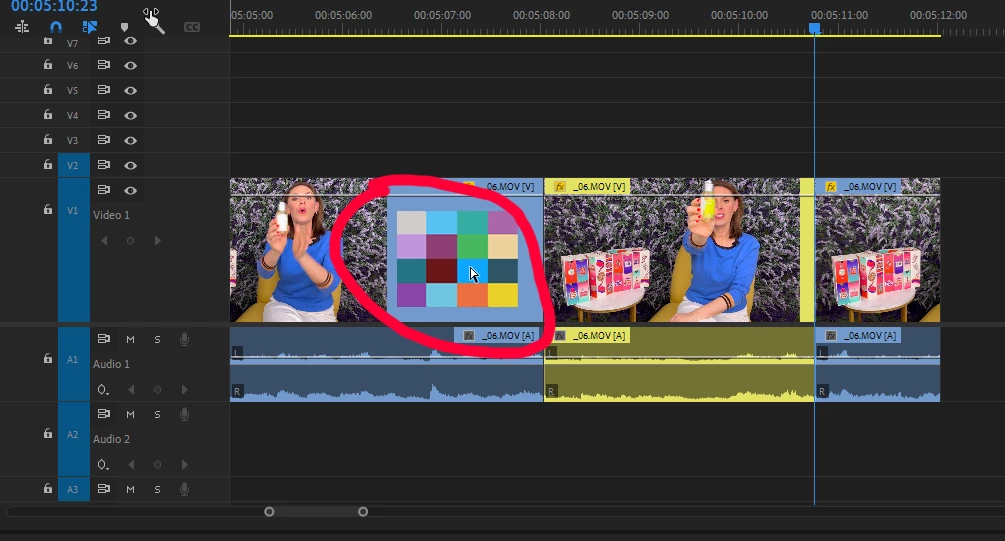
Move your mouse over the clip you want to color - press and hold the mouse wheel. By doing so a little color matrix pops up over the clip. You move the mouse to the color you want the clip to be colored in. You release the mouse wheel. Thats's it. 1 click. Minimal mouse movement. Goes without saying this could also work for multiple clips by marking them first.
Title edited by mod for clarity.


 AdChoices