


Supercharge Premiere's trim Tools (look to Avid!)
In it's core this request is about:
Being able to edit intuitively within large and complex timelines consisting of many overlapping audio and video tracks (via Asymmetric Trimming):
I’ve read a lot of similar Avid trimming tool requests on this forum, but because it might be difficult to understand the why of those nagging "trim trim trim" requests if you’re not coming from Avid, I thought it might be better to show than to tell.
To prevent getting buried in a 5 page thread, I’m putting up a new one instead. Apologies in advance!
1. Asymmetric Trimming
Easily choose which track ripples while trimming, and which track stays put.
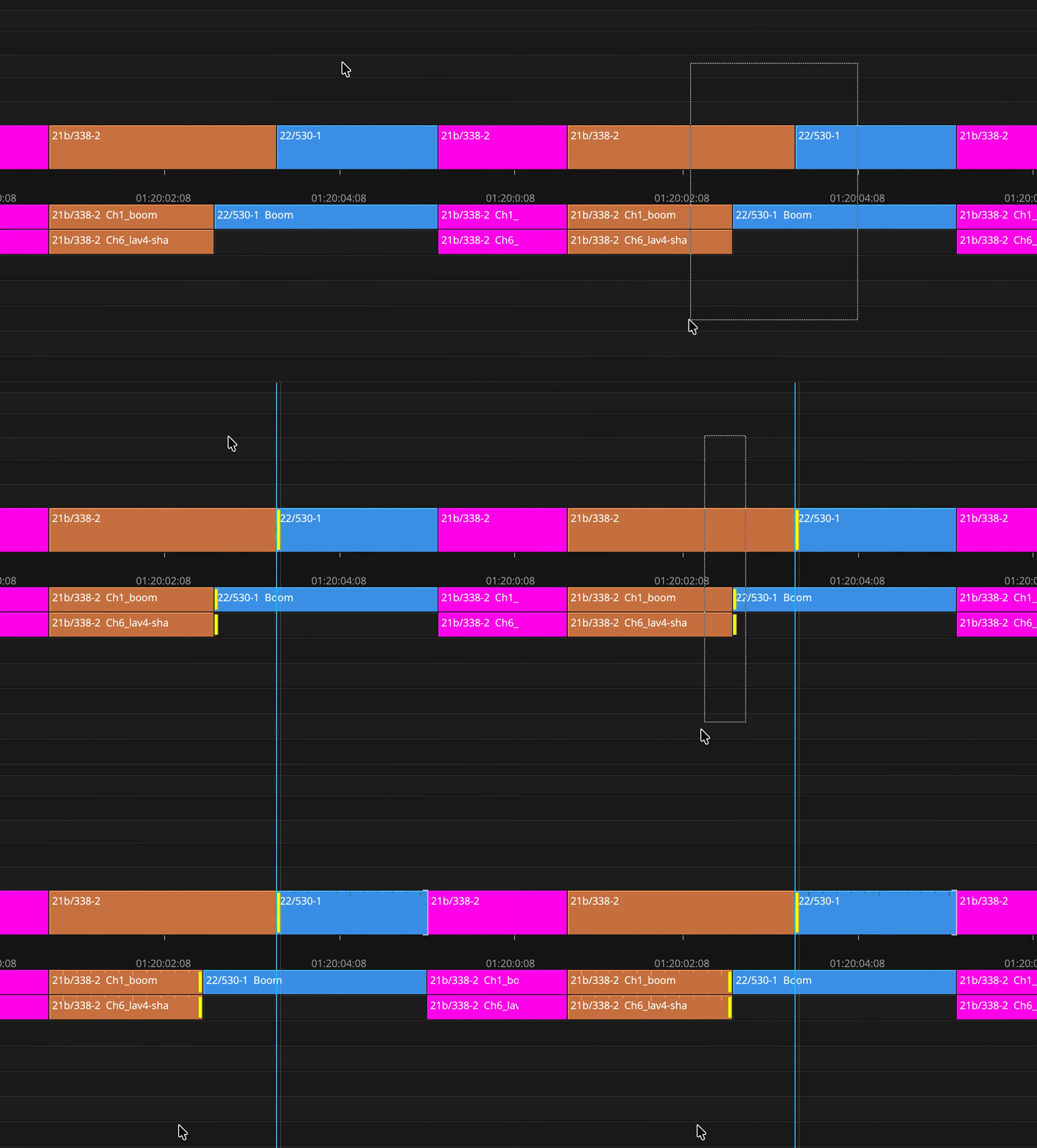
*IN PREMIERE: You can select asymmetrically, but you have to be pinpoint precise with mouse clicking. And if you miss, you loose all prior selections (which you can’t restore).
2. Easy flagging the A/B trim sides (via lassoing)
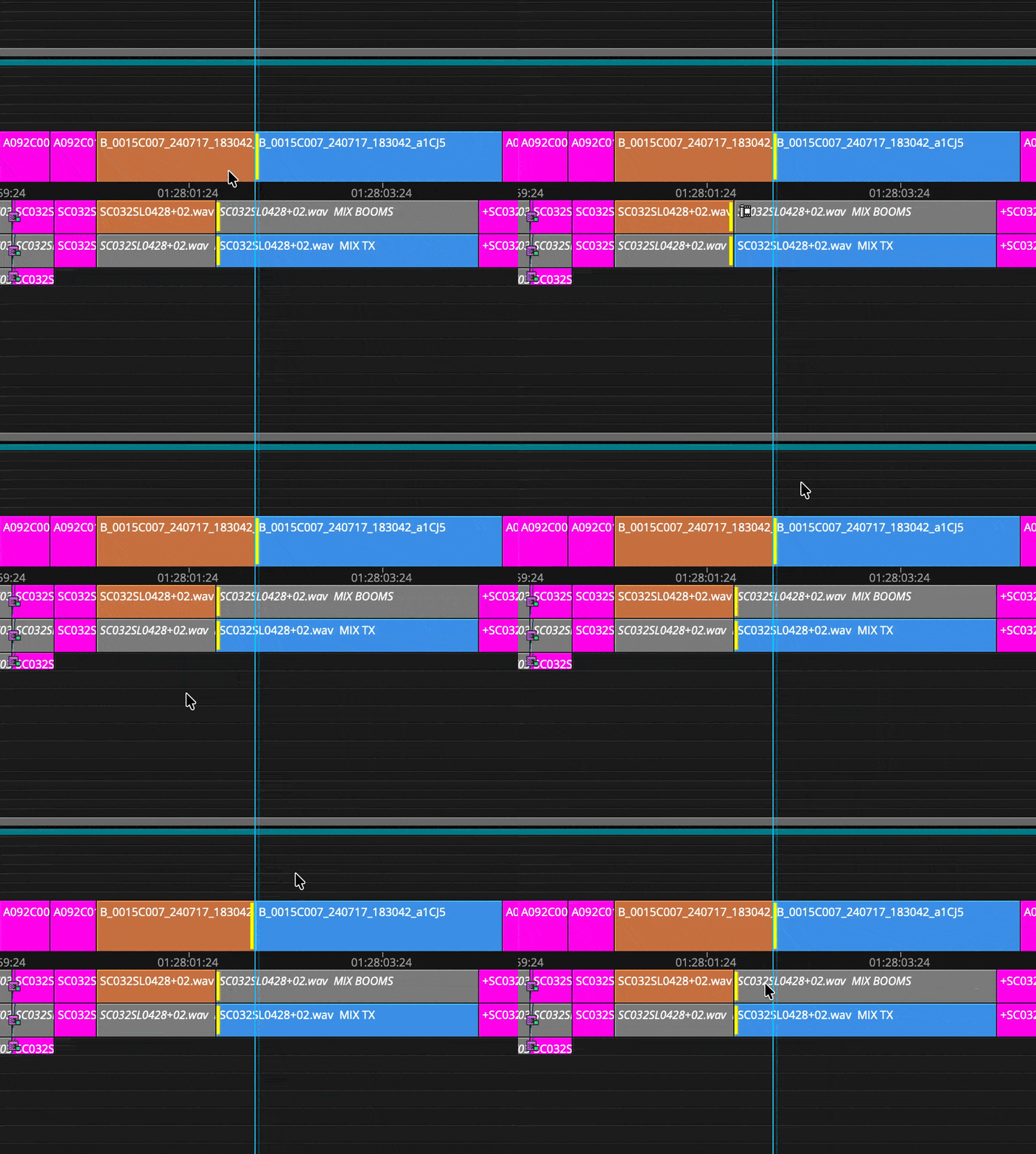
Because when you cut timelines with multiple overlapping audio tracks underneath the image (which you want to keep at a specific point in time), it can become pretty cumbersome without asymmetric trims;
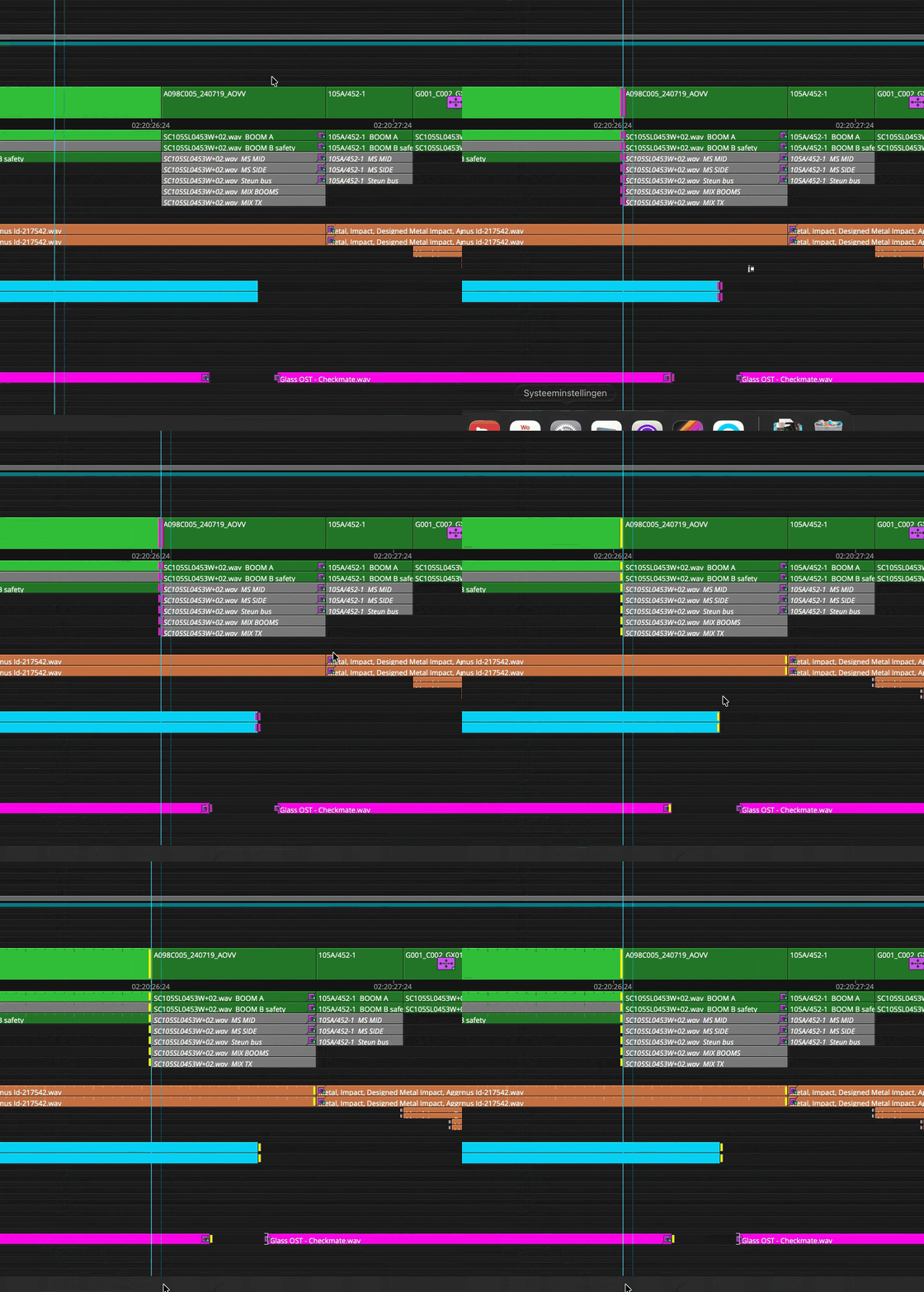
*IN PREMIERE: I can’t use lassoing to easily switch A/B sides of the edit, and also not start a lasso within the boundaries of a clip (which is necessary if there are a lot of clips close to each other).
For trimming all tracks to one side I can use the lasso, but I then can’t press a (keyboard) shortcut to directly make all trims go to the left or right, I have to toggle through all the possible trim options first.
Also something specific to Avid, it assumes you want to combine trim selections via lassoing, so after you press Shift+Alt for lassoing, you don’t have to ALSO press CMD for selecting all the consecutive trims.
You just press Shift+Alt, keep it pressed while lassoing all your trim selections together, and you’re done.
3. Last Selected Edit Point gets Priority
Especially when cutting scripted, a lot of times you want to pace the dialogue, or cue music to a specific emotional moment. I then need to be able to prioritize audio over video.
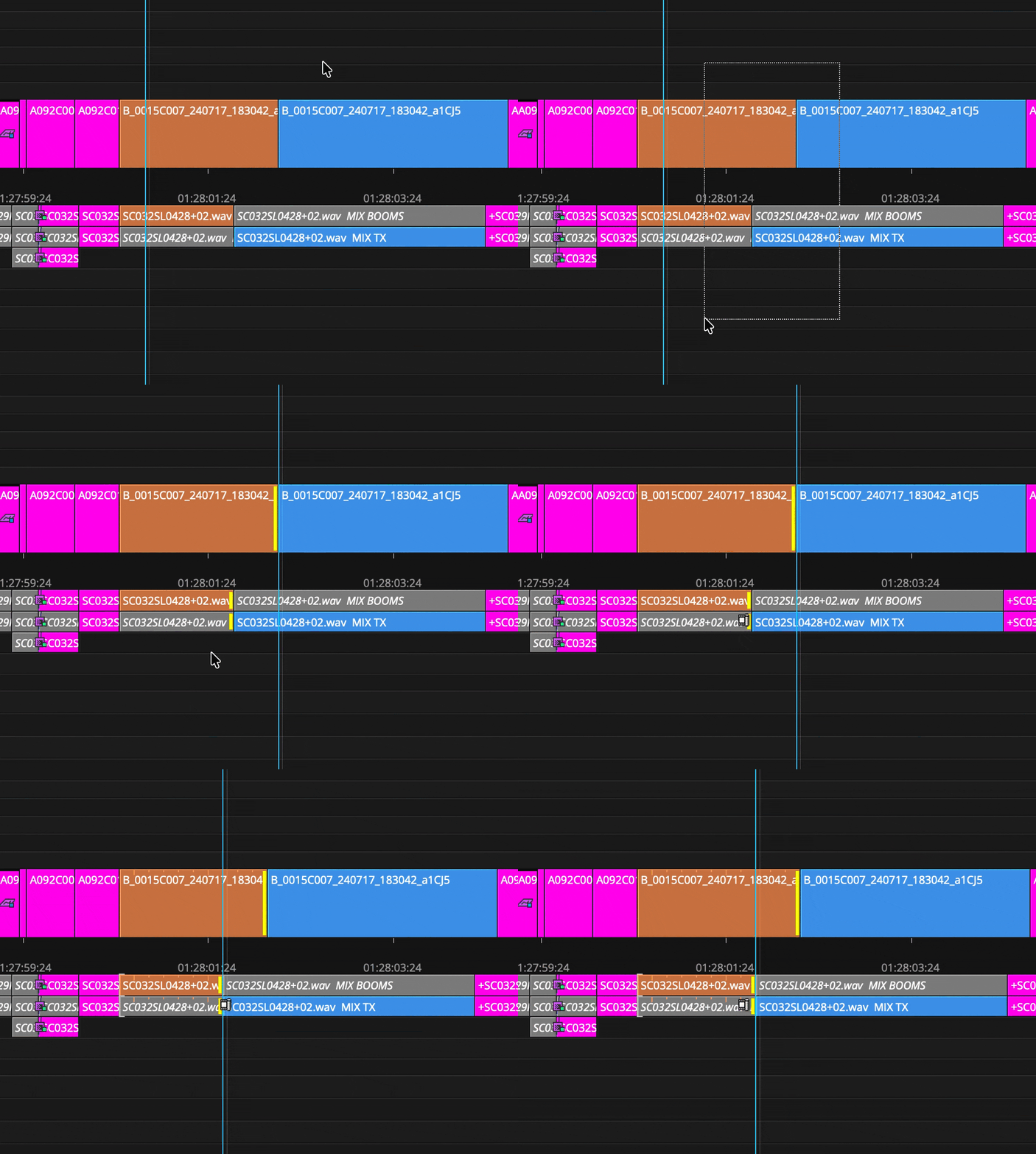
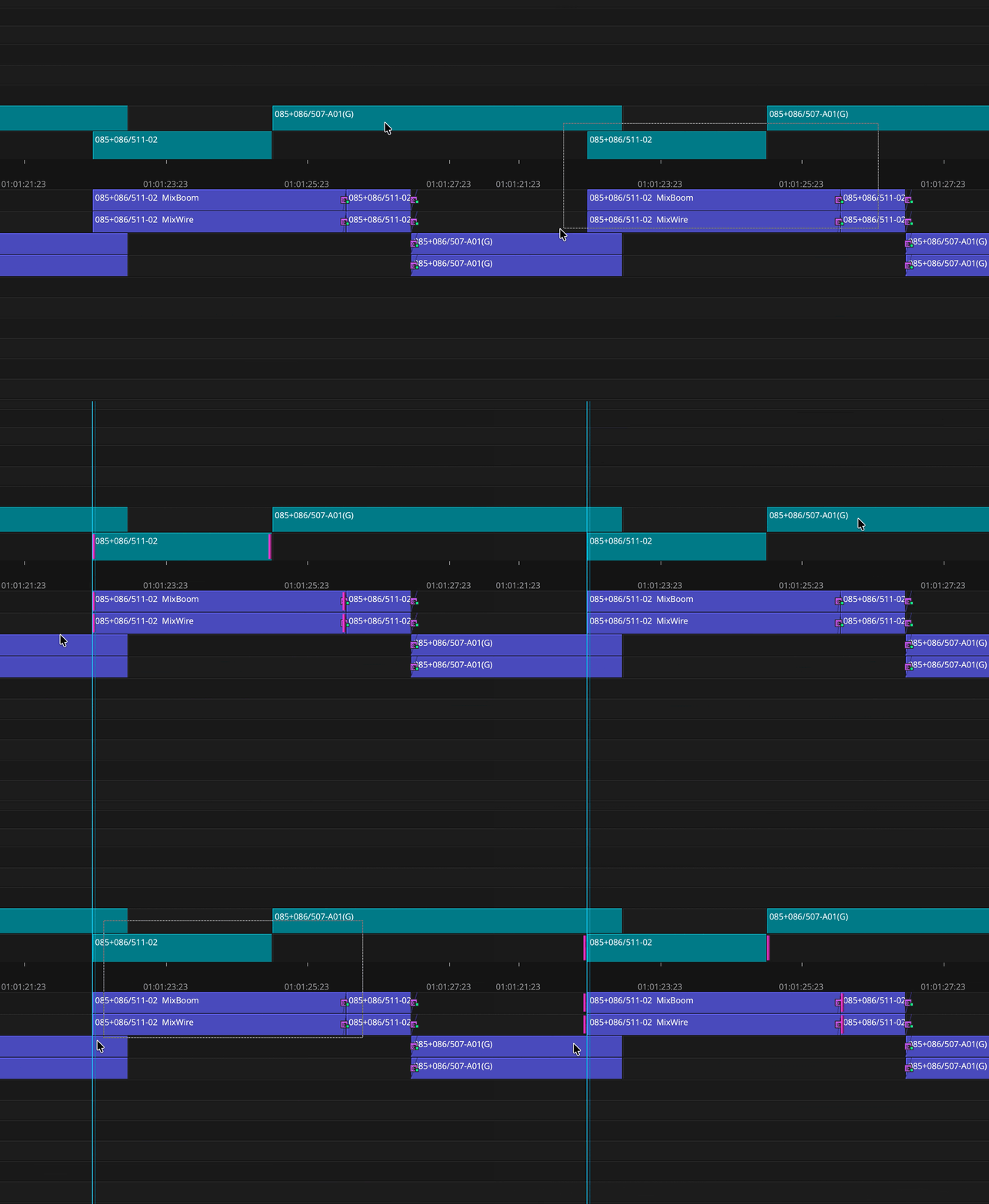
4. ALT+Lasso around a clip for Slip / SHIFT+ALT+Lasso for Slide
It's a bit difficult to see in the example below. But the first lasso drag selects the insides of the clip (Slip),
and the second lasso the outside (Slide). This also works well with J/L cuts.
5. Restore Last Trim Selection
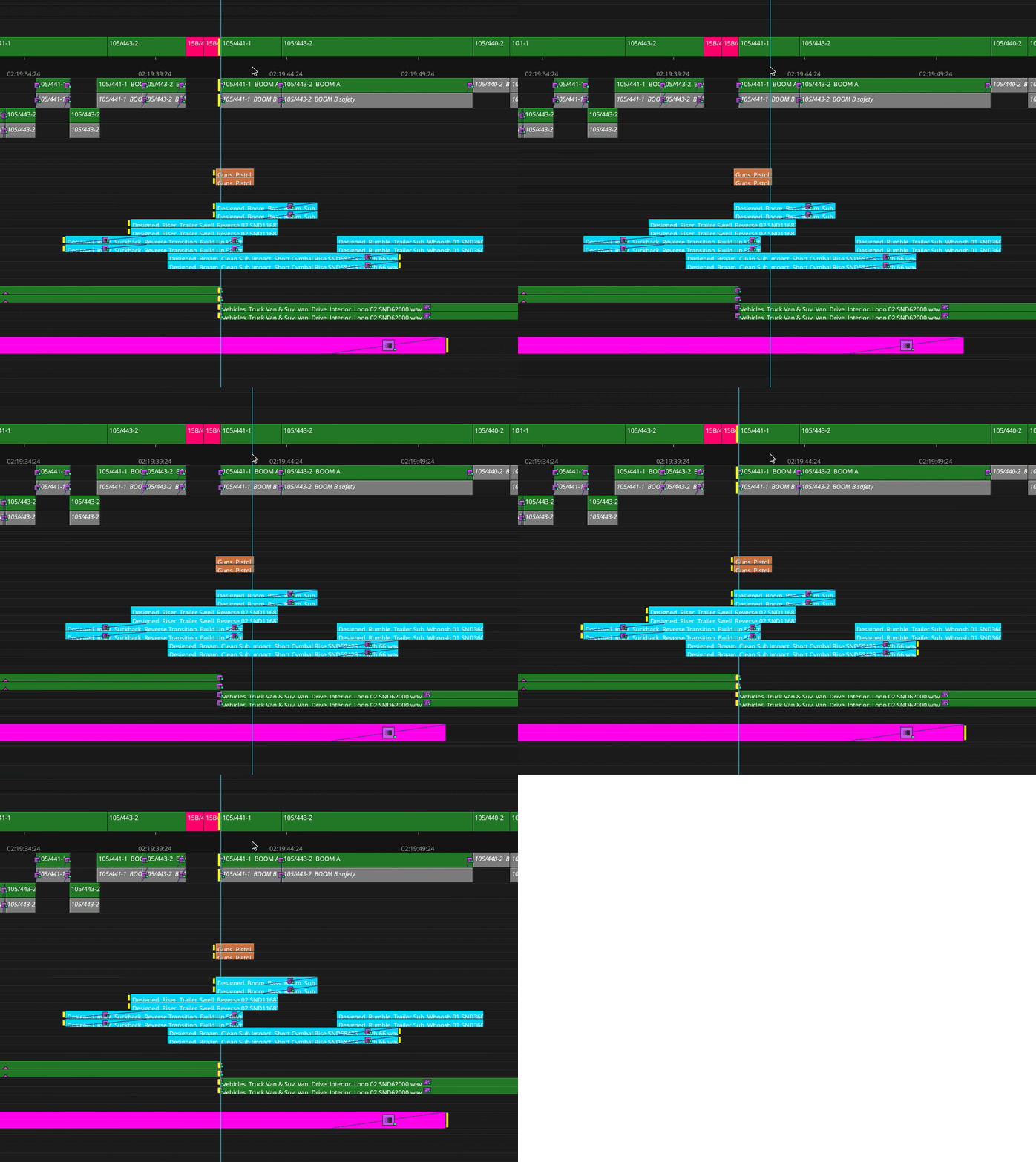
In case you accidentally click in the wrong place after carefully selecting all your trims, or changed your mind about the cut you’ve just made; you can bring up the “last active trim selection”.
So in the example below, I move the playhead to deactivate the trims. And when I press ALT+U, they are reactivated again (note that this is something different than “undo”. This is it’s own undo for trim selections):
6. Undo to “Significant” Edit Decision instead of Undoing Each Mini Step Inbetween (when Dynamic Trimming)
When you’re trimming dynamically and want to Undo a change you’ve made - after you’ve frame nudged multiple frames to the left and or right - don’t undo every frame that has been nudged; instead, go straight back to the previous ‘significant’ editing decision that has been made.
Avid understands that when you frame nudge your way to a “perfect cut”, the rapid succession of moving 1 frame to the left or 1 frame to the right is in fact part of a single step in the process of finding the right cut, and thus these steps should be grouped as a single undo step, rather than undoing every frame nudge you make in between.
This seems like a small detail but it really speeds up the editing process.
7. Visual Feedback while Dynamic Trimming
Maybe a personal taste thing, but I would prefer to see a bit more visual feedback on the timeline while dynamic trimming than there is now.
CONCLUDING DIFFERENCES IN TRIMMING - Avid vs Premiere
In Avid I only need to make a trim selection, choose which sides to trim to, press space to loop, and press I to make the cut. That’s literally it. And even with dozens of audio tracks, it’s still as simple as this.
In Premiere when you have a few overlapping audio tracks it quickly becomes difficult. A lot of times I find myself opening gaps for easy trimming, which is extreeeemely time consuming.
The good thing is, I think that most features are almost there already, they just need some love and extra polishing! ;) Hopefully, this is something the developers will look into in the future.
If you’re an Avid editor who misses these features or just someone who thinks these features are a good idea, vote 1+ up!
 AdChoices