

AndrewTheGreat
Known Participant
November 7, 2024
Open for Voting

Two suggestions for timeline auto-scrolling

  • November 7, 2024
  • 3 replies
  • 339 views

Right now (in v. 25) the timeline scrolling funtion found in here:
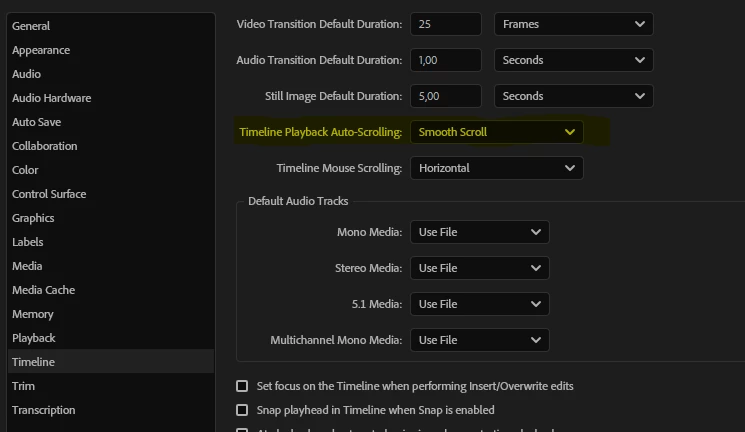
works fine and helps a lot in my editing but it has two things that need to be optimized:

1) in this mode if you drag a marker's tip to change its length, the playhead moves to the part where the marker's tip ends. This is strange.

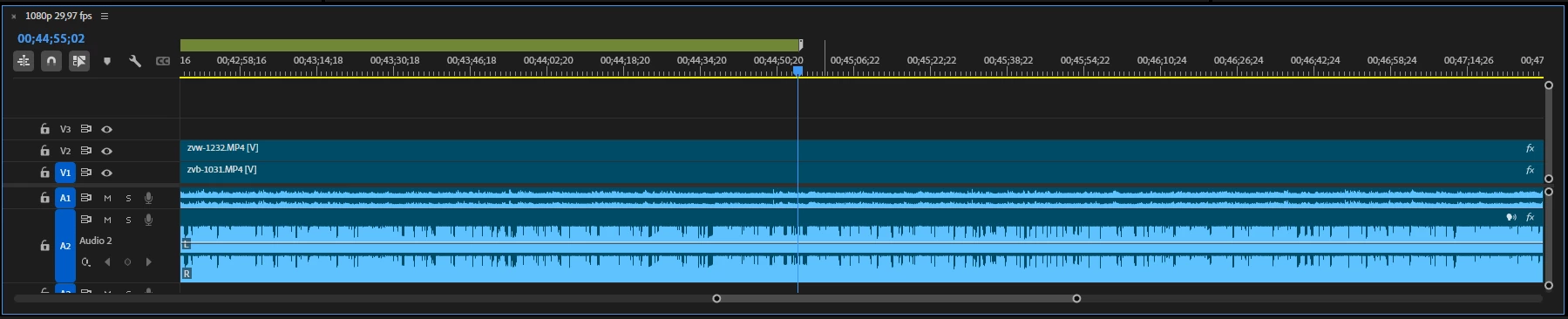
2) Please, Adobe, make the autoscrolling available without the playhead centering. Right now wherever the playhead is once you hit play it is centered everytime. Isn't it better just to autoscroll the timeline from any position of the playhead?
 

Back me up, guys

3 replies

Kevin J. Monahan Jr.
Community Manager
Community Manager
November 9, 2024

Thanks for the movie, @AndrewTheGreat. I hope the product team will comment soon. Great ideas, so thank you.


Cheers,
Kevin

Kevin Monahan - Sr. Community and Engagement Strategist – Adobe Pro Video and Audio
AndrewTheGreat
Known Participant
November 8, 2024

Hi, @Kevin-Monahan 

And another thing to fix or improve with autoscrolling (smooth scroll). It's a multicam sequence at a certain timeline zoom level. No issue with Page scroll


Stop trying to edit and EDIT!
Kevin J. Monahan Jr.
Community Manager
Community Manager
November 7, 2024

Hello @AndrewTheGreat,

It's Kevin from Adobe video support.


Thanks for the feature request. I apologize that timeline scrolling is problematic for you. I hope the team will respond to you soon.


In the meantime, members of the community may have some responses. I hope we get some replies from them, as well.


Good luck with this feature request. I will dive in and test it out myself when I get a moment.

Cheers,
Kevin


Kevin Monahan - Sr. Community and Engagement Strategist – Adobe Pro Video and Audio