


Inspiring
May 4, 2026
Open for Voting

UI Improvement on Windows and make a Source monitor as Trim "A side" when triming

  • May 4, 2026
  • 1 respuesta
  • 22 visualizaciones

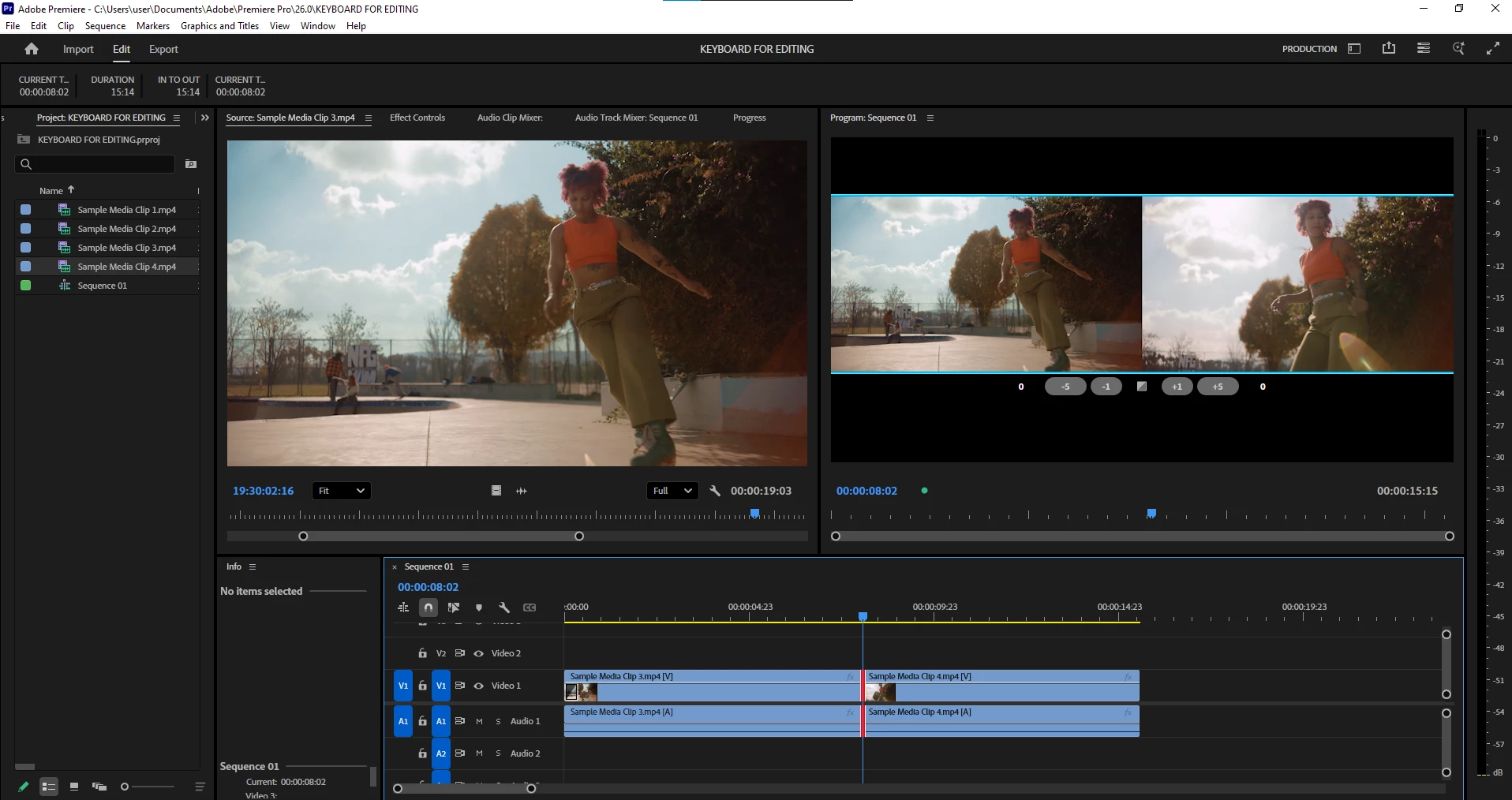
 This is how now looking a trim mode on Premiere, and on Laptop looking to this two small screens a little bit painful. Lets make trim view as an Avid MC, make Source screen as a “A-Side” trim(Left Side Trim) and make some UI improvements

This is how now looking
 

and this is how it may looks like. Looking on this BIG two sides of triming much more better
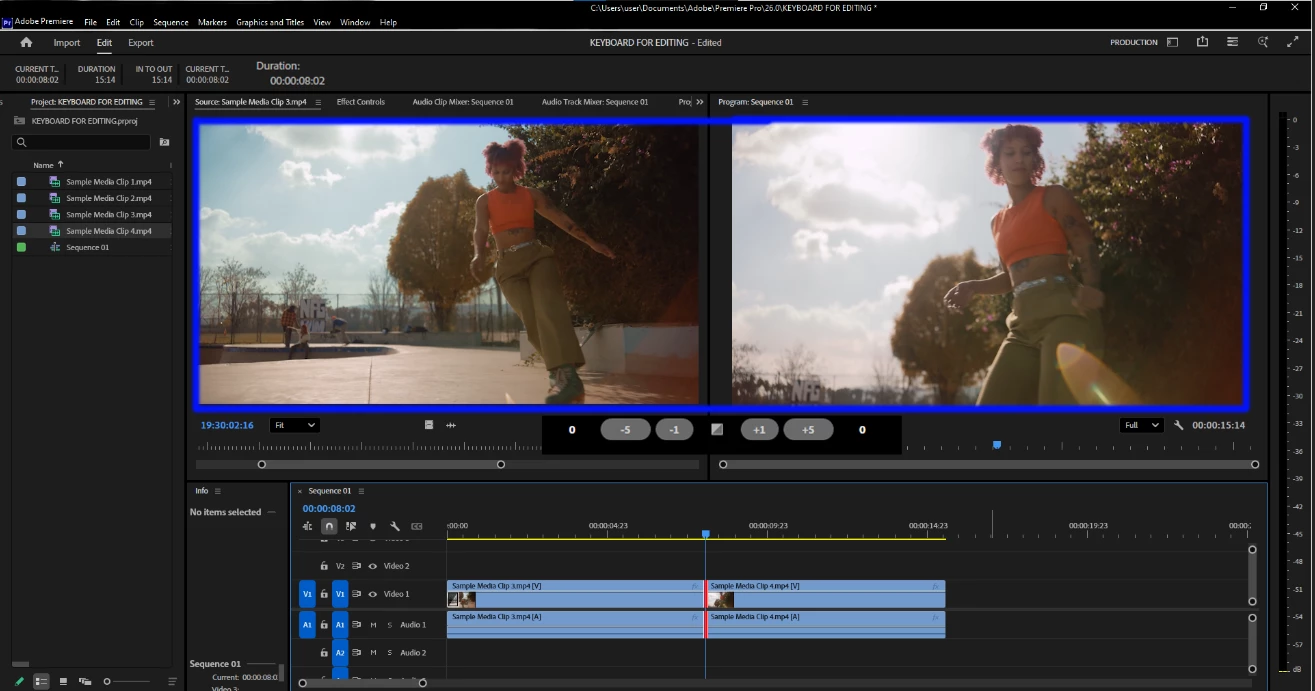


And as an Avid, we can toggle this two “Trim view” on settings

    1 respuesta

    Ann Bens
    Community Expert
    Community Expert
    May 4, 2026

    Tried to maximize frame under cursor (~)

    This will give you a max trim window.

    Inspiring
    May 4, 2026

    Do you always use the big screen when trimming? I don't think so. It's not very convenient. Do I have to press the button every time I trim? Wouldn't it be easier to see my timeline and the trimming window? I don't want to have to press the button a hundred times to get to the big screen, then unpress it to look at the timeline. Surely I can do what I did in another editor and repeat?