
Participating Frequently
March 9, 2024
Open for Voting

View clip labels in a nested multicam timeline

  • March 9, 2024
  • 4 replies
  • 602 views

Adobe Premiere Pro 2024
MacOS Ventura

I've been a Senior Director/Editor for 23 years and counting. My specialty is large multicam shows. I often have between 30 and 45 sources... As you always have to keep up with technology, I now master Premiere and Resolve as well as Media Composer.

Problem:
With so many cameras, it's vital for me to see if the balance in my choices is right, to quickly spot a particular camera directly on my timeline, etc... In Avid Media Composer, I can see all the cameras with their labels. Not in Premiere, and that drives me crazy.

Feature request:
I would like this function to be available as soon as possible on Premiere, it's a no brainer.


I'm attaching two screenshots. A Premiere milticam and an Avid multicam. A picture is worth a thousand words, so for me it's not even a question of whether this function should be added...

If you're like me, share, share, share! And... VOTE 😉
Thank you for your attention,
Martin Julien
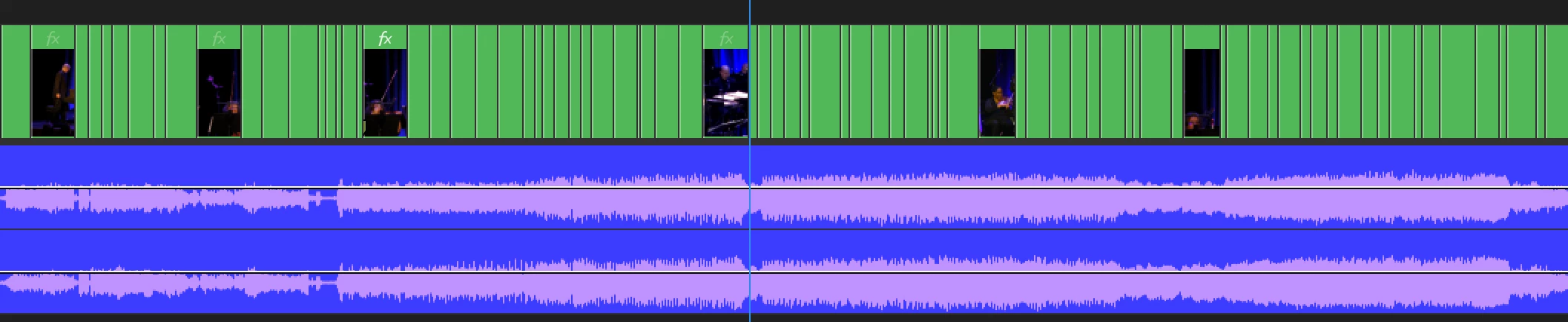

4 replies

Participating Frequently
March 15, 2024

@YourFriendlyEditor To say that Premiere Pro lacks a lot of stuff... That's an understatement haha. I would have spent a day making a list. A chance there is Excalibur.

Participating Frequently
March 12, 2024

I'm not sure since i don't have to work with so many multicam sequence, but i think there are ways as a temporary solution, with automation softwares like robotaks for windows and bettertouch tools for mac. Is a pain and that's why i upvoted ^^


For this project we should wait for adobe, but for the next one you could try excalibur and set a shortcut that change the label of the camera for each cut with a mouse like the g600. Yeah i'm that crazy somtimes to make premiere pro work as my ideal program, i'm just throwing ideas that i'm sure you don't like, but for now premiere pro lacks a lot of stuff...

Participating Frequently
March 12, 2024

Do you mean that if I have 1000 edits I have to manually label each clip one by one from the timeline? Is that what I understand?

Participating Frequently
March 12, 2024

Yeah that's could really benefit, right now you can do that by chaning color labels manually and i suggest the plugin excalibur to do that better, you can nest a marker into a clip. Upvoted!