



Open for Voting
Workspaces are not saved to the individual project
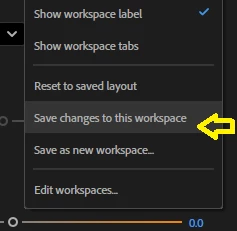
I have to use this constantly because each project, the arrangement of option on the panel such as Properties, Effect Controls, and the open project will NOT stay in place, locked in position.
Every time I open a project and go to a workspace, they’re not where I left them the last time I worked on that project. I have to put everything back where I had it and “Save changes to this workspace”.
 AdChoices