6 replies

Participant
September 18, 2026

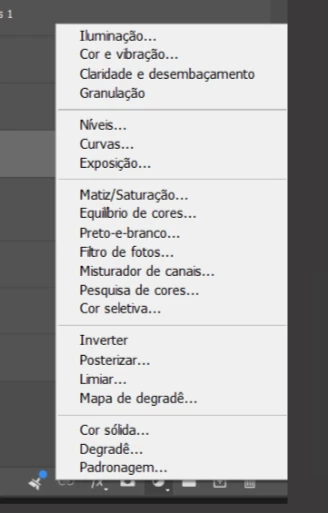
this is confusing especially for following along tutorials with this new update. They should just bring back the brightness setting in the adjustment panel so we don't have to go searching for it multiple times.

Jeff Arola
Community Expert
Community Expert
August 28, 2026

Brightness & Contrast as an adjustment layer is still available, but you’ll need to first make a Light adjustment Layer, then from the Properties panel fly-out menu you can chose one of two Legacy Brightness & Contrast adjustment layers.

https://helpx.adobe.com/photoshop/desktop/create-manage-layers/color-adjustment-fill-layers/adjust-image-lighting-with-light.html


Also tested older actions made with Brightness & Contrast adjustment layers and they seem to work in Photoshop 27.10.


Participating Frequently
August 31, 2026

When I restore a previous version of the Brightness/Contrast adjustment layer, it doesn’t stick. Each time I open a new B/C layer, it’s the new expanded version. How do I restore the Legacy (pre-2026) version permanently?

Menzen
Participant
August 28, 2026

Version: 27.10