

Gemini (Nano Banana) and Flux Kontext Pro models now in Photoshop MAX update 27.0
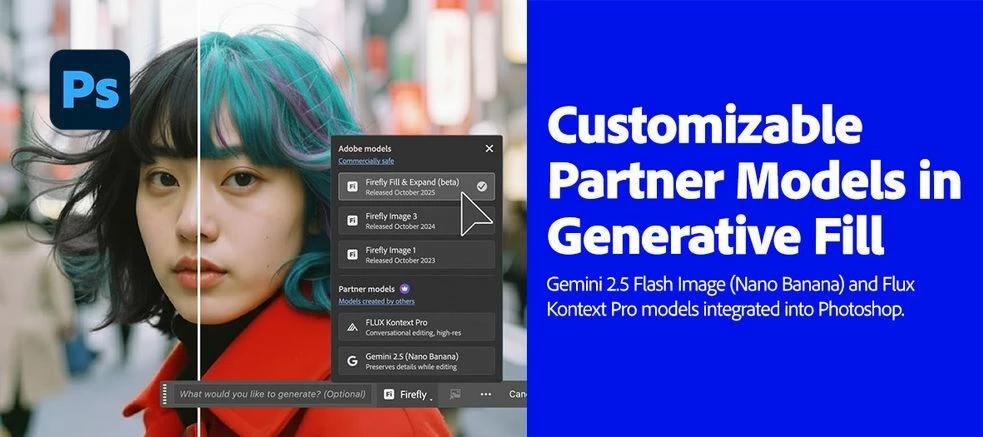
Big news for Photoshop creators!
We’re thrilled to announce that Gemini (Nano Banana) and Flux Kontext Pro models are now integrated into the Photoshop Desktop Generative Fill workflow! These models unlock advanced capabilities to help with your creative vision, including:
- Style transfer
- Text editing
- Object modification
- Quick or controlled edits
- Complex transformations
All within a non-destructive, creative control environment.
Here's how to use these Models in Photoshop's Generative Fill:
- Open a file → Create a selection (try Select All or Selection Brush)
- Click the Generative Fill button
- Tap the Model Picker icon
- Choose an AI model.
- Enter a detailed prompt → Generate!
- Click here for more details.
Pro-Tips for using Generative Fill:
- Use larger, loose selections with the Selection Brush.
- Avoid hard edges to prevent shifting or visible seams.
- Add clear prompts to guide the model’s output.
- Use Flux Kontext for seamless, context-aware backgrounds. It is conversational, helping maintain character consistency and precise edits.
- Use Nano Banana for stylistic fills. It is optimized for preserving details, making it ideal for creative transformations.
| Important Note About Generation Credits:
Learn more about premium features and generative credits in the generative credits FAQ. |
Are you ready to get started? Update Photoshop to the latest version and explore these LLM models and other new exciting features. More details can be found here.
We’d love to hear from you!
Try out these new models in Photoshop 27.0 and let us know your thoughts. Feel free to reach out if you have any questions or need more tips!


 AdChoices