
Inspiring
Jun 21, 2022 2:20 AM UTC
Question

Acrobat Reader DC (Windows 11) mail to link is not opening default mail app (Outlook)

Windows 11 / Acrobat Reader DC (22.001.20142)


Intially I reeived this message when I clicked a mail to link in my PDF:

"This email will be sent using "Default email application (Microsoft Outlook)". Click on
'Change Preferences' to change your default account settings."

I clicked Continue, and nothing happened.


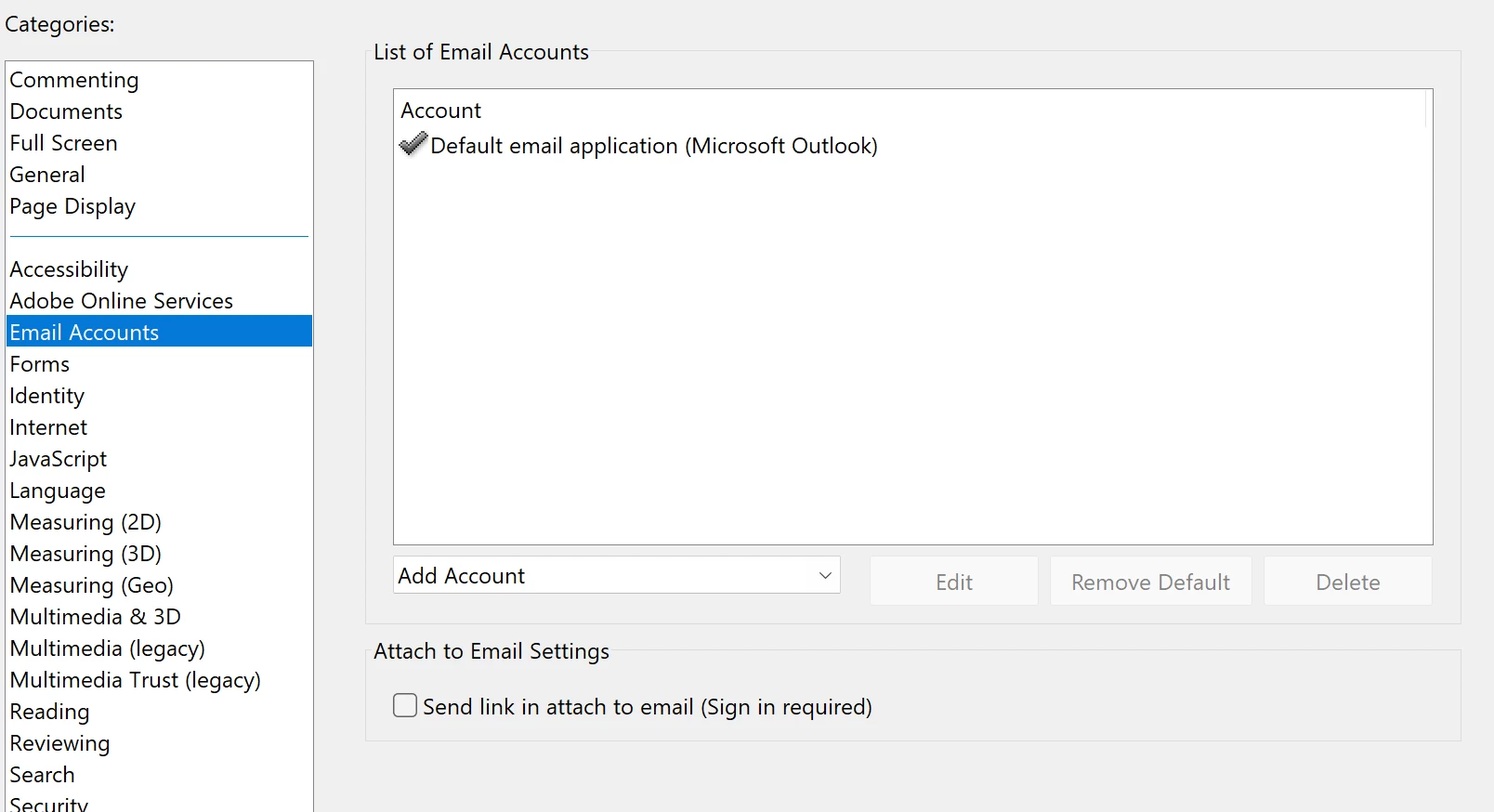
I reinstalled Reader and set default mail as Outlook again, as below. And still nothing opens. Anything else I need to do?


This topic is closed to new replies. Start a new post to keep the conversation going.

5 replies

JR Boulay
Community Expert
Community Expert
Jun 22, 2022 3:00 PM UTC

MOVED TO THE ACROBAT READER FORUM

Translate
Acrobate du PDF, InDesigner et Photoshopographe
Amal.
Legend
Jun 21, 2022 3:12 PM UTC

Hi there


Hope you are doing well and sorry for the trouble.


Is this an issue with a particular PDF file or with all the PDFs? Please try with a different PDF file and check.


Also, try to repair installation from the help menu > repair installation and reboot the computer once.


You may also try to reset the Acrobat preferences as described here https://community.adobe.com/t5/acrobat-discussions/how-to-reset-acrobat-preference-settings-to-default/td-p/4792082 and see if that works.


Please go through the help page https://helpx.adobe.com/acrobat/kb/attach-to-email-not-working.html


Regards

Amal

Translate
Inspiring
Jun 23, 2022 7:26 PM UTC

Hi Amal,


This is an issue with all PDFs. I went through all your recommended links and nothing worked. Thanks.

Translate
Amal.
Legend
Jun 27, 2022 3:11 PM UTC

Hi there,


Is this an issue with a particular PDF file or with all the PDFs? Please try with a different PDF file and check.


Also, please collect the Adobe CC logshttps://helpx.adobe.com/creative-cloud/kb/cc-log-collector.html  and Procmon logs https://www.adobe.com/devnet-docs/acrobatetk/tools/Labs/acromonitor.html and share them via document cloud as described here https://helpx.adobe.com/document-cloud/help/sharing-pdfs.html


Regards

Amal

Translate