Participant
January 11, 2024
Question

Adobe reader crashes when clicking on fillable field

  • January 11, 2024
  • 12 replies
  • 10504 views

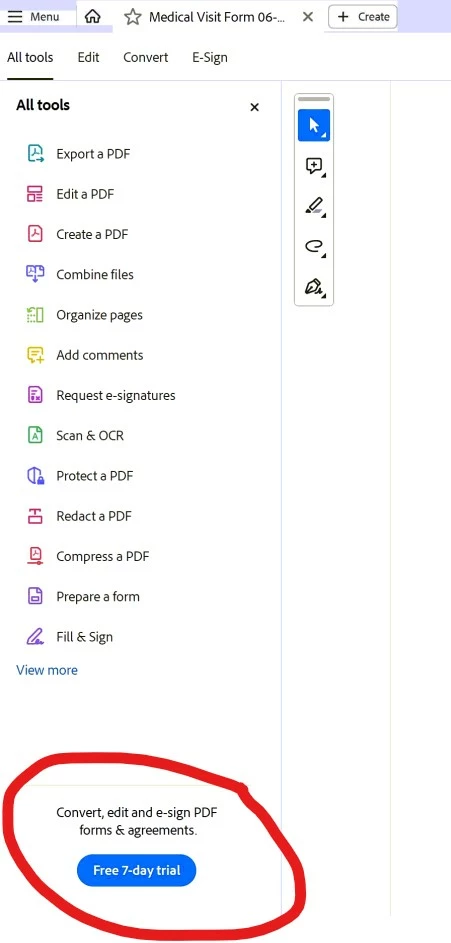
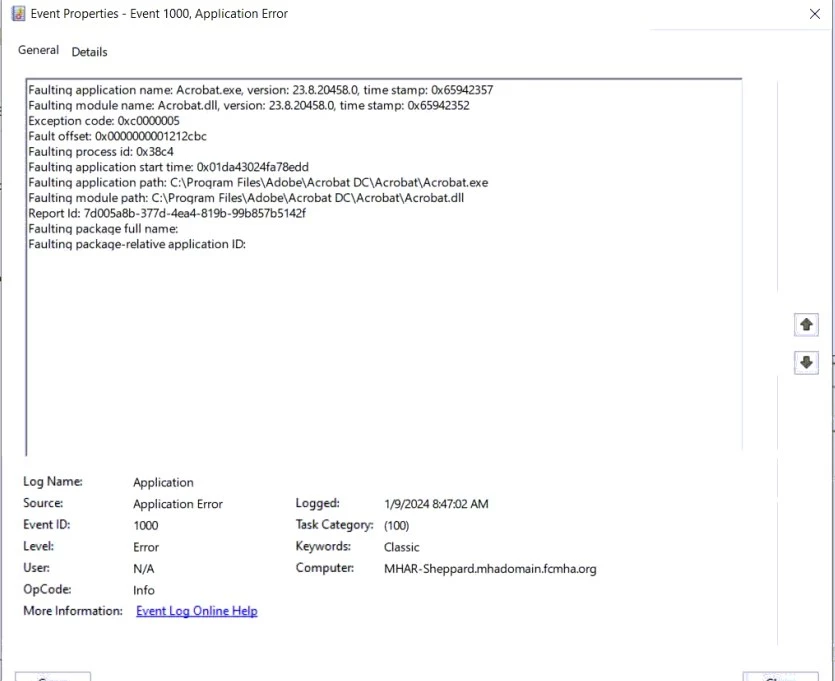
When opening a PDF file that has empty fields that need to be filled out it will crash and close the program completely when you click on an empty field. See picture from Windows error logs. Have figured out that if you click on a field immediately upon opening the file it will crash, but if you wait a little until the "Convert, edit and e-sign PDF forms & agreements. Free 7-day trial", see picture below, on the bottom left of the screen it will work fine. Have tried uninstalling, deleting all Adobe folders from PC then reinstalling. I have tried turning off protected view, and security. This is now happening on 3 different user machines.
12 replies

Participant
January 31, 2024

Thank You for pointing this out! I tested and retested and no matter what you do, if you click on a field before that stupid ad pops up, it will crash. Wait 5 secs for it to load and everything works as expected. Top notch software.

Participant
January 11, 2024

There is definitely something going on. Already checked for updates, followed all steps previously shared online (protected view, etc). Nothing is solving the problem. I, too, am attempting to edit a pdf I use all the time. Upon using the text tool to click in the box I receive the message ' operation failed due to unknown error ' 

SO FRUSTRATING and no solutions seem to be avail yet. 

Participant
January 22, 2024

I am having the same problem, but luckily I have non-fillable form (of the same thing) and just click on "filll and sign" and that is working fine.