


Known Participant
September 17, 2021
Question

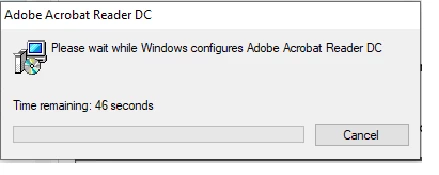
Adobe Reader DC v2021.007.20091 causes an issue to open xdp file which was file before
  • September 17, 2021
  • 2 replies
  • 1232 views

We are using LC designer forms and was fine to be opened in Adobe Reader DC but after update, it gives out the above pop up window. Please have a look into this. thanks

This topic has been closed for replies.

2 replies

Participant
September 23, 2021

This issue is occuring on AcroForms as well, seems like it's an issue on XFA and AcroForms both using Edge/Chrome.


Please advise on a turnaround time for a fix, we have multiple clients using our lending software that are experiencing very long load times for lending forms.

Meenakshi_Negi
Legend
September 30, 2021

Hi All,


Thank you for your patience.


We have released a fix patch for Acrobat & Reader DC Continuous track that addresses the issue. Please update the applicaiton to the latest version and check if that resolves the issue.
You may go to Help menu and select "Check for updates" in the application. For more information about the latest optional patch, please refer to the following page: https://community.adobe.com/t5/acrobat-discussions/adobe-acrobat-and-reader-21-007-2009x-optional-update-is-live/td-p/12412471


Let us know how it goes.


Thanks,
Meenakshi

Meenakshi_Negi
Legend
September 20, 2021

Hi Michael,


Thank you for reporting this and sorry for the trouble.


The team is aware of this issue and working on the resolution.

We will update you once we get any information from the team about the fix.


We appreciate your patience.


Thanks,

Meenakshi

Known Participant
September 21, 2021

Hi Meenakshi,

Thanks for the info. Please let me know when you have a solution ready:)