
Answered
Characters not displayed correctly in PDF reader 2018.009.20044
After we, our customers and vendors have updated Adobe Acrobat reader DC (Windows platform) to the latest version 2018.009.20044, characters inside of PDF files that we generate from our ERP system (Microsoft Dynamics AX) are many times scrambled and not displayed correctly. If the person having the problem restarts the computer it might help for a few hours and then the problem start again. Reading the same PDF file in another reader (i.e. Foxit) is OK.
We are sending thousands of PDF documents daily to our customers and a solution is urgent.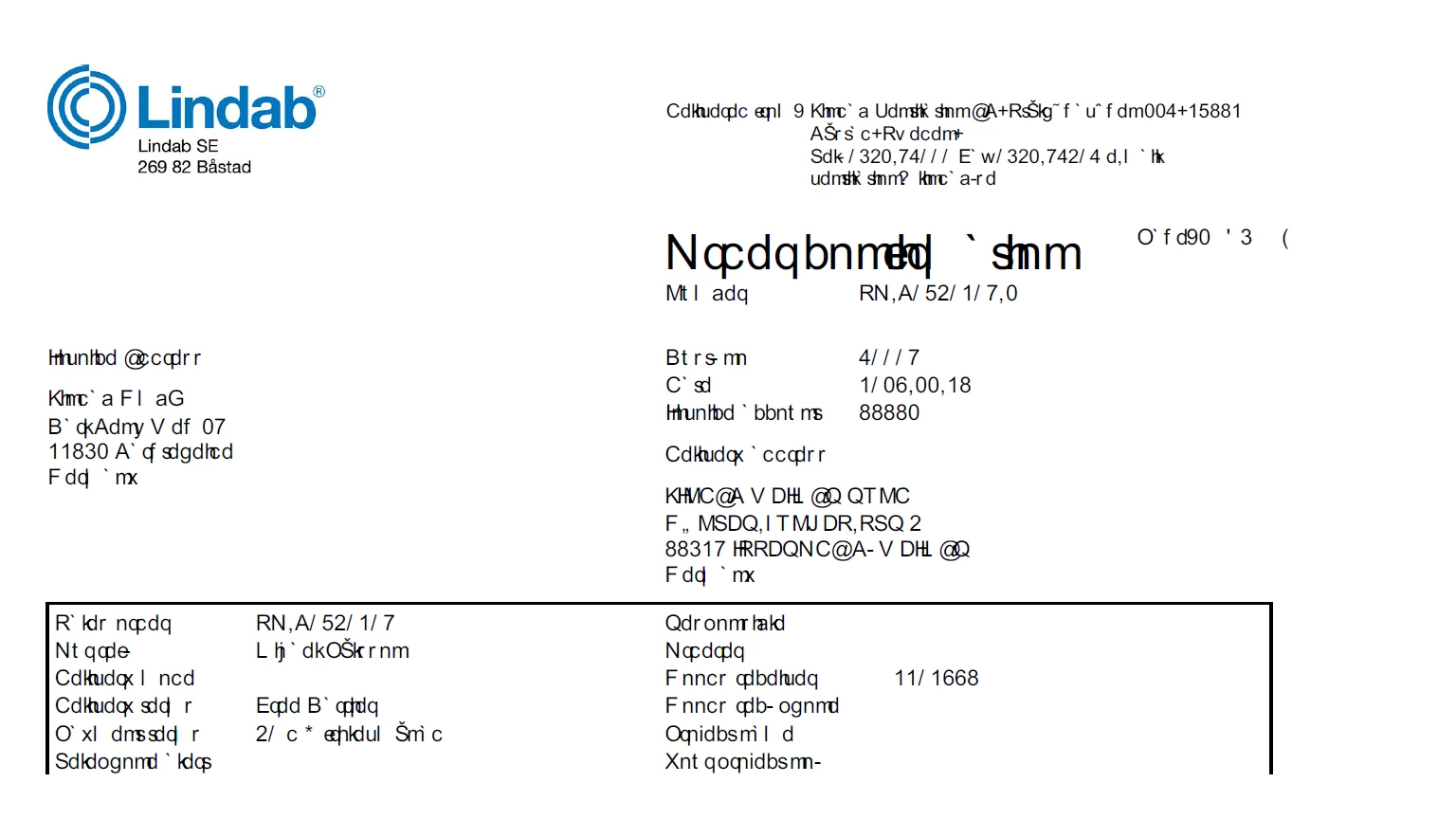
 AdChoices