
Participant
March 17, 2022
Question

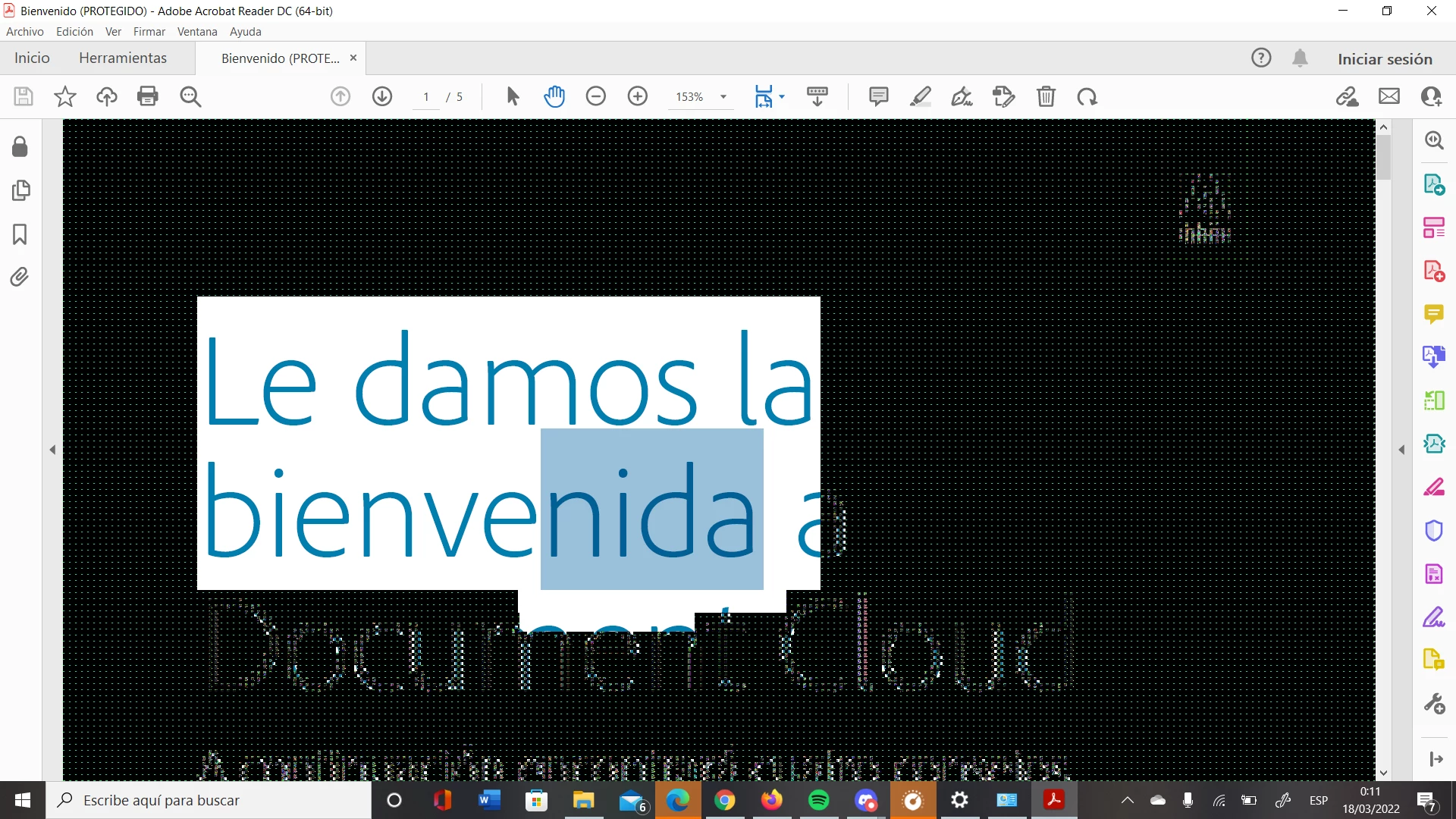
Glitching bug

  • March 17, 2022
  • 2 replies
  • 399 views

My Adobe Reader has been acting weird for a while. When I select part of the text the whole page glitches and you can't see the rest of the document (screenshot down below). Also, when you minimize the page and open it again, the document turns green and glitches again. Such a shame because I can no longer read nor edit documents in Adobe Reader. Any solution?
 

This topic has been closed for replies.

2 replies

Meenakshi_Negi
Legend
March 18, 2022

Hi Alba,


Thank you for reaching out, and sorry about the trouble.


Please ensure that you are using the latest version of the application. In the application, go to Help > Check for updates. 

For more information on the latest version, please refer to the following help document: https://helpx.adobe.com/acrobat/release-note/release-notes-acrobat-reader.html.


If the issue still occurs, please refer to the suggestion provided in the following thread with a similar issue: https://community.adobe.com/t5/acrobat-reader-discussions/pdf-bug-while-displaying/td-p/11908022. Check if that helps.


Let us know if you still experience the issue.


Thanks,

Meenakshi


Participant
March 17, 2022

My laptop is an ASUS Vivabook D509D, Ryzen 7 3700U, RAM 8GB, Radeon RX Vega 10 Graphics.

It's been happening since I first got my laptop.