Answered
How do i increase the font size of th application?
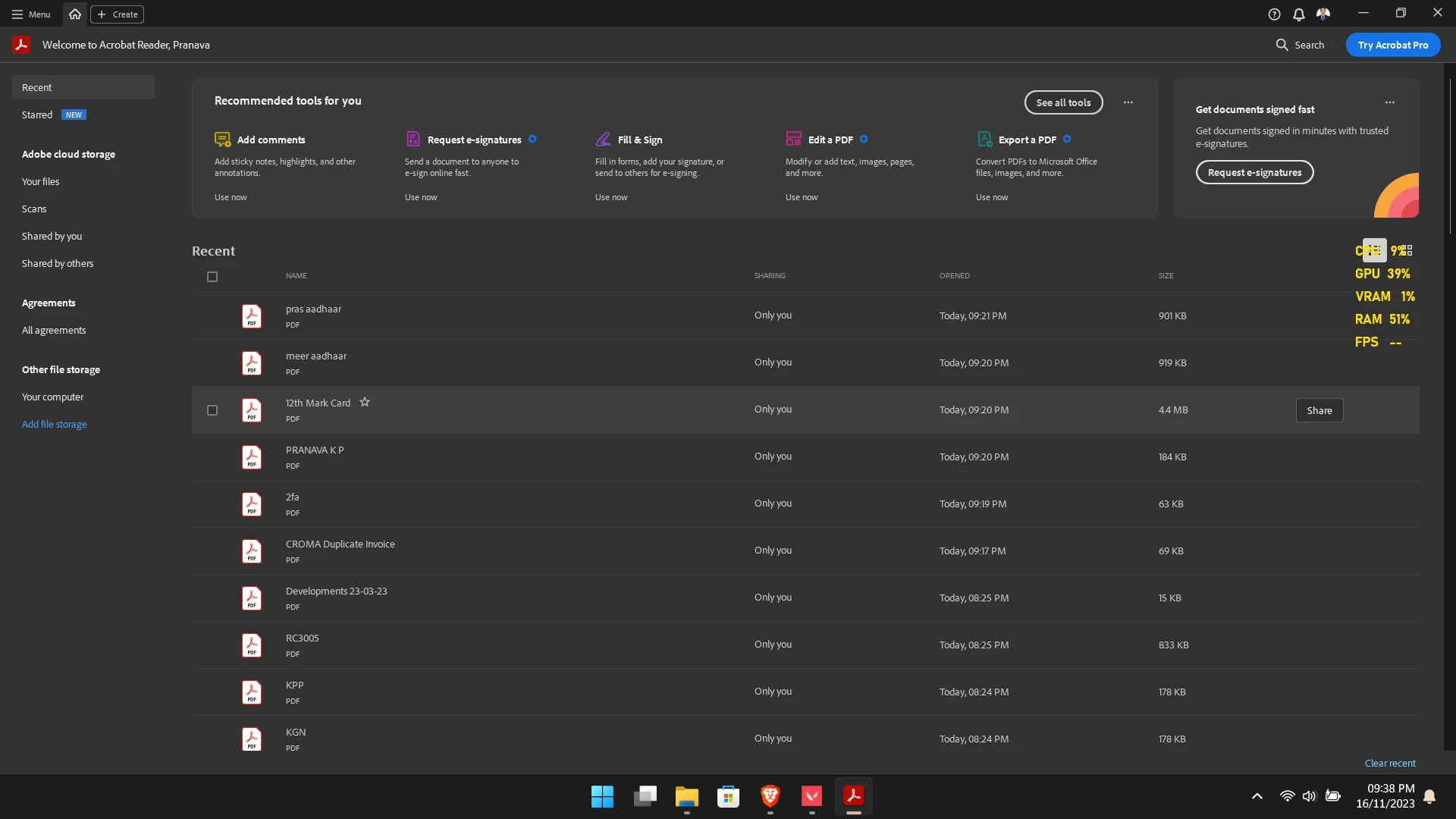
As shown in the image the text seems too sml for my 15.6 inch display.
I did not have this issue before and I don't know when the changes happened. How do I increase the font size?

As shown in the image the text seems too sml for my 15.6 inch display.
I did not have this issue before and I don't know when the changes happened. How do I increase the font size?
Hi there
Please try to reset the Acrobat preferences as described here https://community.adobe.com/t5/acrobat-discussions/how-to-reset-acrobat-preference-settings-to-default/td-p/4792082 and see if that works for you.
~Amal
Nevermid, I just uninstalled the app and reinstalled and the issue is now fixed. thanky you for the follow up though.
Already have an account? Login
Enter your E-mail address. We'll send you an e-mail with instructions to reset your password.


 AdChoices