
dolc73
Participant
May 8, 2022
Question

Ocultar por defecto el PANEL DE TAREAS

  • May 8, 2022
  • 2 replies
  • 1363 views

Hola, tengo una duda, ¿Existe alguna forma de ocultar por defecto el PANEL DE TAREAS?, es terriblemente molesto que al abrir cualquier archiv PDF este panel se vuelva a abrir aun cuando se haya seleccionado previamente en la opcion Ver > Mostrar/Ocultar > Panel de tareas que NO queremos que se abra...
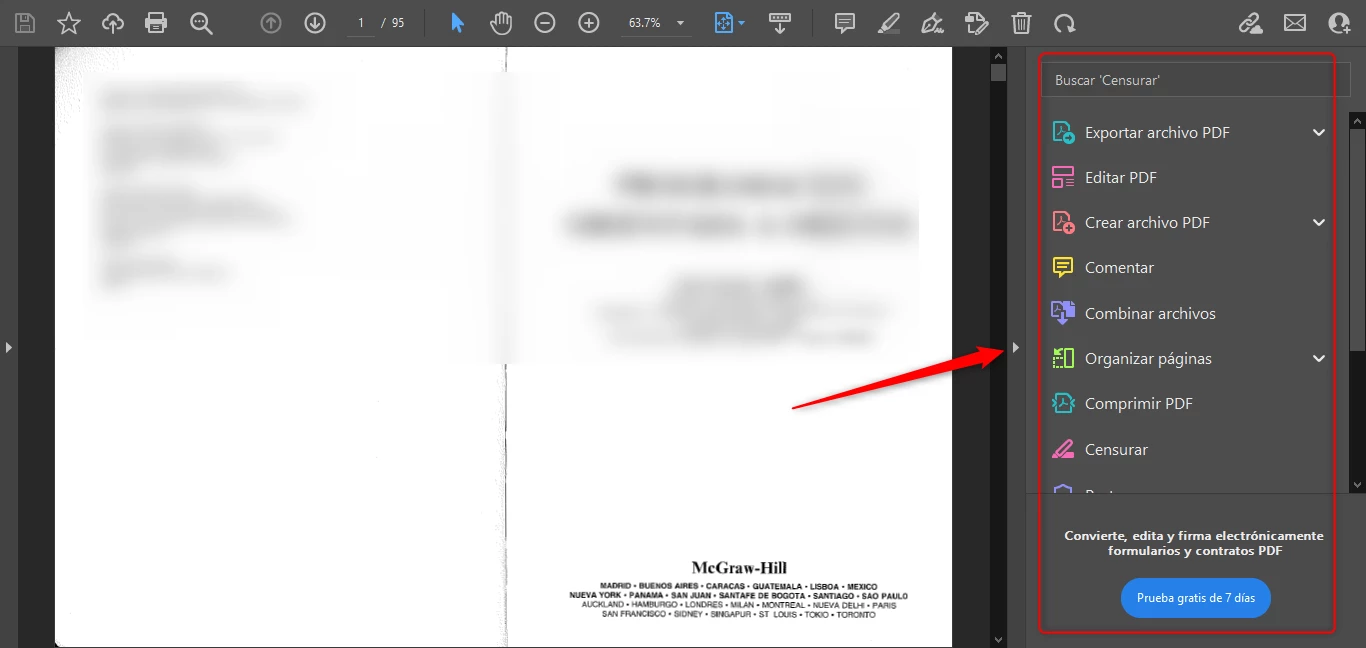
Ojala me puedan ayudar a solucionar este inconveniente...


This topic has been closed for replies.

2 replies

Participant
February 20, 2023

Hola.

Menú Edición --> Preferencias --> Documentos --> Configuración de apertura

Activar la casilla:

Recordar el estado actual del panel de herramientas.


Un saludo

Harsh Vardhan Pareek
Community Manager
Community Manager
May 19, 2022

Hi @dolc73 


Hope you are doing well.

As per the issue description that you want the tools pane to be hidden by default and it's not working.

Kindly try these troubleshooting steps:

1. Check if the app is up to date.

2. Try repair installation from the help option from the menu bar.

3. Try resetting preferences. Refer this help article for the same: https://community.adobe.com/t5/acrobat-discussions/how-to-reset-acrobat-preference-settings-to-default/td-p/4792082


Let us know if that helps.


Thanks,

Harsh