


Participant
January 12, 2017
Answered

Windows cannot find 'c:\.....\AcroRd32.exe'

  • January 12, 2017
  • 31 replies
  • 92938 views

Every time I try to launch Acrobat reader from the start menu I get this message:
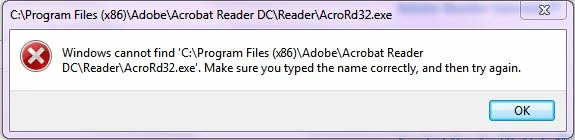
When I browse to the folder and double click on the AcroRD32.exe icon - I get the same message

When try to open a .pdf file by double clicking on it - I get the message that the file can't be found - even though I can open these files within a browser
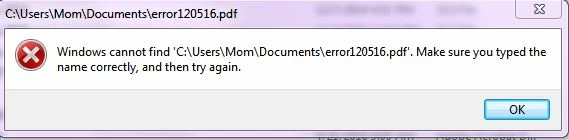
Again - I can open these pdf files (with or without acrobat?) in my browser but it doesn't seem to work independent of an HTML browser

I have uninstalled and reinstalled Acrobat Reader - please don't tell me to do that and let you know how it worked - it didn't

Thanks

Natasha

Correct answer Adorobat

Still doesn't work.


Could you please try the following steps:

1- Close Reader

2- Hold down Windows key and press R on your keyboard, this will bring up Run dialogue box.

3- Type regedit in the run dialogue box and hit Enter, click Yes when User Account Control pop-up appears.

4- Navigate to HKEY_LOCAL_MACHINE\SOFTWARE\Microsoft\Windows NT\CurrentVersion\Image File Execution Options, delete the key AcroRd32.exe

5- Relaunch Reader

31 replies

Participant
June 10, 2020

I followed your advice butin Image file execution options the AcroRD32.exe key does not exist.

Participant
June 10, 2020

Thanks. I hadn't found the key before. Now I have deleted it and everything works properly

June 10, 2020

Thank you so much Adorobat : you save my day !

Participant
June 10, 2020
 
After updating Windows there was a problem opening Adobe Reader DC and your suggestion was perfect to solve the problem.
Congratulations!!!


Participant
June 10, 2020

thank u

it's help

Participant
June 10, 2020

Does anyone know what is causing this? Never seen anything like this before and today happened both on mine and my wife's computer. Is this some type of virus or what? anything we can do to protect ourselves from this happening again?

Participant
June 10, 2020

Worked perfectly for me!

Participant
June 9, 2020

Wow! Tried a number of other 'suggestions' from various sites...none worked...this one worked IMMEDIATELY! Thanks so much. Was afraid to mess with the registry, but desparate and turned out to work! again, THANK YOU!

June 9, 2020

Hello, I have Windows 10 home on my computer. I followed the above steps until step 4. I do not have a Windows NT option, just windows and then it stops. I am a simple user at home and cannot open my PDF's using either Adobe (preferred) or MS Edge. I tried reinstalling Adobe to no avail. Please help. I am stuck

June 9, 2020

Never mind, I made a navigation error. Tried again and found the right path. Executed just as described and it now works.  Thank you


June 9, 2020

Just a HUGE THANK YOU to the ones who posted this here, saved my life!

Participant
June 9, 2020

The directions worked perfectly!  Thank you very much.  It has been a nightmare trying to solve this problem.