
Participant
January 31, 2023
Question

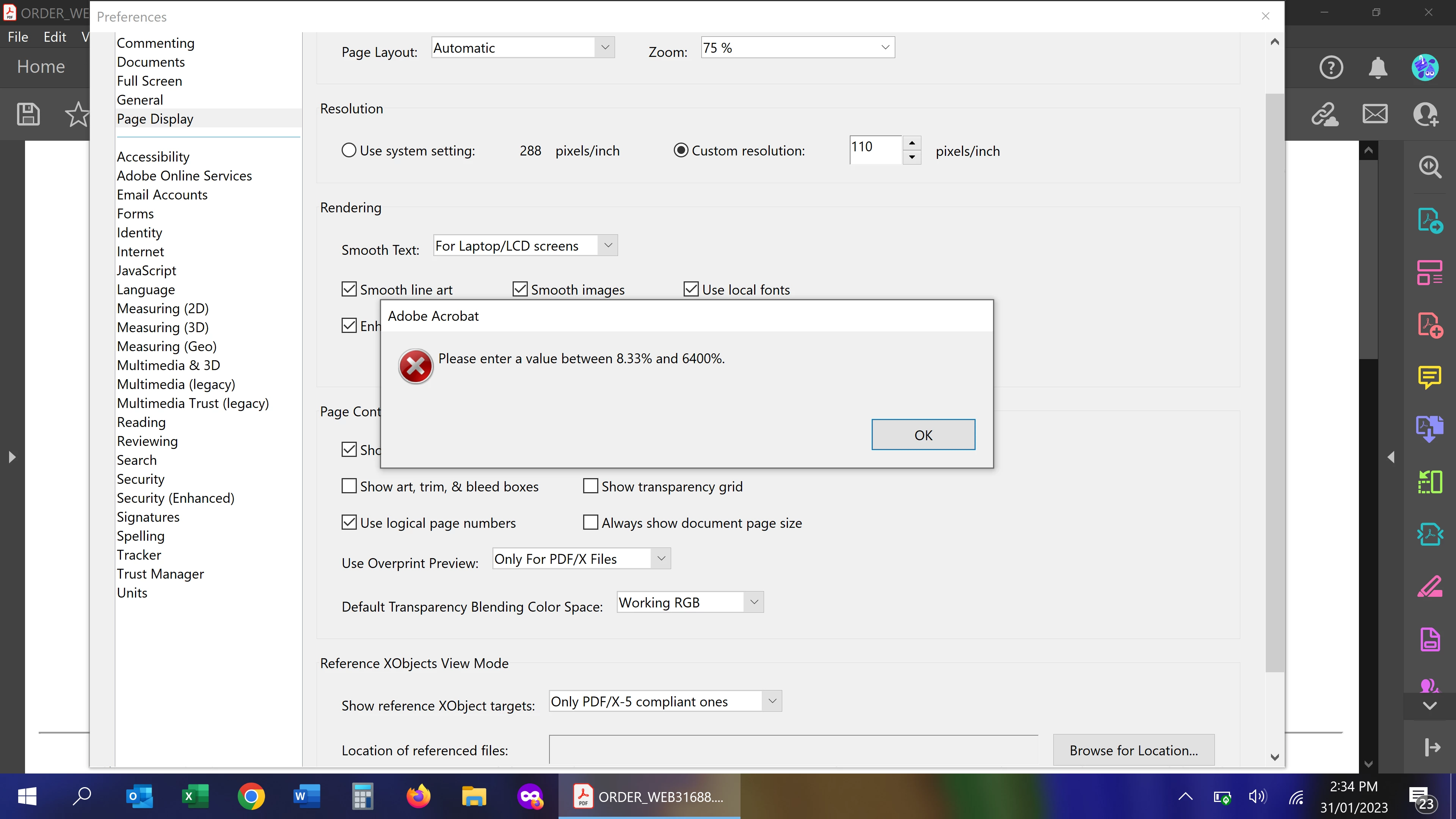
Zoom % Error Message

  • January 31, 2023
  • 1 reply
  • 578 views

Whenever I adjust the default zoom setting I always get an error message as per the below image when saving the changes.  I am choosing one of the pre-set zoom options and clearly 75% is within the range mentioned in the error dialogue box.


I've read all the suggestions at https://community.adobe.com/t5/acrobat-discussions/how-do-i-set-a-default-zoom-level-for-a-file-to-open-to/td-p/9329123 but unfortunately none of the solutions work.


Any ideas?


This topic has been closed for replies.

1 reply

Meenakshi Negi
Community Manager
Community Manager
January 31, 2023

Hi Brendan28182220idxr,


Thank you for reaching out.


Please let us know if you are making other changes to the settings under Preferences.

We tried the same settings on our end, and it worked well.

Try repairing the installation once. Go to Help > Repair Installation.  

Also, if the above steps don't help, try reinstalling the application from the following page: https://get.adobe.com/reader/enterprise/


Let us know how it goes.


Thanks,

Meenakshi

Participant
February 2, 2023
Hi Meenakshi,

I am only trying to change the zoom percentage under Preferences and none
of your suggestions have worked.