
Participant
June 13, 2022
Question

Acrobat cannot open file from Dropbox app (iOS)

  • June 13, 2022
  • 8 replies
  • 2943 views

The recent updates seem to have created an issue with opening pdf files directly from Dropbox, even with repeated tries (previously two tries usually open up the file). The adobe app shows the error below and then hangs on a loading graphic. Restarting the phone and reinstalling the acrobat app did not resolve the issue. 
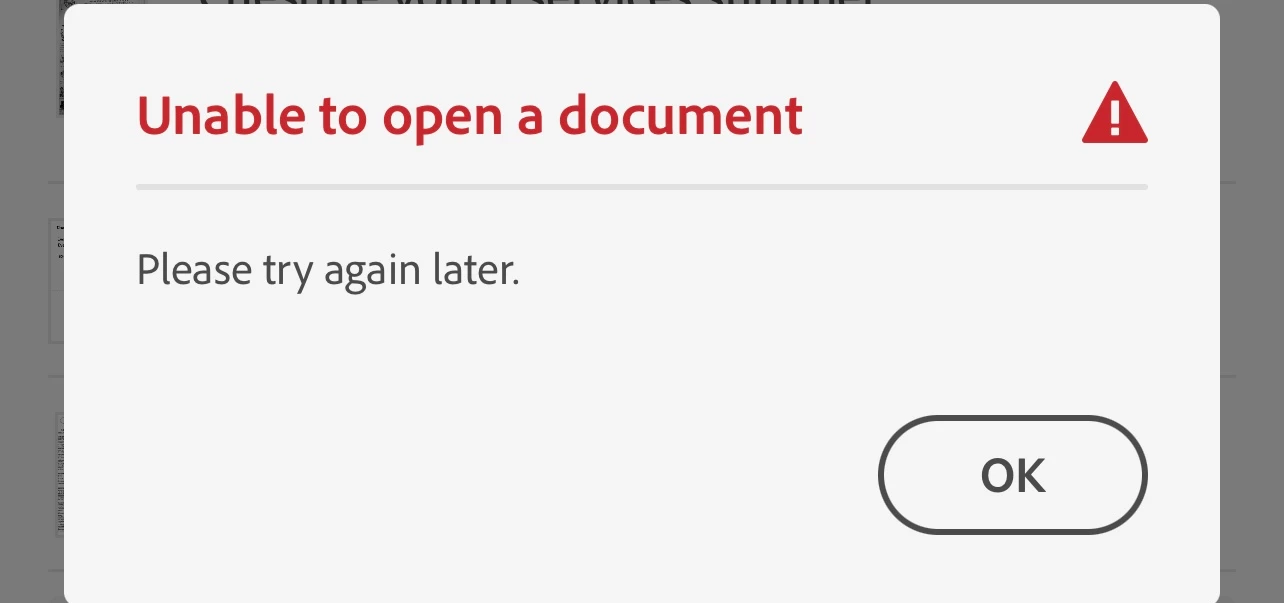
This topic has been closed for replies.

8 replies

toddknife
Participant
December 14, 2022

I'm also having some strange issues with Acrobat and Dropbox on iPad.


I have the Adobe/Dropbox integration set up, but the files that appear in Acrobat are inconsistent. Some files don't show up at all, others show up as duplicates, and sometimes files open the incorrect file when clicked. We also get seemingly random conflicting changes issues.


Here's an example of the issue in Acrobat (note that, in Dropbox, there is only one file for Xintong). When I open the file, it incorrectly opens Ivana's file, then displays Ivana's file as a duplicate — notice that Ivana's file is displaying in the "X" section.


If I open a file directly from Dropbox into Acrobat, it will work, but will usually display this kind of strange behavior.

Adobe Employee
August 1, 2022

hi all,

The Acrobat Reader 22.07.00 is available now in App Store and it should resolve the issue. Please try to update the latest version of Acrobat Reader and let us know if it works?

Thank you all for the patience.

Participant
August 1, 2022

It is now working as expected after update. Thank you for the notice. 

Adobe Employee
August 2, 2022
Hi Leshui5C66,
Thank you for your confirmation and good to hear that it is working for you now.
Best Regards,
Known Participant
July 18, 2022

Yes, still waiting.

+ unable to delete recent files selectively 

Additionally, the start up time is increasing, as are many operations.

Is response time proportional to the number of recent files listed ?

I am reluctant to ‘clear all recent files’ as many are still required for quick access. 

Participant
July 17, 2022

i have the same problem. the workaround is not great because my dropbox files are much easier to find by searching than by navigating the file structure. since prior to to being unable to open the files at all (and now using the workaround), it also sometimes disconnects and instead of saving changes (highlights mostly) in dropbox, it saves many conflicted copies on the ipad ... hopefully the new fix comes soon and fixes all these related dropbox connection  issues

Participant
June 29, 2022

The version updated but  still cannot connect and open the file from Dropbox, when can fix it ?

Known Participant
June 29, 2022

Same problem after recent update.

Acrobat version 22.06.00 (20220614.115655)

iPad Air 4th Gen OS 15.5

Participant
June 20, 2022

Yes , can follow the instructions and open it .but i have so many files inside, cannot search it .can fix the problem that connect and open with Dropbox??

Adobe Employee
June 21, 2022

hi Leshui5C66, Adam248950466hp4, and fit24856358nj5q,

We are currently working on the fix.

Thank you for your patience.

Participant
June 21, 2022

It is great to hear that the issue is under your radar. Thanks!

Adobe Employee
June 14, 2022

hi Leshui5C66,


Thank you for reporting this issue and we're sorry for any inconvenience.

We are actively investigating the cause of the problem and trying to find a fix as soon as possible.


Thank you for your patience

Adobe Employee
June 14, 2022

hi Leshui5C66,


May I suggest an alternative to access the Dropbox files while we are working on the fix,


- If you already link your Dropbox account within Acrobat, tap the "Files" tab in the bottom bar and go to the "Locations" panel and select your Dropbox account. You should be able to access your Dropbox files.  


- If you haven't linked your Dropbox account within Acrobat, please do the followings,

1. Go to Home screen, there should be an "Inline" connector as below

'

or 

Tap the "Files" tab in the bottom bar, the "Dropbox" connector should appear as below,

2. Tap on the Dropbox icon and continue to sign in with your Dropbox account and allow Acrobat to access your Dropbox files

3. After connection is succesful, it should be automatically in your Dropbox file list. If not, please tap the "Files" tab in the bottom bar and choose Dropbox in the "Locations" panel and you should be able to access your Dropbox files.


Hope this helps


Participant
June 16, 2022

Is there a fix yet