



Document Geek
Community Expert
Community Expert
February 11, 2019
Answered

Acrobat Reader for Android doesn't show the folder structure

  • February 11, 2019
  • 2 replies
  • 3289 views

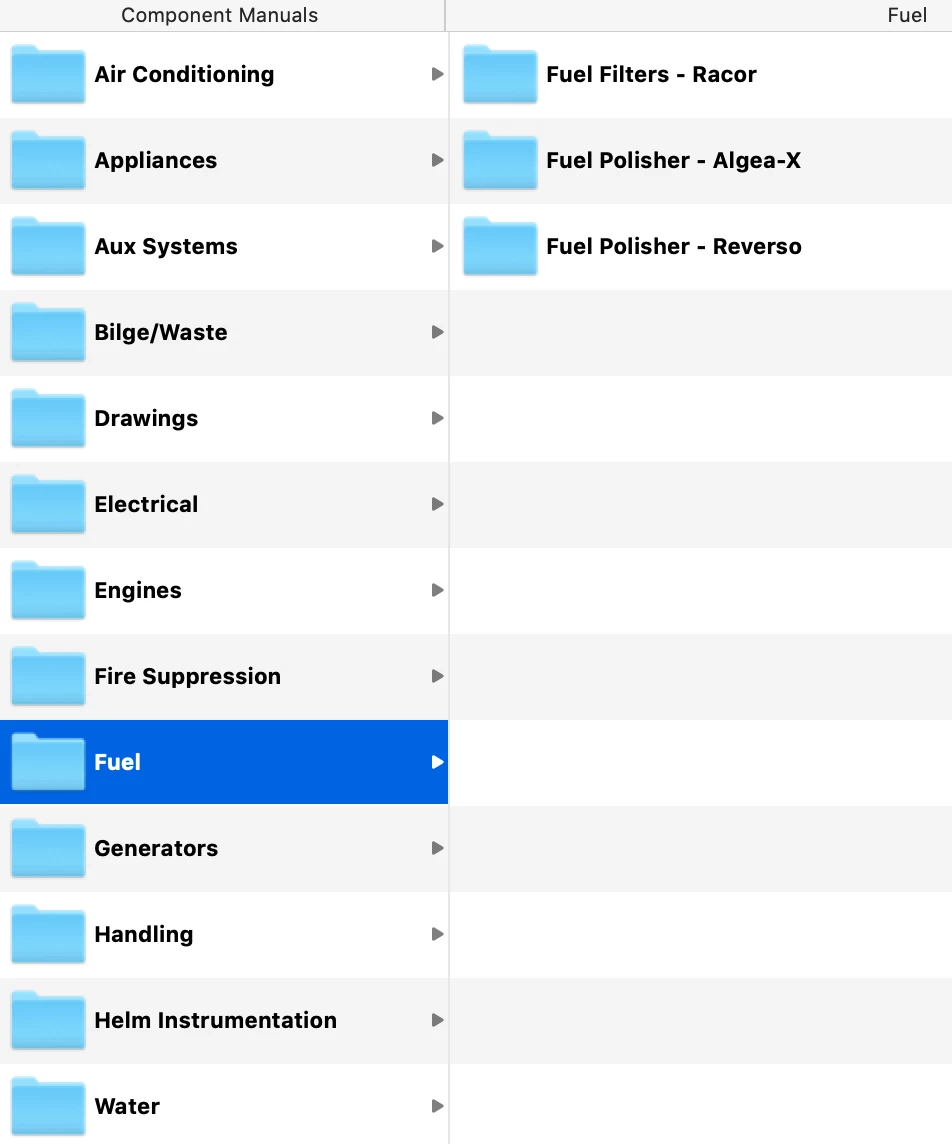
When I view files on my iPad, Read displays the folder structure. For reference, here is how it is set up on my Mac. All of these files are in a dropbox folder. I made a QR code and scanned the code using both an iPad and a Samsung Galaxy Tab.
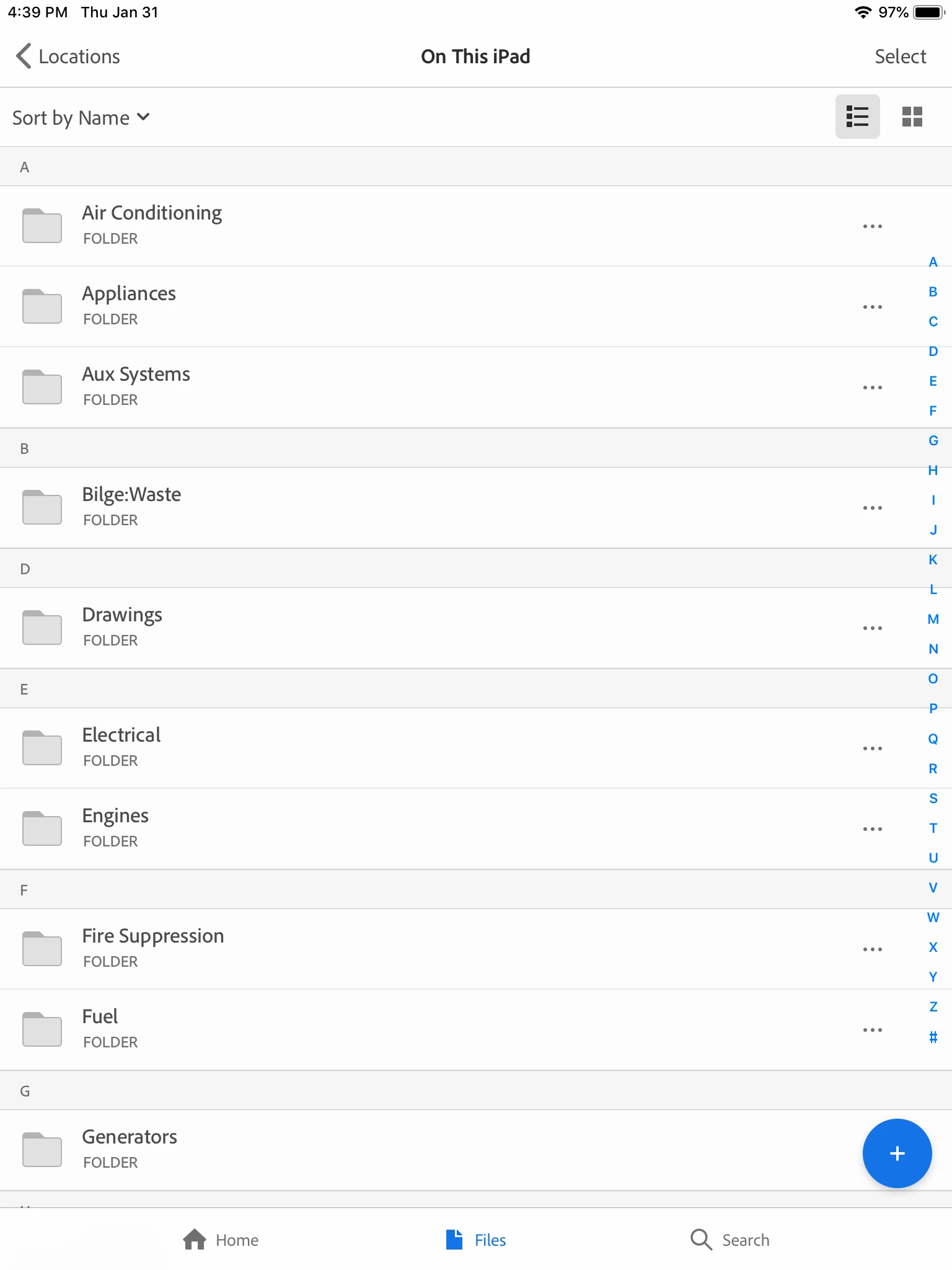
Here is the same set of folders viewed on my iPad.
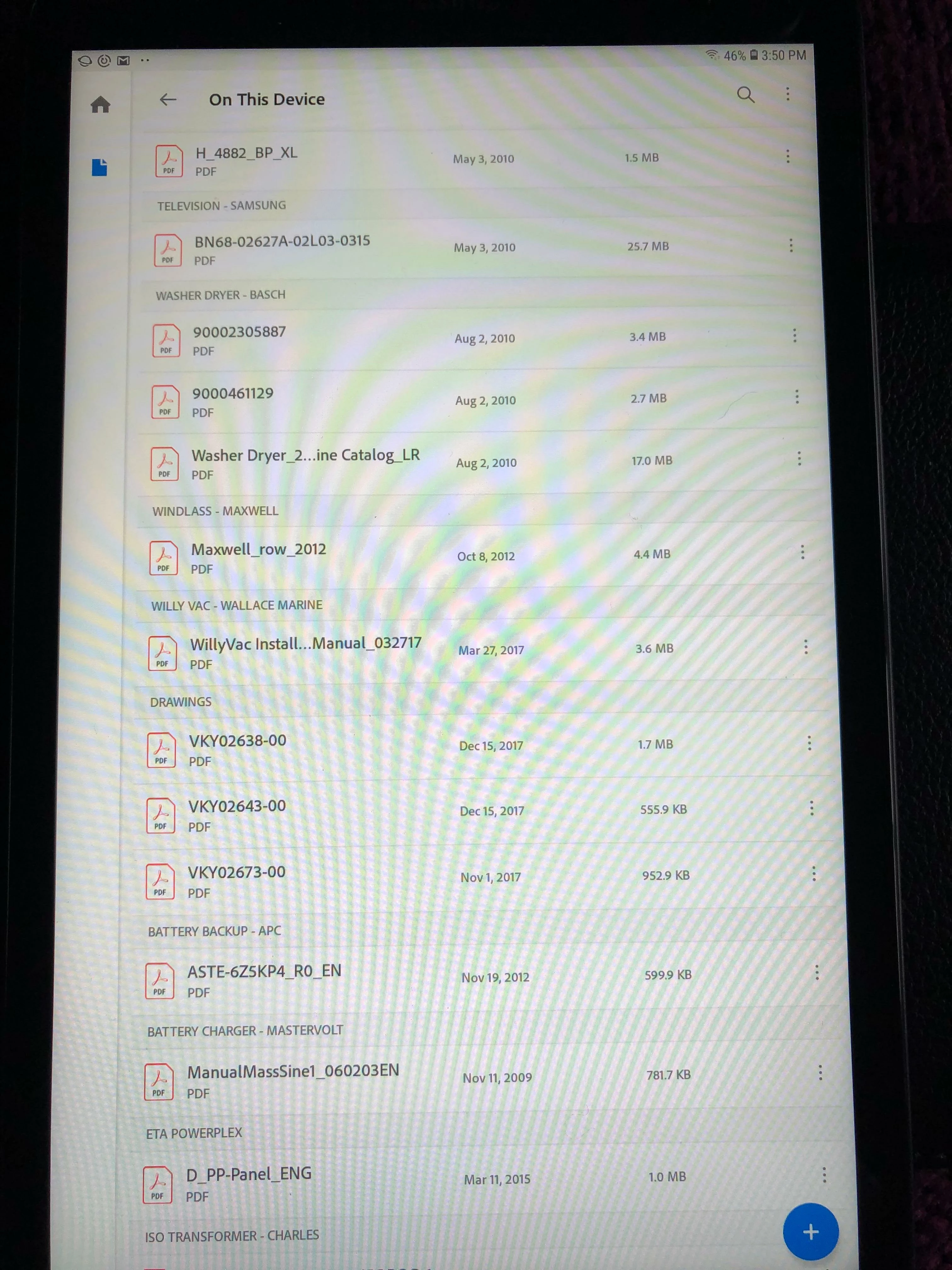
And here is how the same set of folders looks on a Samsung Galaxy Tab. The UI is totally different, the folder names are displayed very small (and not obviously folder names), and only those folders which contains PDFs are listed. So parent folders that don't contain any PDFs in their top level (such as Fuel) are omitted. Plus, there doesn't seem to be any rhyme or reason for how the folder names are organized. It's not alphabetically.
Why the inconsistency? I need the entire folder structure displayed. Is this an option anywhere for the Android version?

This topic has been closed for replies.
Correct answer Document Geek

Ok. Thanks. I'll have to try using other PDF readers to find one that will display the folder structure.

I am using Reader 19.0.0.8512

Android version 8.1.0

Oh, and by the way, when I tap on "Online Support Forum" within the Reader app, I get a pop-up notification that I will be taken to a third party site not operated by Adobe... and it takes me to the Acrobat User Voice page. I guess that explains why people use that site as a support forum...

2 replies

AnandSri
Community Manager
Community Manager
February 12, 2019

Hello DocumentGeek,

The current UI is a designed behavior of Adobe Reader Android app. If you want a folder level view, you may invoke the system file browser from Adobe Reader app using the “More Locations” option under “Files”.

You may use the user voice/ Adobe Wish form to file a feature request Feature Request/Bug Report Form

Thanks,

Anand Sri.

AnandSri
Community Manager
Community Manager
February 11, 2019

Hey DocumentGeek,

I am sorry for the trouble you had, the currently available option is a designed behavior of Adobe Reader mobile app on Android.

What is the current version of the Adobe Reader app installed?

What is the version of Android OS installed?

I will check with the product team to get more information around this and will share an update.

Thanks,

Anand Sri.

Document Geek
Community Expert
Document GeekCommunity ExpertAuthorCorrect answer
Community Expert
February 11, 2019

Ok. Thanks. I'll have to try using other PDF readers to find one that will display the folder structure.

I am using Reader 19.0.0.8512

Android version 8.1.0

Oh, and by the way, when I tap on "Online Support Forum" within the Reader app, I get a pop-up notification that I will be taken to a third party site not operated by Adobe... and it takes me to the Acrobat User Voice page. I guess that explains why people use that site as a support forum...