

cflnest
Inspiring
October 25, 2025
Answered

Acrobat Reader Mobile usability

  • October 25, 2025
  • 1 reply
  • 228 views

As an Adobe CC subscriber I have access to Acrobat Pro, but many times I only need to view PDF's on my iPad for reference. In addition to creating digital content, I work in fiber (knitting, beading, weaving) and often need to keep track of my place in a pattern. Acrobat Reader mobile, in theory, should be an ideal tool for this simple use but fails miserably.

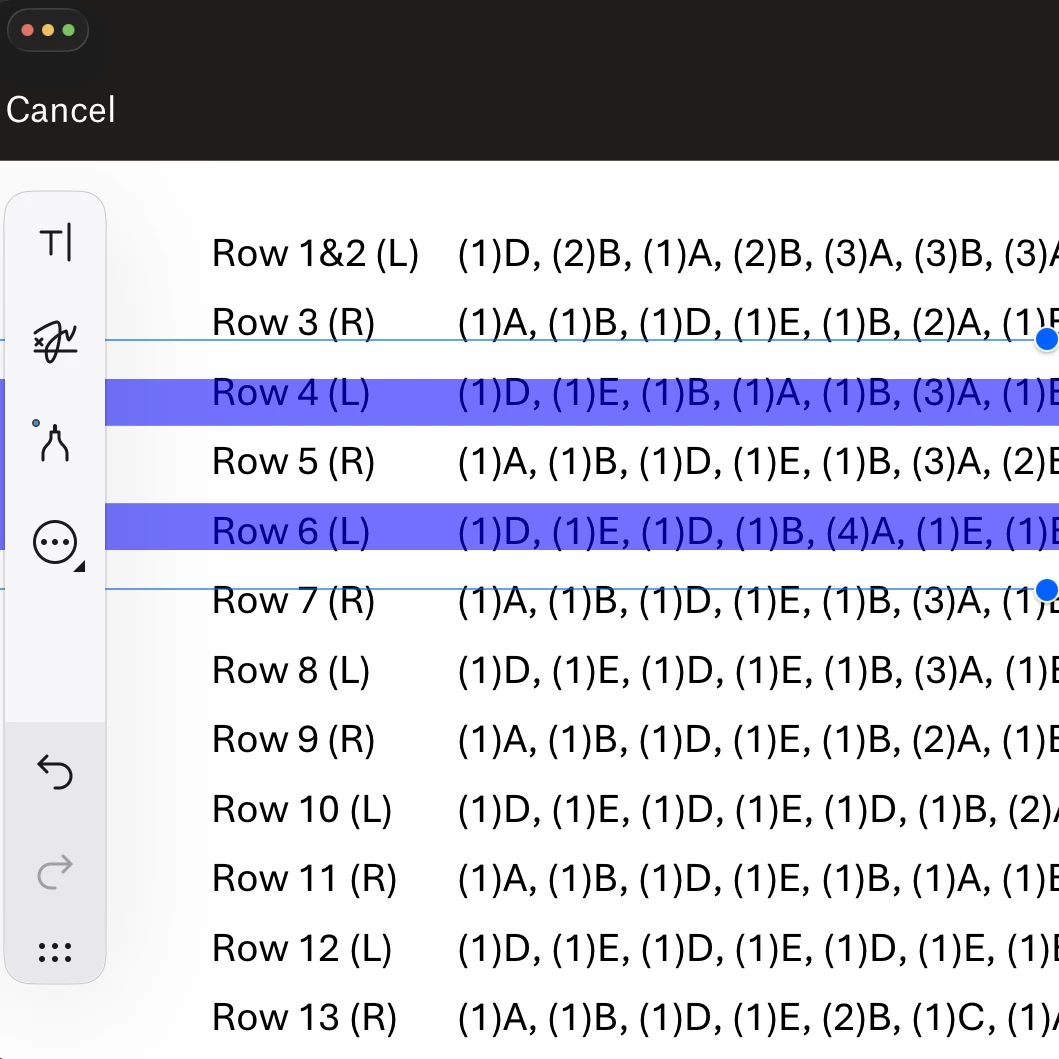
In Acrobat Pro, I created a text box with a wide (12 pt) semi-transparent border and a transparent fill and saved it to the PDF. Using other mobile PDF viewers (Dropbox or PDF Expert) I'm easily able to move the highlighter text box around the document, but cannot do so in Acrobat Reader. The highlighter text box refuses to budge in Acrobat Reader—instead it offers an unsolicted and unhelpful AI summary of the document.
Does a workaround exist for this mobile Reader usability issue? Of course I'll continue to use the other apps that actually do the job, but I would think that other Acrobat Reader users (translators, editors for instance) might need to highlight lines of reference text.

Thanks,

Felicia Lovelett
 

Correct answer Randy Hagan

Alas, there's probably no convenient workaround for the differences between Adobe Acrobat Pro on the desktop and Adobe Acrobat Mobile. Although Acrobat Mobile generally has better fidelity to the original PDF created than most all other non-standard PDF display tools, it isn't perfect and can show different display results than you get with Acrobat Pro desktop.


Perhaps you might be able to adjust your work on your computer to get better results when viewing it on your iPad, you'd probably be chasing your tail to get it right on Acrobat Mobile. But if you could get the right results, it'd probably take several generations of error, than trial to get to the right combination. In good conscience, I'd advise you against trying to find whatever combination of efforts it would take to get that perfect result.


Wish I had better news for you,


Randy

1 reply

Randy Hagan
Community Expert
Randy HaganCommunity ExpertCorrect answer
Community Expert
October 25, 2025

Alas, there's probably no convenient workaround for the differences between Adobe Acrobat Pro on the desktop and Adobe Acrobat Mobile. Although Acrobat Mobile generally has better fidelity to the original PDF created than most all other non-standard PDF display tools, it isn't perfect and can show different display results than you get with Acrobat Pro desktop.


Perhaps you might be able to adjust your work on your computer to get better results when viewing it on your iPad, you'd probably be chasing your tail to get it right on Acrobat Mobile. But if you could get the right results, it'd probably take several generations of error, than trial to get to the right combination. In good conscience, I'd advise you against trying to find whatever combination of efforts it would take to get that perfect result.


Wish I had better news for you,


Randy

cflnest
cflnestAuthor
Inspiring
October 26, 2025

Thanks so much for your reply. I was fairly sure that no workaround existed for this in Acrobat. Happily Dropbox and other PDF viewers allow me to do exactly what I need a highlighter box to do.

Felicia


Randy Hagan
Community Expert
Community Expert
October 27, 2025

I'm glad that you found a good workaround to get the results you're looking for. Just for safety's sakje, you might want to open it in typical browsers/PDF viewers you and your viewers might use regularly, just to make sure you get no rude surprises.


Good luck,


Randy