Participant
December 24, 2016
Question

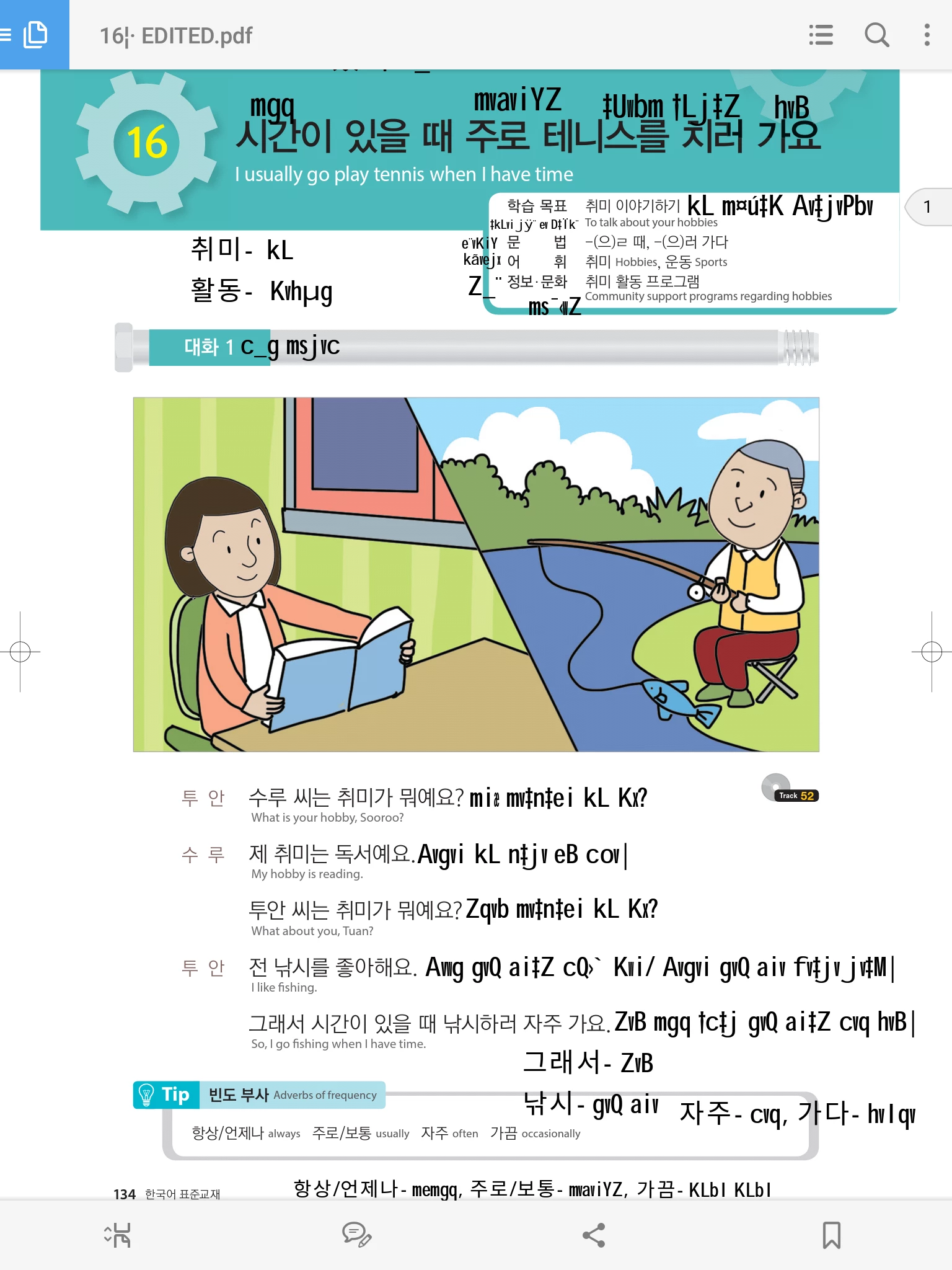
Adobe Acrobat android reader: Bangla font is breaking down.

  • December 24, 2016
  • 2 replies
  • 11299 views

Hello there,

I edited a pdf file on my pc, written some Bangla and Korean words. But, while checking that pdf file on my Samsung Galaxy S2 tablet, Bangla fonts are broken. Korean fonts are okey as you can see on the screen shot. I hope there is a solution for this and I am looking forward to it.  Thanks in advance.

[Here is the list of all Adobe forums... https://forums.adobe.com/welcome]

[Moved from Comments forum to specific Program forum... Mod]

This topic has been closed for replies.

2 replies

arifron75Author
Participant
February 19, 2018

Oh I thought you asked which software I used to view the pdf file. I edited the file with adobe reader.

Meenakshi Negi
Community Manager
Community Manager
April 13, 2018

Hi Arifron,

My sincere apology for the delay in response.

As you have mentioned above that you have edited the PDF with Adobe Reader, it is not possible to edit PDF with this application.

By editing, do you mean that you added comments to PDF?

Please let us know using which application you have added the Bangla and Korean words to PDF.

Regards,

Meenakshi

Participant
December 6, 2023

Dear Meenakshi

I am using adobe reader for Bengali proof reading. But the new Adobe Reader does not support Bengali Unicode comments. This is my issue with the software. I use Avro for Bengali typing.

Regards

Pradip

Meenakshi Negi
Community Manager
Community Manager
January 23, 2017

Hi arifron75,

Sorry for the delay in response.

Could you please let us know the application you used to edit PDF.

Can you share that file with us, so we can check it on our end?

Regards,

Meenakshi

arifron75Author
Participant
November 17, 2017

I used foxit reader to edit the file. Yes, I can share the file. Give me an email address, I will send the file.

Meenakshi Negi
Community Manager
Community Manager
November 20, 2017

Hi Arifron,

It seems there is some issue occurred while editing PDF with the other software.

As the file was edited using the Foxit Reader software, I would suggest you contact support for the Foxit Reader software.

Also, share the file with us, so we can check it on our end as well.

To share the screenshot, click on Inset image icon as shown below:

Then click on "Choose File" and browse to the location where you have saved the screenshot.

Select the image file and click on "Open". Then click on "Insert Image" tab at the bottom to add it to forum reply.

Let us know if you need any help.

Regards,

Meenakshi