


Tevist
Participant
October 4, 2018
Answered

Adobe acrobat will not work after latest updaten

  • October 4, 2018
  • 2 replies
  • 2245 views

Adobe acrobat reader will not work properly. It’s on an  iPad, iOS 12. After the adobe app updated, it wil no longer function. The adobe screen comes up, but there’s no interface. It’s just frozen, and does not respond to anything. I’ve rebooted iPad numerous times, updates iOS, and still it won’t do anything. Id like to not delete app if at all possible, due to the files contained within. Any help would be appreciated.

thanks,

Taylor
This topic has been closed for replies.
Correct answer MobileDeveloperCK

Hi simonet85344879​,

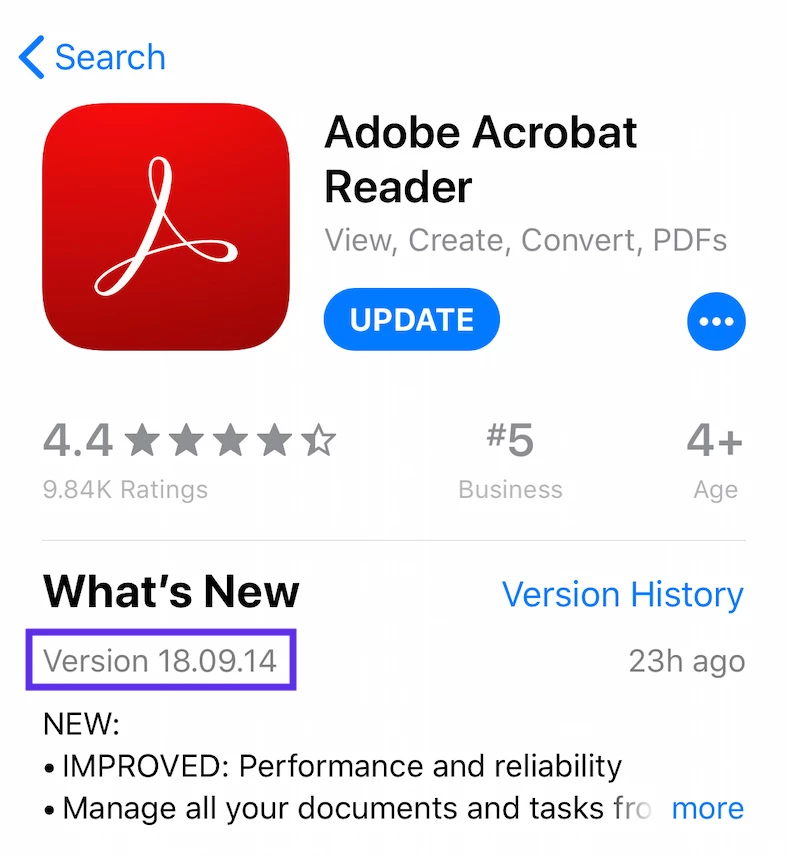
Would you please check the Acrobat version number shown in the App Store?

‎Adobe Acrobat Reader on the App Store

Is it 18.09.14 (not 18.09.13)?

2 replies

Tevist
TevistAuthor
Participant
October 4, 2018

I got it! Thanks!

Legend
October 4, 2018

Hi,

We just released Acrobat Reader 18.09.14 to the App Store.

This release addresses the issue at launch reported by users. Please let us know if you continue to experience issues after updating.

We apologize for the inconvenience caused.

Tevist
TevistAuthor
Participant
October 4, 2018

As far as I know I have the latest version, it auto updated two days ago, and now the app doesn’t work... I’ve gone to the App Store in an attempt to re update, but the only option it gives me is to open. it then opens up the app and doesn’t work. The screen pops up with my files,  but it‘s just frozen. No response to touch screen.

Thanks,

Taylor