

M H Rohan
Participant
January 23, 2023
Question

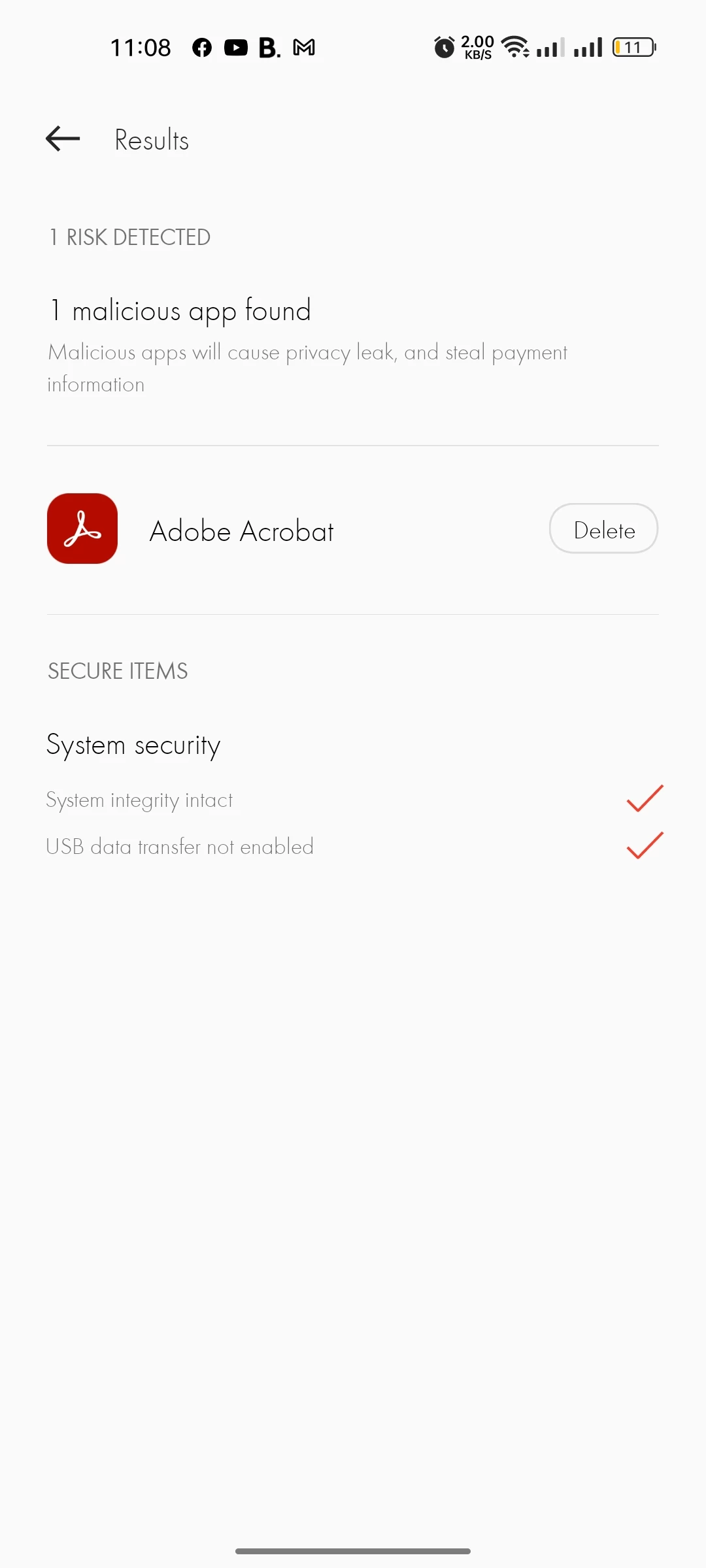
Again my phone found this app as a malicious apk.

  • January 23, 2023
  • 1 reply
  • 460 views

Again my phone found this app as a malicious apk. What is your apk problem..? My phone said delete your app so that any virus doesn’t attack. Please I want to be use your apk. But I couldn’t. Please solve this issue as soon as possible. Thanks

I also add my apk link & screenshot

Apk link:

https://play.google.com/store/apps/details?id=com.adobe.reader
This topic has been closed for replies.

1 reply

S_S
Community Manager
Community Manager
January 27, 2023

Hi @M H Rohan,


Hope you are doing well. Sorry for your experience with Acrobat Reader Mobile.


Would you mind sharing a few more pieces of information so we can investigate further:

1. The device manufacturer and model:

2. The antivirus application through which this is detected;

3. The apk file version you are using currently. You can use the below method:

[In Android you can easily backup all your apps using a free file manager app called File Explorer, a popular app to manage all your files and folders. If you haven’t already installed it.

Go ahead and download File Manager from Flashlight + Clock on Play Store. Once installed, launch it from the menu.

In the main screen, tap on the option “Apps.” This is where all the apps will be listed by File Explorer.

Now, tap and hold the app you want to backup. You can even select multiple apps if need be. After selecting, tap on the option “Backup” appearing at the bottom navbar.

This action will backup the selected apps, tap on the option “Open” to see the backed up apps.]

4. The application version installed on your device;

5. If the device is rooted or not.


Please share the information so we can speed up the investigation and release a fix soon.


Look forward to hearing from you.


-Souvik.