
Participant
July 4, 2024
Answered

AI Bubble Blocking Documents

  • July 4, 2024
  • 2 replies
  • 539 views

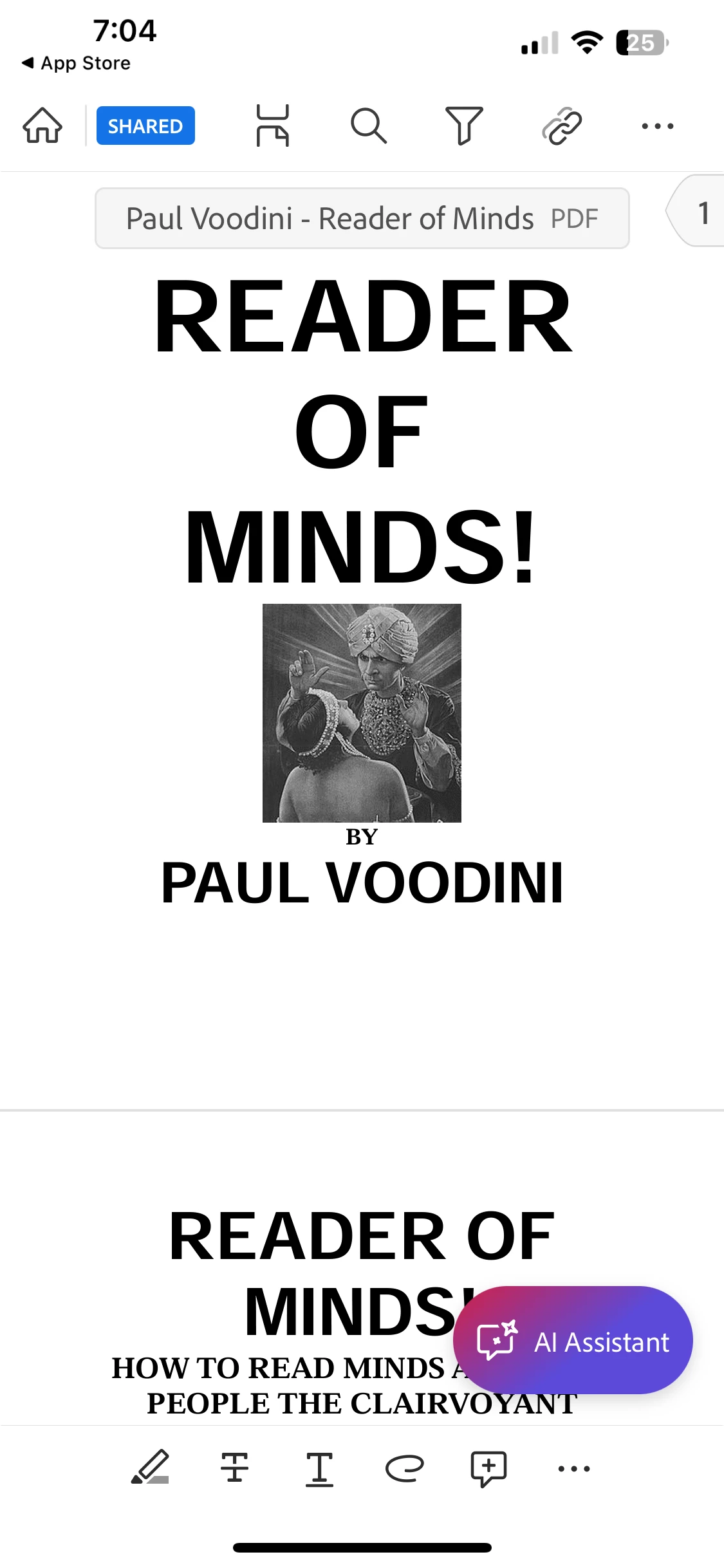
On the Acrobat APP on my iPhone, the AI bubble blocks my documents even though I've disabled the AI.


It's INFURIATING.


I can't even revert to an earlier version of Adobe Acrobat to get rid of AI feature because it's an APP.
 
Customer service via phone or email is nonexistent and a terrible reflection on the company, imo.

Solutions? 

No other PDF reader has liquid mode, otherwise I'd abondone Adobe completely. 


[Question moved to the Acrobat Reader Mobile forum]

This topic has been closed for replies.
Correct answer Amal.

Hi All,

I hope you're doing well.

We're pleased to inform you that the latest version of the Acrobat Reader mobile app (v24.09.00) has been released, which resolves the issue you encountered. Please update the app via the App Store and restart your device after completing the update for the changes to take effect.

If you have any questions or face any issues, feel free to reach out.


~Amal

2 replies

Amal.
Community Manager
Amal.Community ManagerCorrect answer
Community Manager
September 18, 2024

Hi All,

I hope you're doing well.

We're pleased to inform you that the latest version of the Acrobat Reader mobile app (v24.09.00) has been released, which resolves the issue you encountered. Please update the app via the App Store and restart your device after completing the update for the changes to take effect.

If you have any questions or face any issues, feel free to reach out.


~Amal

Amal.
Community Manager
Community Manager
July 31, 2024

Hi there,


I hope you are doing well, and thank you for reaching out.


Our engineering team is aware of this issue and is actively working on a solution. We expect the fix to be included in an upcoming update.


We appreciate your understanding and patience.


~Amal