Participating Frequently
October 22, 2017
Answered

App File Ios11

  • October 22, 2017
  • 4 replies
  • 2704 views

i’d like to know why the app adobe for ios 11 is not included in the app File of ios. In fact when i open the app File I don’t find adobe. I don understand why

This topic has been closed for replies.
Correct answer MobileDeveloperCK

The problem has been solved because of

the adobe update or ios update. I attach the

video where you can see that now adobe

is in the app “file“ under local menù iPhone

WeTransfer


Hi alexundostres​,

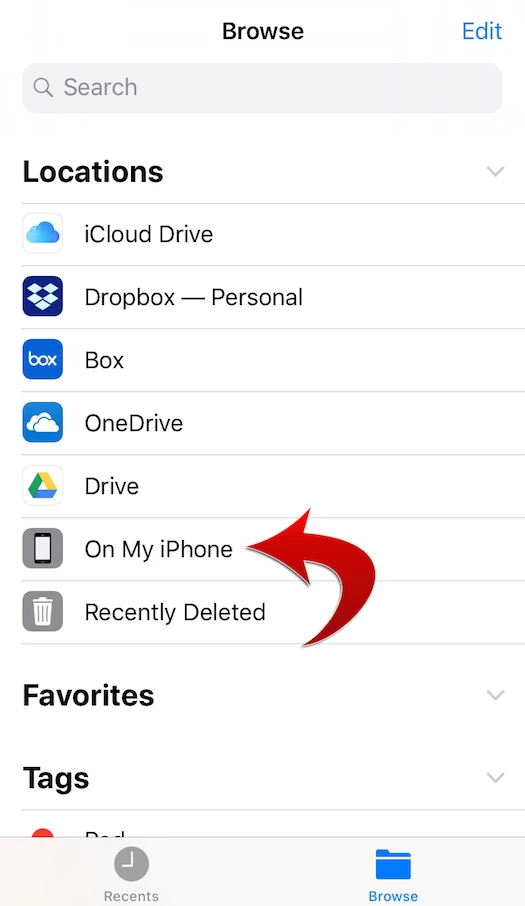
Yes.  We added the support for the iOS 11 Files app in Acrobat Reader version 17.11.30.

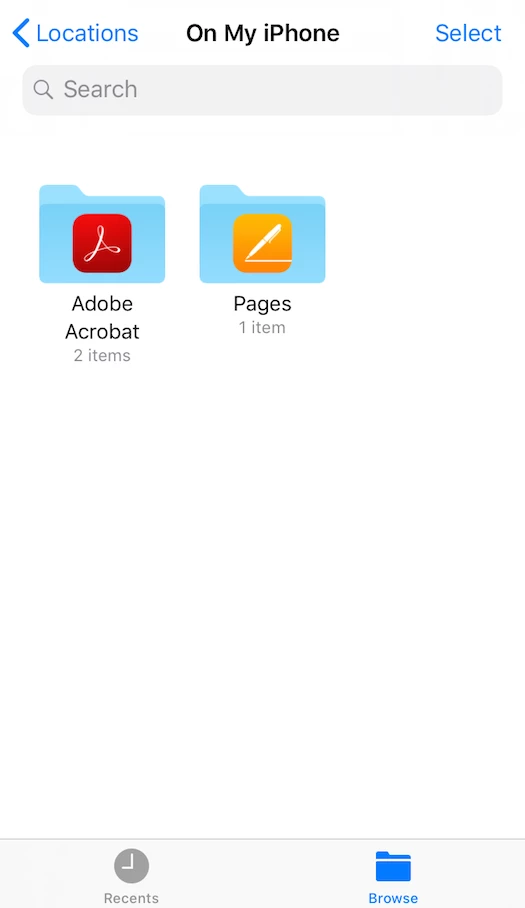
Tap "On My iPhone" or "On My iPad".

Open the Acrobat Reader folder containing Local documents in the Files app.

Thank you!

4 replies

Participating Frequently
November 9, 2017

If the video doesn’t explain well, tell me. I try to make another better

Participating Frequently
November 8, 2017

As you can see in the video I look for adobe opening the iOS app’File’ and then in local iPhone. But there I can see other app like ‘Pages’ or ‘fileapp’ but Not adobe. I wait for your help

AkanchhaS8194121
Legend
November 9, 2017

Thanks for sharing the detailed information and sorry for the delay in response.

The File app helps you syncing the drives that just work as files storage, like iCloud and Google drives.

However, Adobe Acrobat Reader is an application that not just supports the pdf files but also function as an app which itself support the other drives to add in it.

Check for the update Adobe Acrobat Reader under App store, do you see any update available for Acrobat?

If your application is up-to-date and you still don't see the Adobe Acrobat listed, which means this integration has not been added yet.

In that case you may fill the feature request form mentioned below-

Use this form to request new features or suggest modifications to existing features-http://www.adobe.com/products/wishform.html

Regards,

Akanchha

Participating Frequently
December 6, 2017

The problem has been solved because of

the adobe update or ios update. I attach the

video where you can see that now adobe

is in the app “file“ under local menù iPhone

WeTransfer

Participating Frequently
November 8, 2017

iOS 11.1. I attach the video you ask me. I hope for your help.

https://we.tl/s-yEqi83xbpR

AkanchhaS8194121
Legend
October 30, 2017

Hi Alexundostres,

As per the explanation above, if I get it correct that you are unable to see the Adobe Acrobat Reader application installed in your iOS?

As per the another thread that you have created Attachment pdf in ios11 in email of answer , because of that you are unable to open the PDF files attached to the email you have received?

I assume that either you do not have the Adobe Acrobat Reader application installed on your device or it has been deleted?

If you cant find it listed anywhere, then you can just simply download it from the "AppStore" as its a free app.

Adobe Acrobat Reader on the App Store

Let us know if this is what you were referring to?

Regards,

Akanchha

Jason Newton
Inspiring
November 6, 2017

Adobe have now added this integration in the latest update. Check your App Store updates.

Participating Frequently
November 6, 2017

My question is why app adobe doesn’t appear under the menù iphone in local of the app File