
Participant
August 14, 2020
Answered

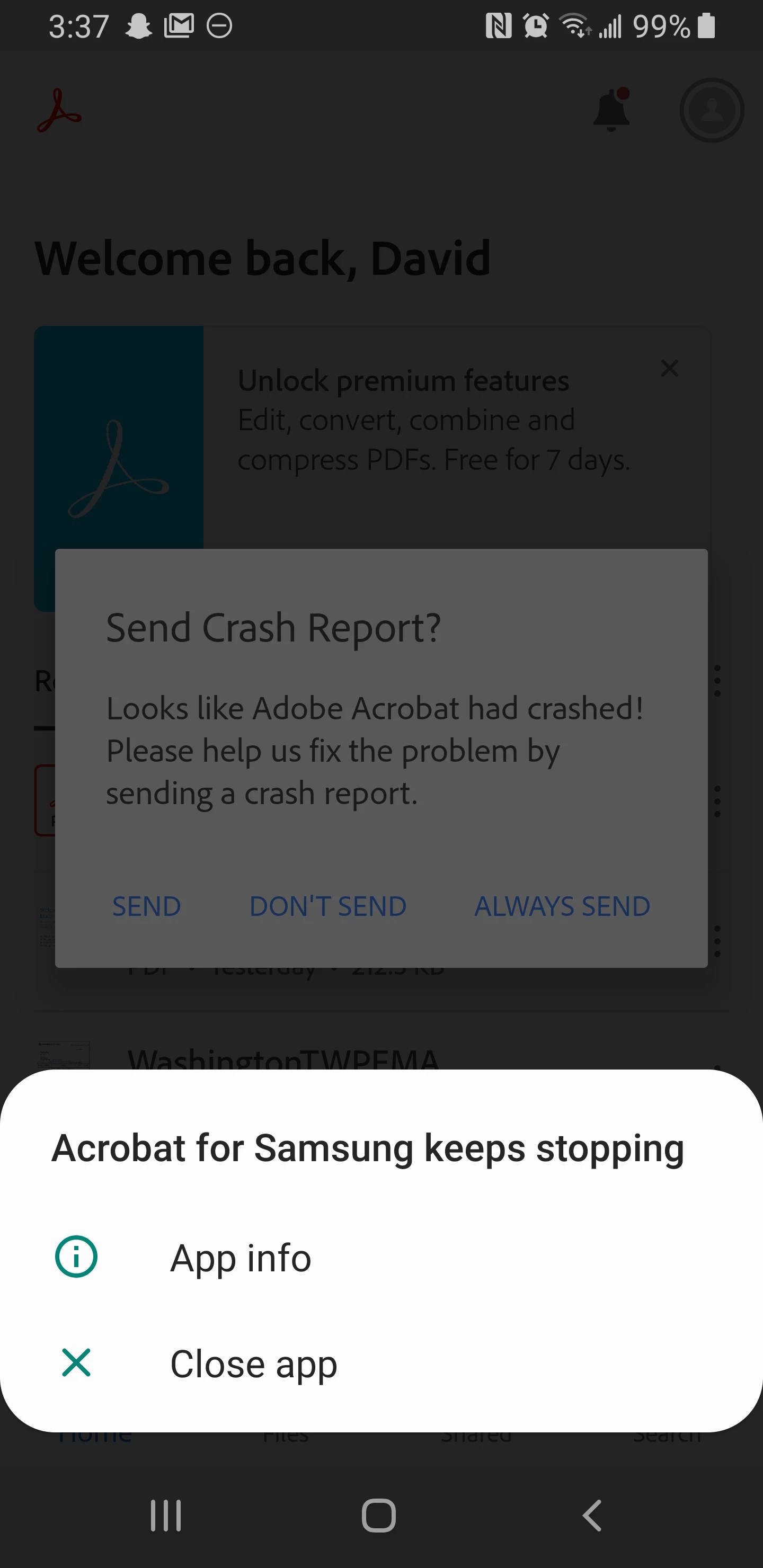
App keeps crashing

  • August 14, 2020
  • 2 replies
  • 4205 views

When I open Acrobat for samsung app it keeps crashing and wont open. It is doing this when I go to open any and all PDF. I'm using a samsung Galaxy S8 active model SM-G892A, android version 9.build number PPR1.180610.011.G892AUCU5CTF4. Adobe acrobat reader version 20.6.2.14256.
This topic has been closed for replies.
Correct answer FFDave

I found a solution, you have to delete the app and reinstall it. For some reason when it changed its name to adobe for Samsung it stopped working. 

2 replies

Participant
August 26, 2021

I had the same problem that was occured with TheTeenSafe app installed on my phone. It blocked the performance of other apps and it was good that I detected it and deleted. Check your phone for any types of viruses, malware or adware in such cases. 

Participant
August 16, 2020

Mine is Samsung Note 9, same the app keeps stopping. 

FFDaveAuthorCorrect answer
Participant
August 22, 2020

I found a solution, you have to delete the app and reinstall it. For some reason when it changed its name to adobe for Samsung it stopped working. 

AkanchhaS8194121
Legend
September 7, 2020

Hi Dave,


Sorry, that we couldn't assist you on time. We appreciate that you took out time to update the discussion and shared your findings. This would definitely be helpful for others.


Thanks,

Akanchha