
mohamad.e40812839
Participant
November 9, 2019
Question

Bug in viewing pdf in full screen on iphone pro max

  • November 9, 2019
  • 2 replies
  • 7591 views

Hi,

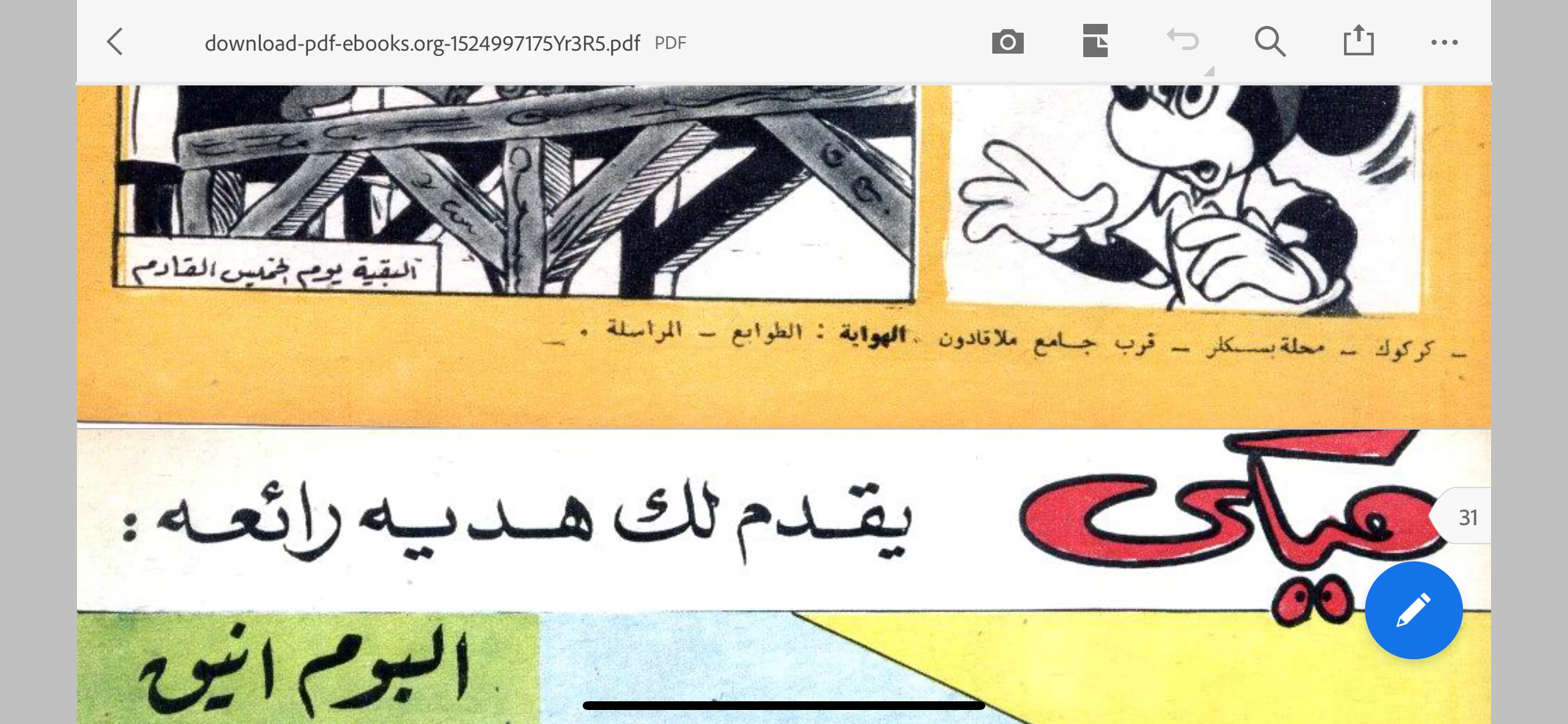
While viewing pdfs horizontally on my iPhone (iPhone 11 pro max) the pdf doesn’t open in real full screen view (it dosen't fill the whole screen to view). in other words there’s grey margins thus can’t use the whole screen size for viewing the pdf & it’s limited to part of the screen. I've never faced this problem before I started using thd new iphone (I've used the app for many years on my previous iphone). I believe it’s not just on my iPhone but also on any other iPhone pro max because they all have big screen relatively to other iPhones maybe.
Hope you can fix this so we can enjoy viewing pdfs in the whole screen (as supposed) & not part of it!.
P.s a screenshot is attached to show the problem.


Thanks
Mohamad
This topic has been closed for replies.

2 replies

Participant
April 2, 2024

This is a sad issue. It seems that the PDF reader in full screen in horizontal view leaves some margin space, perhaps due to the notch. Other apps have a much nicer behavior, of just flowing the PDF around the notch. 


Would be really nice if Adobe fixed this. For now, I'll be using PDF Viewer iPhone app, just for this.

S_S
Community Manager
Community Manager
April 3, 2024

Hi @f13c53,


Hope you are doing well. Thanks for writing in!


Free flowing of the PDF view is available on portrait view, but horizontal view is restricted by Apple. 

The feedback is already shared with the team, and I will revisit on this with the team.


-Souvik

Participant
April 3, 2024

horizontal view is restricted by Apple


As I said, many other apps for reading PDF (PDF Viewer by PSPDFKit, for instance) do not have this issue. Therefore I fail to see how this is globally "restricted by Apple" 

Meenakshi Negi
Community Manager
Community Manager
November 16, 2019

Hi Mohamad,


Sorry for the delay in response.


As you have mentioned above, the PDF does not open on whole screen in horizontal screen view.

Could you please confirm if the issue occurs with all the files you are viewing on the mobile application?

What is the application and OS version installed on the device?


Please ensure that the application is updated to the latest version available.

Also, try opening other files and check if they opens in the simialar way.


Let us know if you need any help.


Regards,

Meenakshi

mohamad.e40812839
Participant
April 18, 2021

Hi, 


so two years later after what I wrote to you the problem is still existant, nothing changed. Still there is no way to view on full screen view while using the phone horizontally. The gray margins seen in the picture that I attached in my previous post are still existant, no matter how much you zoom in, the margins are there, u can zoom in but the gray margins are still there and u can't view any file in full screen.

I'm using the latest version of adobe reader app and my iphone version is ios 14.4.2 ( up to date version). 
Help!

kathmanep
Participant
June 8, 2021

I have noticed this too... I have iPhone X, it doesn't happen on an Android phone I have... Don't know why.