Question
Bug report
For iPad In landscape mode, when browsing in split screen, the text selection menu will appear outside the screen when selecting text. (You can see it blinking at the left up corner but unable to click it).
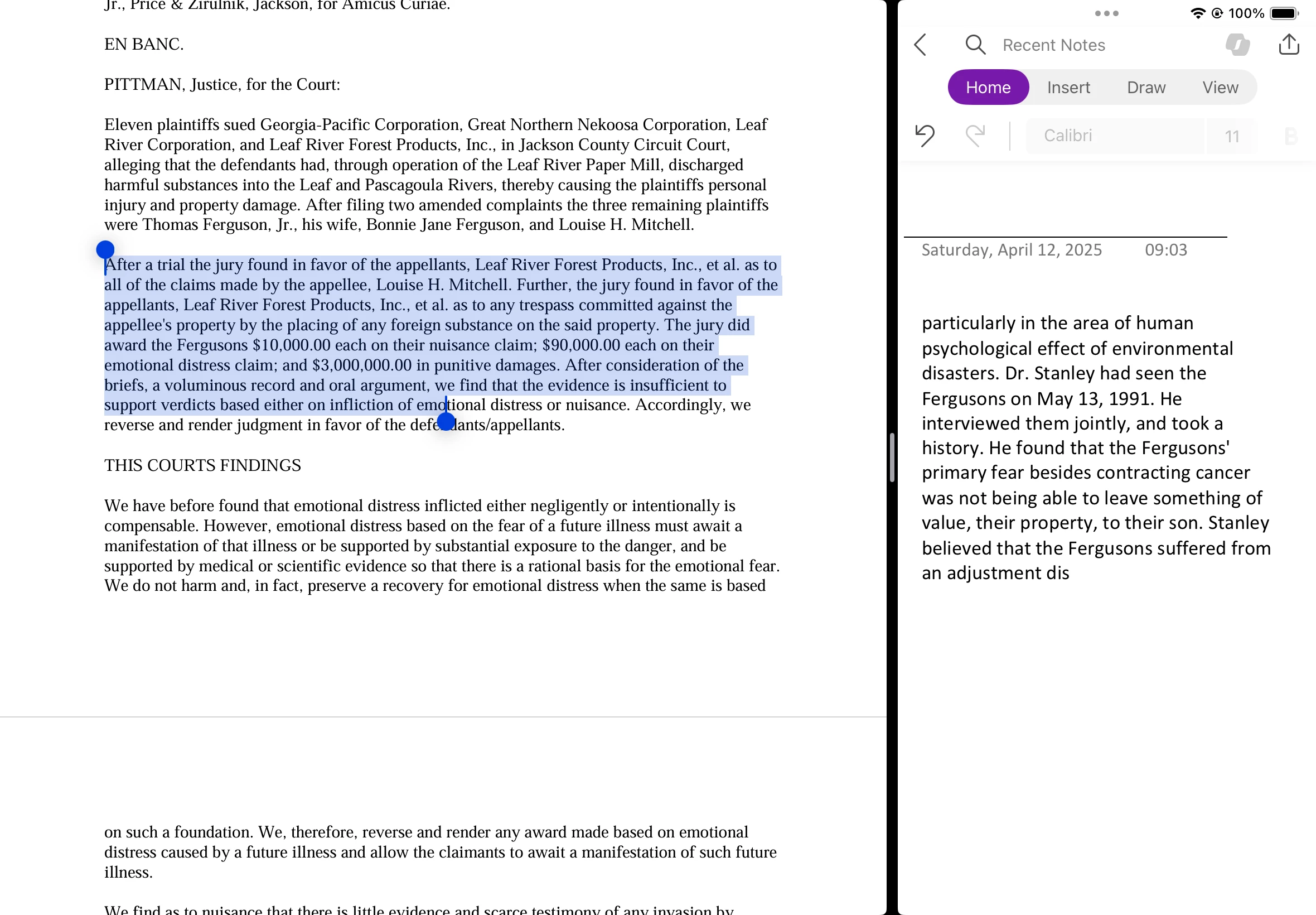

For iPad In landscape mode, when browsing in split screen, the text selection menu will appear outside the screen when selecting text. (You can see it blinking at the left up corner but unable to click it).
Already have an account? Login
Enter your E-mail address. We'll send you an e-mail with instructions to reset your password.


 AdChoices