
Question
BUG: Texts goes vertically down when filling in 'Adobe Form' field.
I have a electronic sheet that i have made for my Tablet - Samsung Galaxy Tab A 9.7" SM-P550.
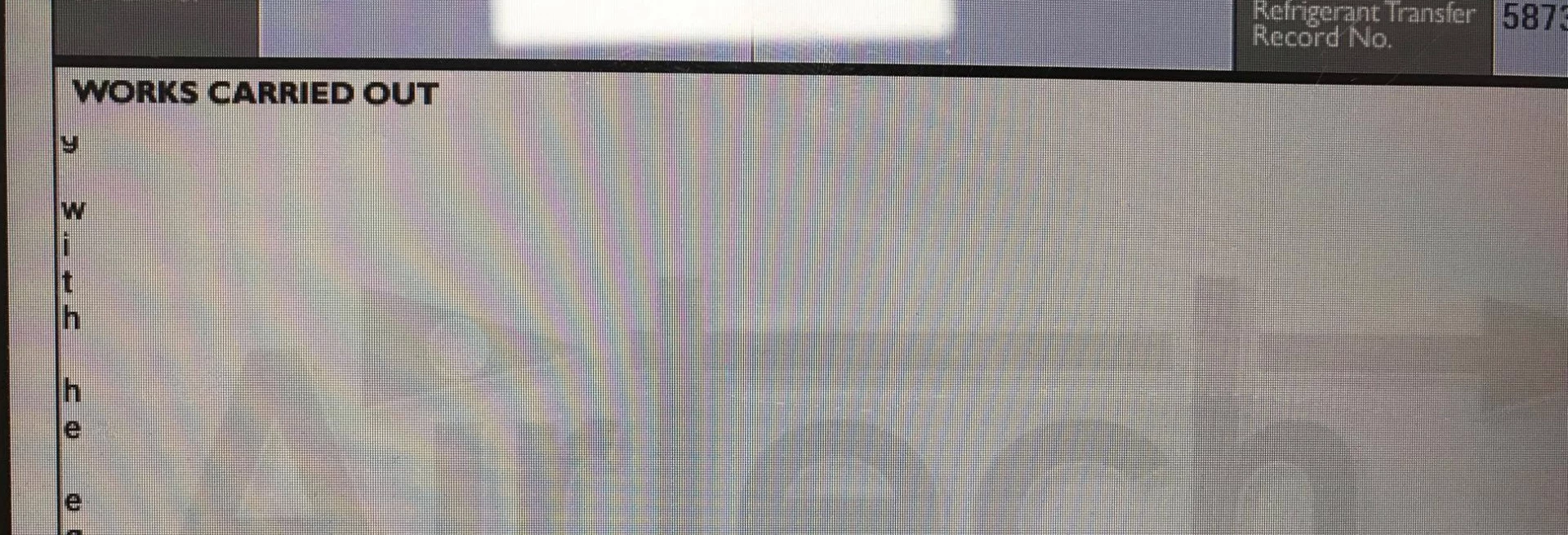
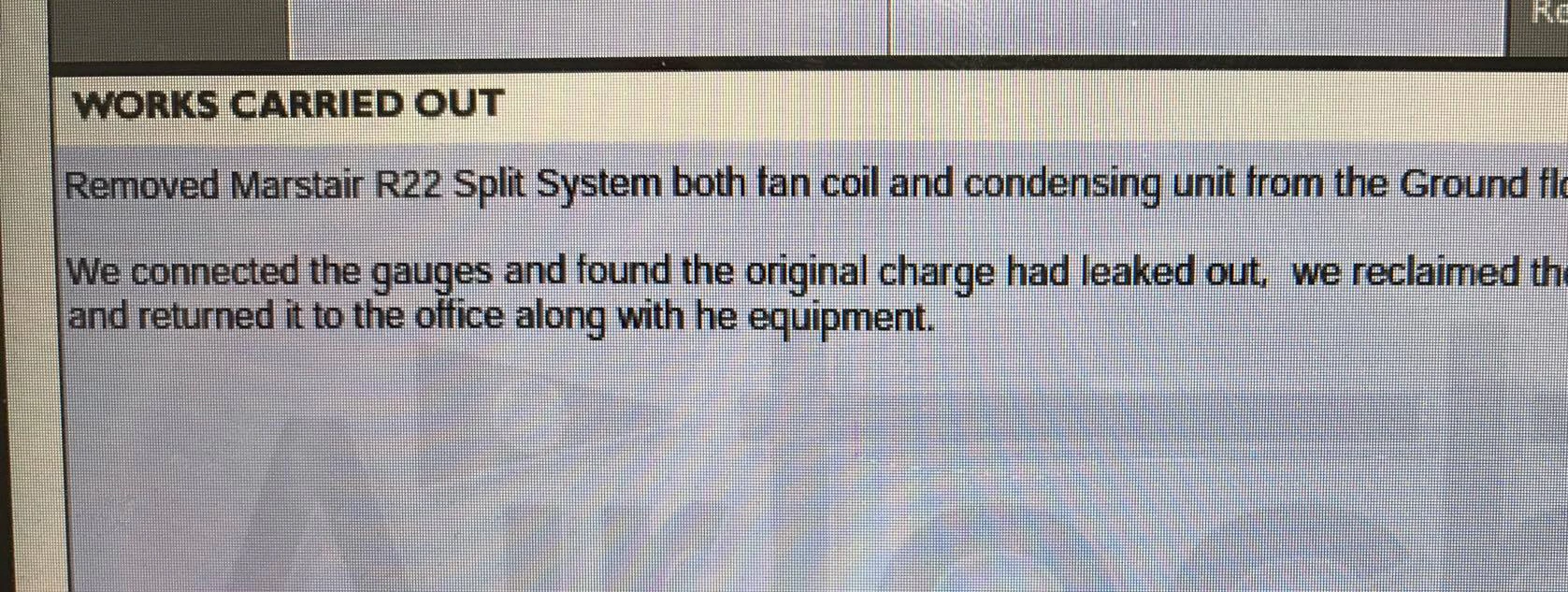
Since updating Adobe Reader whenever i go straight into a new field and try and add information, the text doesn't flow across the screen, but instead goes vertically down. Please see example. Example 1 is what it looks like when i click into the box. Example 2 is what it should look like - and what it DOES look like when i am not clicked into the box.
This is extremely annoying can someone please help. Has anyone else had this issue?
I have also tried this on another Samsung Galaxy Tab A and it does the same thing... What could this be?
Regards,
James
Example 1.
Example 2.
 AdChoices